.svg)
What's in a UX Audit? Everything a Client Should Expect

Most businesses don't hesitate to invest in a new website, marketing campaign, or software tool because they know what they're paying for.
A UX audit is different.
You hear terms like usability issues, user journeys, accessibility reviews, and conversion friction, but none of those explain what the actual process looks like. What will the team be doing? How much of your time will it require? What will you receive at the end? And most importantly, how do you know whether the investment is worth it?
Those questions are completely reasonable. Before committing budget to any service, you should understand exactly what's involved and what outcome you can expect.
We've already covered what a UX audit is and why businesses use one. This guide picks up from there. Instead of defining the concept again, we'll focus on what happens once you decide to move forward.
From the information you'll need to provide to the final report you'll receive, we'll break down what a UX audit includes, how the process works from start to finish, and how long it typically takes so you know exactly what to expect before making the investment.
What Does a UX Audit Actually Include?
At its core, a UX audit looks at four things: how people actually use your site, how your site is structured, whether it's accessible to everyone, and how it compares to others in your space.
How People Actually Use Your Website
One of the most valuable parts of a UX audit is understanding what users do, not what we assume they do.
Using analytics, heatmaps, session recordings, and other behavioral data, we look at how visitors interact with your website. Which pages do they spend time on? Where do they click? Which sections get ignored? At what point do they leave without taking action?
These patterns often reveal opportunities and friction points that aren't obvious when simply looking at the design.
How Your Website Is Structured
Even a visually appealing website can struggle if users can't easily find what they're looking for.
This part of the audit focuses on navigation, page hierarchy, content organization, and user flows. We evaluate whether visitors can move naturally from one step to the next and whether important actions, such as making a purchase, booking a consultation, or submitting a form, are easy to complete.
The goal is to determine whether your website guides users toward action or creates unnecessary obstacles along the way.
Accessibility and Inclusive User Experience
A good user experience should be available to everyone.
That's why a UX audit includes an accessibility review to identify barriers that may affect people using screen readers, keyboard navigation, or other assistive technologies. We also review elements such as color contrast, readability, form usability, and overall accessibility standards.
Beyond compliance considerations, accessibility improvements often make websites easier for all users to navigate and understand.
Competitive and Industry Benchmarking
User expectations are shaped by the experiences they have elsewhere online.
When relevant, we compare key parts of your website against competitors and industry standards to understand how your experience measures up. This helps identify areas where users may expect a smoother process, clearer information, or a more intuitive journey.
Rather than relying on opinion, recommendations are informed by both user behavior and patterns that are already working successfully within your market.
A UX audit brings all of these insights together into a single view of your website's performance. Instead of making decisions based on assumptions, you'll have a clearer understanding of what's helping users convert, what's creating friction, and where improvements are likely to have the greatest impact.
That's why a UX audit is often one of the most valuable investments a business can make before committing resources to a redesign, marketing campaign, or new feature development.
Before the Audit Starts: What NUUX Will Ask You For
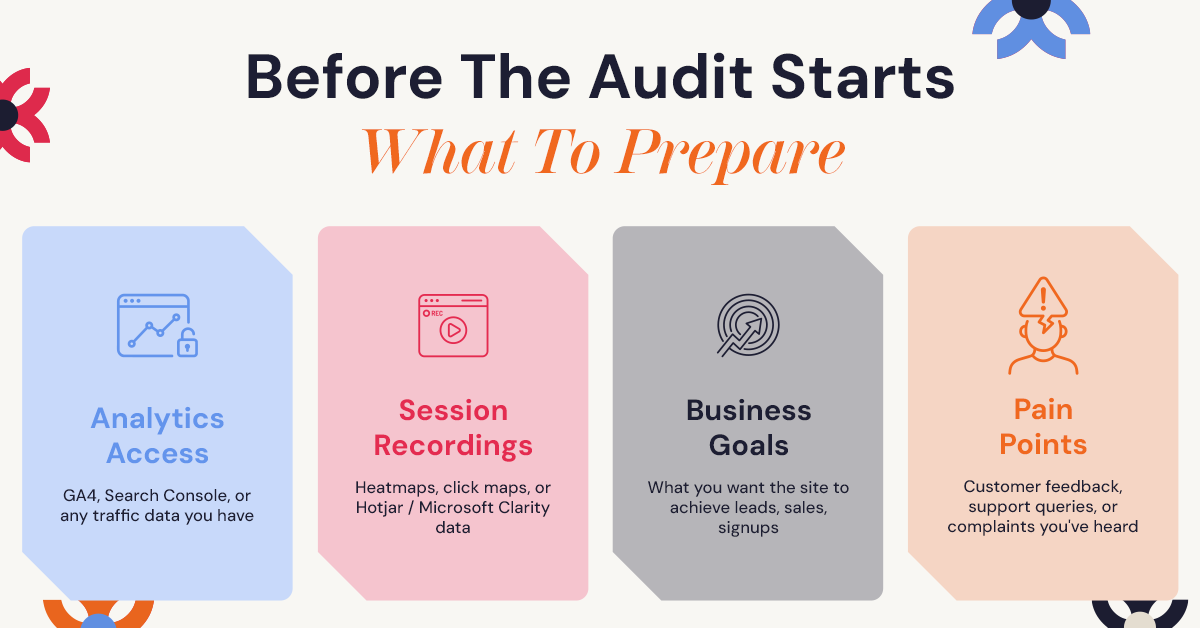
A good UX audit doesn't start with us staring at your website in isolation. It starts with understanding what you're trying to achieve.
Before kickoff, we'll usually ask for a few things:
Access to your analytics. This is typically Google Analytics or a similar tool. If you don't have this set up properly, that's fine. It's common, and it's something we can help sort out as part of the process.
Access to heatmap or session recording tools, if you have them. Tools like Hotjar show how people move through your pages, where they click, and where they hesitate. If you don't have these in place yet, we can recommend simple ways to start collecting this data.
A short list of your business goals. What does success look like for you? More sign-ups? More completed purchases? Fewer support tickets about the same issue?
Any known pain points. If your team has heard complaints, noticed drop-offs at a certain step, or has a gut feeling about where things are going wrong, tell us. It gives us a starting point and often points directly to where the bigger issues are hiding.
Most of this comes down to understanding how people actually behave on your site. Before recommendations are made, it's important to analyze user experience using real user data rather than assumptions, which is why this stage matters more than people expect.
The Step-by-Step Process: What Happens During the Audit
Here's what a typical UX audit looks like from your side of the table, broken into stages.
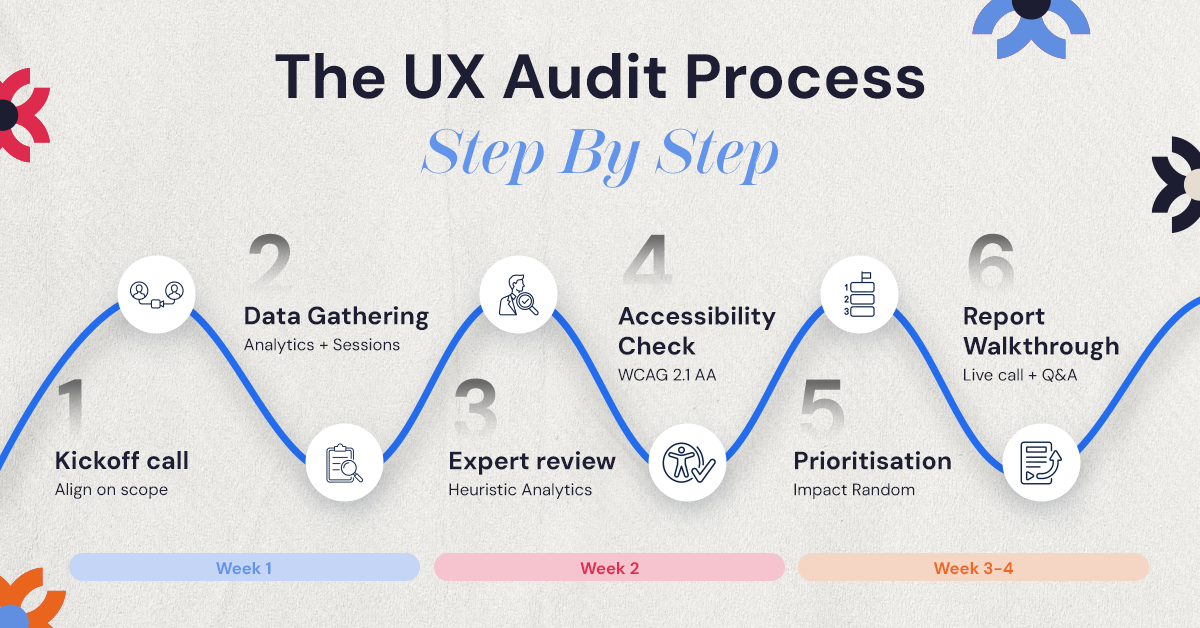
1. Kickoff Call and Project Alignment
Every UX audit starts with a conversation.
During this stage, we take time to understand your business, your audience, and the goals you want your website to achieve. Whether you're trying to generate more leads, increase sales, improve sign-up rates, or reduce user drop-offs, these objectives help shape the entire audit.
We'll also discuss any challenges you've already noticed, review the scope of the project, and establish timelines so everyone knows what to expect moving forward.
2. Data Collection and Site Review
Before recommendations can be made, we need to understand how people are actually using your website.
This stage involves gathering available data from tools such as Google Analytics, Google Search Console, Hotjar, Microsoft Clarity, or other tracking platforms you may already have in place. We review user behavior, traffic patterns, conversion paths, and areas where visitors appear to leave or struggle.
At the same time, we conduct a thorough review of the website across desktop, tablet, and mobile devices to understand the experience from a user's perspective.
3. Expert UX Evaluation
Once the data has been collected, our team performs a detailed usability review of the website.
We examine navigation, page layouts, content structure, calls-to-action, forms, user flows, and other critical touchpoints. The goal is to identify areas where users may become confused, hesitate, or abandon a task before completion.
Rather than relying on assumptions, we evaluate the experience using established UX principles and industry best practices to uncover issues that can negatively affect engagement and conversions.
4. Accessibility and Responsive Design Assessment
A website should work well for everyone, regardless of device or ability.
During this stage, we evaluate how accessible the website is for people using assistive technologies such as screen readers or keyboard navigation. We also test how the experience performs across different screen sizes and devices to ensure users aren't encountering unnecessary barriers.
Accessibility improvements often benefit all users, not just those with specific accessibility needs, which is why this stage plays an important role in the audit process.
5. Issue Prioritization and Opportunity Mapping
Not every issue has the same impact on your business.
After identifying usability problems, we organize and prioritize them based on their potential effect on user experience and business performance. This helps separate minor concerns from the issues most likely to affect conversions, engagement, or customer satisfaction.
Instead of delivering a long list of observations, we focus on creating a clear roadmap that helps you understand what should be addressed first and why.
6. Reporting and Findings Walkthrough
The final stage is where everything comes together.
We compile our findings into a detailed UX audit report that outlines key issues, supporting evidence, and recommended next steps. The report includes visual examples, explanations of why specific issues matter, and guidance on how they can be improved.
Once the report is complete, we'll walk through the findings with you in a dedicated review session, answer questions, and discuss the best path forward for your team.
For most websites, the entire UX audit process takes between two and four weeks. Larger websites, more complex products, or projects that include user interviews and additional testing may require more time. However, by the end of the process, you'll have a clear understanding of what's helping your users, what's holding them back, and where to focus your efforts moving forward.
What You Receive at the End: The UX Audit Report
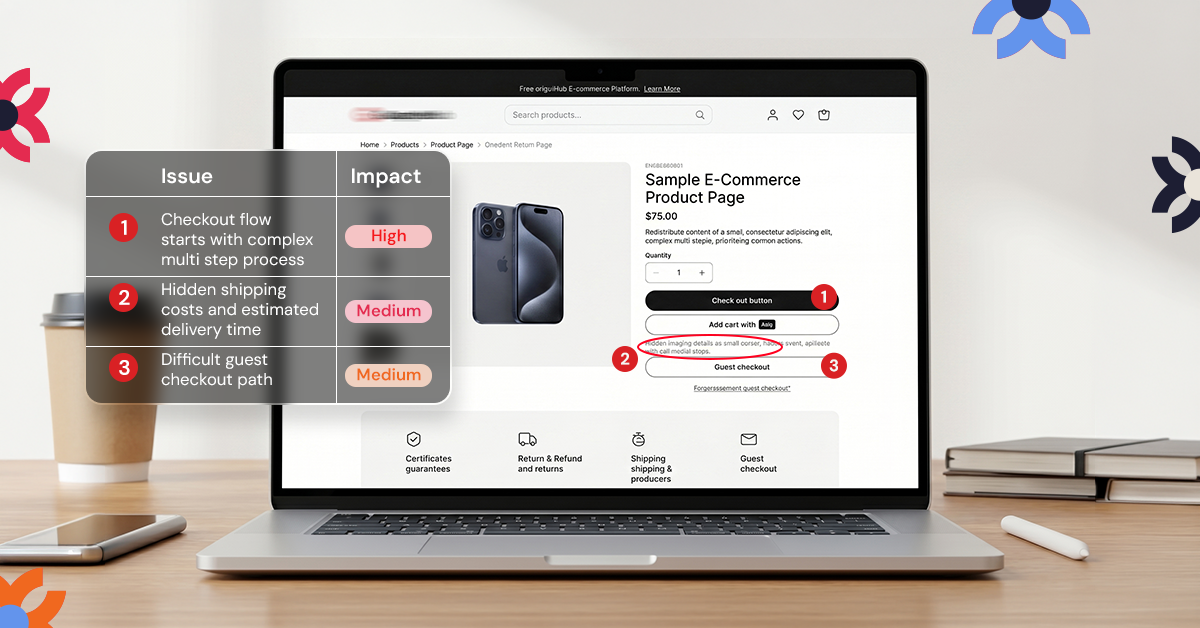
This is the part most people are genuinely curious about, and it's worth being specific.
A UX audit report from NUUX includes:
A prioritized list of issues. Not just a pile of problems, but a ranked list based on how much impact fixing each one is likely to have versus how much effort it takes. This helps you know where to start.
Annotated visuals. Screenshots of your actual site with notes pointing directly to where each issue occurs. If a button is hard to find, you'll see exactly which button, on exactly which page.
Clear recommendations, not just criticism. For every issue identified, we provide a suggested direction for the fix. The goal is never to simply tell you what's wrong. It's to give your team something they can act on.
A summary tied back to your goals. Everything in the report connects back to what you told us mattered at the start, whether that's conversions, sign-ups, or reduced support requests.
A walkthrough call. Reports can be dense, so we go through the findings with you directly, answer questions, and make sure nothing gets lost in translation between the audit and your team.
The goal is for the final report to feel like a roadmap your design or development team can pick up and start working from immediately, not a document that gets opened once and forgotten.
How Much Does a UX Audit Cost?
Cost depends largely on scope. A focused audit covering a single flow, such as your checkout process or sign-up form, will cost less than a full-product audit that includes user research and covers your entire site or app.
As a general guide, smaller, focused audits tend to fall in the lower thousands, while comprehensive audits involving deeper research and a larger scope can run into the tens of thousands. The right number for your business depends on the size of your product, how many flows need reviewing, and whether primary user research (like interviews or usability testing) is included.
The more useful way to think about cost is this: what is it currently costing you to keep losing visitors at the same point in your funnel, month after month? A UX audit is often far cheaper than continuing to operate with that leak unaddressed. For an exact quote based on your specific site, the best step is to book a free consultation so we can scope it properly.
Is a UX Audit the Same as a Redesign?
No, and this is one of the most common points of confusion.
A UX audit diagnoses problems and tells you what's wrong and why. It does not include rebuilding your interface, writing new code, or producing final visual designs. Think of it as the diagnosis before the treatment plan.
What happens after the audit is up to you. Some clients take the findings and brief their internal design or development team to implement the fixes themselves. Others choose to move straight into a redesign with the same team that ran the audit, since that team already understands the issues in depth. Both paths are completely valid, and the audit itself doesn't lock you into either one.
What Happens After the Audit?
Once you have the report in hand, the next step is deciding what to tackle first. Most clients start with the issues that sit in the "high impact, low effort" zone, the changes that are relatively quick to make but are likely to move the needle quickly.
From there, you have options. Some businesses take the report to their existing internal team and implement changes themselves. Others prefer to keep working with the same team that ran the audit, so the people who understand the findings best are the ones executing on them.
If you'd like a single team to carry the findings through from audit to implementation, our UX/UI design and product design teams can take it from here, and once those changes are live, a great user experience tends to show up in the numbers fairly quickly.
Why Work With NUUX for Your UX Audit
We approach every audit the same way we approach every project: we don't do guesswork. Every recommendation we make is backed by actual user behavior, not assumptions about what "should" work.
We've worked through similar structural challenges before, like unifying a fragmented website, ordering flow, and marketing funnel into one coherent customer journey for Chin Chin, or helping a team bring clarity to a complex information architecture so they could move forward with confidence. The same structured thinking shows up in every UX audit we run, just applied to your specific product and goals.
We're also not the type of team that disappears after handing over a report. If you want help acting on what we find, we're in this for the long haul, whether that means ongoing design support, development, or growth marketing once the foundation is fixed.
If your site is getting traffic but not converting the way it should, the first step is understanding why. Book a free consultation with NUUX and we'll walk you through what an audit tailored to your product would look like.
Conclusion
A UX audit is not a vague or mysterious service. It follows a defined process, with clear inputs from you, a realistic timeline, and a specific, actionable output at the end. Knowing what's in a UX audit, from the kickoff call to the final report, means you walk in knowing exactly what you're paying for and what you'll have in hand once it's done.
If you're ready to find out what's quietly costing you conversions, get in touch with NUUX and let's figure out what a UX audit could uncover for your business.
.svg)
.jpg)


.jpg)

.svg)

.svg)

.svg)
