.svg)
What Is a UX Audit?

Every digital product leaves behind clues about how people experience it. The pages users visit, the actions they take, and the moments where they leave all reveal something about how the product is working.
The challenge is that these signals are easy to overlook during day-to-day product work. Teams may see traffic numbers or conversion rates, but those metrics rarely explain why users struggle to complete certain tasks.
In many of the product reviews we conduct at NUUX, teams arrive with this exact challenge. Their product is live and people are using it, yet certain steps in the experience slow users down or cause them to drop off entirely. The data shows that something is happening, but the reason behind it is not always obvious.
This is where a User Experience Audit, often called a UX audit, becomes useful. It gives teams a structured way to step back, examine the experience more closely, and connect user behavior with what is actually happening in the interface.
To understand how this works, it helps to first look at what a UX audit actually is.
What Is a UX Audit?

A UX audit is a structured evaluation of how people experience a website, app, or digital product. It focuses on how users move through the interface and identifies where the experience becomes difficult, confusing, or inefficient. According to CareerFoundry, a UX audit helps uncover usability issues and highlight opportunities for improvement.
In practice, it looks at what users actually do, not what teams expect them to do.
It examines user behavior, interaction flows, and interface structure to find where users slow down, skip important actions, or abandon tasks entirely. For example, users might start filling out a form but leave halfway, miss a primary button because it does not stand out, or repeat steps because the next action is not obvious.
These are not random actions. They point to specific parts of the experience that are getting in the way.
A UX audit connects these behaviors to what is happening in the interface. It helps teams understand which elements are causing friction and what needs to change so users can move through tasks without unnecessary effort.
Why UX Audits Matter
Many teams assume that if a product looks good, the experience must also be good. In reality, design aesthetics and user experience are not always the same thing. A UX audit helps reveal hidden friction in the product.
Analyzing user data and behavior during a UX audit helps businesses understand customer needs and identify usability issues that affect conversions and engagement. Here are some of the most important benefits.
Better understanding of users
UX audits often analyze behavioral data such as session recordings, heatmaps, and user journeys. These insights show how people actually use the product rather than how designers assume they use it.
Improved conversion rates
When usability barriers are removed, users can complete tasks more easily. This often leads to more purchases, sign-ups, and successful interactions.
Smarter product decisions
Instead of relying on assumptions, teams can use real insights from the audit to guide product improvements.
Reduced redesign costs
Fixing usability problems early prevents expensive redesign efforts later.
Stronger user satisfaction
When users can navigate a product without confusion, they feel more confident and more likely to return.
When Should You Conduct a UX Audit
A UX audit is most helpful when a product already exists, and people have started using it.
Audits are commonly performed once a digital product has been in use for some time, and teams want to understand how well it meets user needs. Here are common situations where a UX audit becomes especially valuable.
When conversion rates begin to drop
If users visit your platform but rarely complete actions such as purchases or sign-ups, the experience may contain usability barriers.
Before a redesign
Teams often perform a UX audit before redesigning a product so they know exactly what needs improvement.
After launching new features
New features sometimes introduce unexpected friction. An audit helps confirm whether they improve or harm the overall experience.
When user complaints increase
Customer support feedback often reveals deeper usability problems that an audit can uncover.
During regular product reviews
Some companies run UX audits once or twice a year to ensure their product continues to meet user expectations.
Types of UX Audits
Not every UX audit looks the same. Different types focus on different aspects of the user experience.
Usability audit
This examines how easily users can complete tasks such as signing up, searching for information, or making a purchase.
Accessibility audit
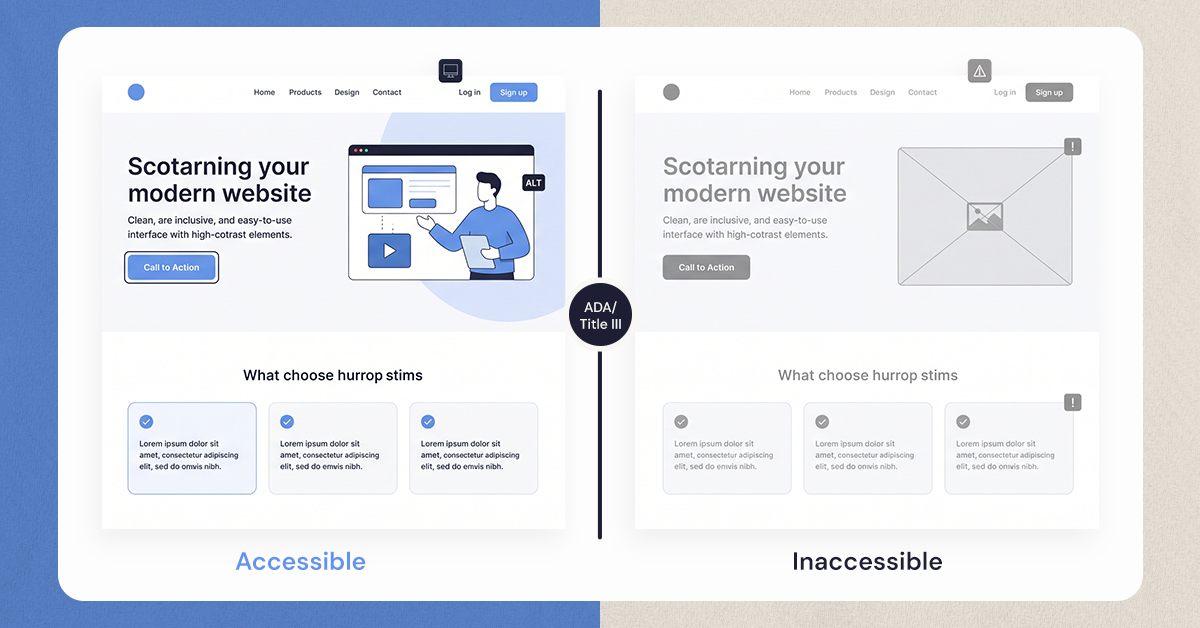
This evaluates whether a product is usable by people with disabilities and whether it follows accessibility guidelines such as WCAG standards.
Information architecture audit
This focuses on how content and navigation are organized. It evaluates whether users can easily find what they need.
Visual design audit
This examines layout consistency, color usage, typography, and visual hierarchy.
Content audit
A UX content audit evaluates whether text, images, and messaging support the user journey effectively.
Most UX audits combine several of these approaches to gain a complete understanding of the product.
How to Conduct a UX Audit
While every project is different, most UX audits follow a similar process.
Define the objectives
Start by identifying what you want to learn from the audit. This might include improving conversions, simplifying navigation, or reducing drop-off rates.
Gather product data
Teams collect analytics data, heatmaps, session recordings, and user feedback. These sources reveal how people interact with the product.
Understand the users
Personas, interviews, and customer journey maps help teams understand user goals, motivations, and frustrations.
Conduct a heuristic evaluation
Design experts review the interface using established usability principles to identify design issues.
Review accessibility and usability
The product is evaluated for accessibility, responsiveness, and clarity across different devices.
Analyze the findings
Patterns and recurring usability problems are identified and prioritized based on impact.
Create the UX audit report
The final report summarizes insights, highlights key issues, and provides practical recommendations for improvement.
UX Audit Checklist and Tools
During a UX audit, teams review different parts of a product to understand how the experience works from the user’s perspective. The goal is to examine the elements that shape how easily people can move through the product and complete what they came to do.
Some of the most common areas reviewed during a UX audit include:
• Navigation clarity
• Page load performance
• Accessibility compliance
• Mobile responsiveness
• Content readability
• Visual hierarchy
• Error messages and feedback
• Task completion flow
• User journey consistency
• Call to action visibility
Looking at these elements helps teams identify whether the product is guiding users smoothly or creating moments of friction along the way.
To support this process, UX teams often rely on tools that reveal how people actually interact with the product. Common UX audit tools include:
• Google Analytics for understanding user behavior and traffic patterns
• Hotjar for heatmaps and session recordings that show how users navigate pages
• Maze for usability testing and user journey insights
• Accessibility Insights for detecting accessibility issues
• UX heuristic evaluation frameworks for reviewing interfaces against established usability principles
These tools help teams collect behavioral data, observe user interactions, and uncover patterns that reveal where the experience may need improvement.
Best Practices for a Successful UX Audit
A UX audit becomes truly valuable when the insights it reveals lead to meaningful improvements. The goal is not simply to point out what is wrong with a product, but to understand the experience clearly enough that teams can make thoughtful decisions about what to improve and why.
To get the most out of the process, a few practices make a significant difference.
• Start with clear goals. Knowing what you want to learn from the audit helps keep the evaluation focused and prevents the process from becoming overwhelming.
• Use both qualitative and quantitative data. Analytics can show where users drop off or struggle, while user feedback and observations help explain why those moments happen.
• Prioritize improvements based on impact. Addressing the most critical usability issues first often leads to faster and more noticeable improvements in the user experience.
• Involve different teams. Designers, developers, and product managers each bring a different perspective. When they are part of the process, the insights from the audit are more likely to translate into real product changes.
• Treat UX audits as an ongoing practice. As products grow and user needs evolve, revisiting the experience regularly helps ensure the product continues to support the people using it.
When these practices are followed, a UX audit becomes more than an evaluation. It becomes a tool that helps teams continuously improve how their product works for the people who rely on it.
Conclusion
Building a digital product is more than features or visual design. What matters most is how people experience the product when they use it.
A UX audit gives teams the opportunity to understand that experience more clearly. It reveals moments of hesitation, confusion, and friction that often go unnoticed during development.
More importantly, it turns those discoveries into opportunities for improvement.
When a product becomes easier to understand, easier to navigate, and easier to trust, users naturally stay longer and accomplish more. That is the real value of a UX audit.
For teams trying to understand why users struggle with their product, taking the time to examine the experience closely can often reveal insights that are difficult to see during everyday product work. In many of the UX audits we conduct at NUUX, these insights become the starting point for meaningful product improvements.
If your product shows signs that users are struggling to move through key tasks, stepping back to evaluate the experience may be the first step toward building something that works better for the people who rely on it.
.svg)


.jpg)
.jpg)

.svg)

.svg)

.svg)
