.svg)
Website Accessibility Compliance Checklist for Local Government: A Practical WCAG 2.1 AA Guide
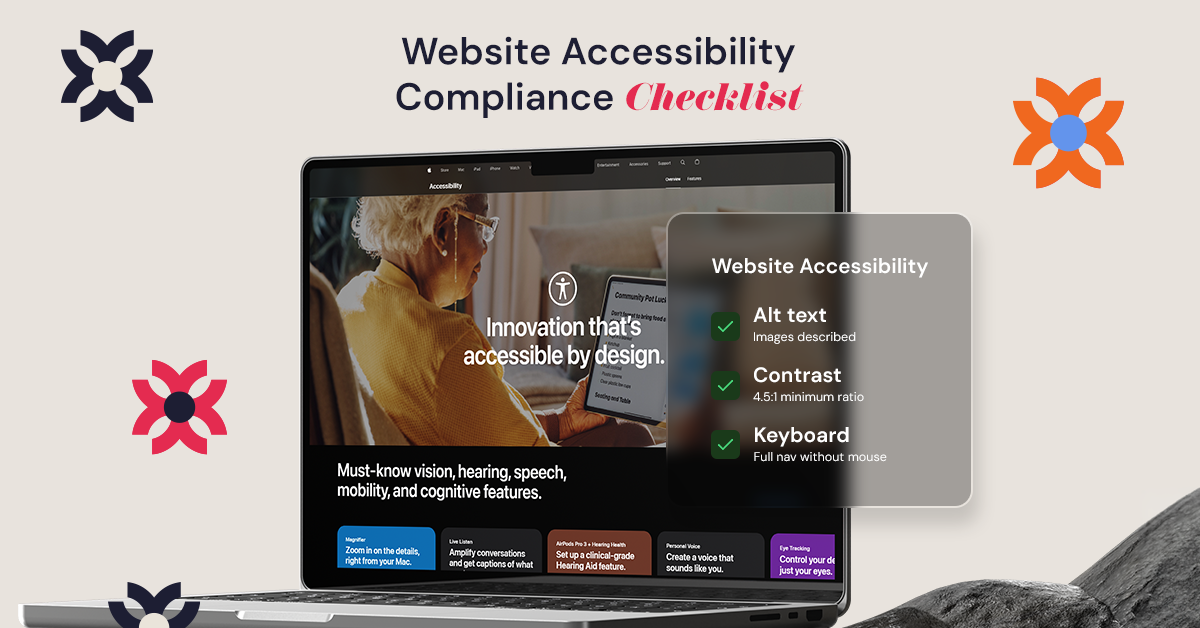
A local government website should work for everyone, not just the people who can navigate it easily.
Residents rely on city websites every day to pay bills, read emergency updates, register to vote, access public records, and stay connected to what’s happening in their communities. But when accessibility is overlooked, even simple tasks can become frustrating or completely unusable for people with disabilities.
According to the CDC, roughly 1 in 4 adults in the United States lives with a disability. That makes website accessibility far more than a design preference. It directly affects whether residents can access important public services independently.
WCAG 2.1 AA provides the accessibility standards many organizations and government agencies use to make websites easier to read, navigate, and interact with for all users, including people using screen readers, keyboards, captions, or other assistive technologies.
Accessibility can sound highly technical at first, but improving a website often starts with practical changes that make a major difference.
This checklist breaks down the key WCAG 2.1 AA accessibility principles local governments should understand to build more inclusive, usable, and accessible digital experiences.
Section 508 vs WCAG 2.1 AA: Understanding the Rules for Your Digital Town Hall
Physical government buildings must provide accessible entrances, elevators, and public facilities. Digital government services are expected to provide the same level of equal access online.
In the United States, Section 508 of the Rehabilitation Act requires federal agencies to make their electronic and information technology accessible to people with disabilities. However, WCAG is not itself a law. Instead, WCAG provides the technical standards and guidance organizations use to build accessible websites and digital services. Federal Section 508 requirements currently align primarily with WCAG 2.0 Level AA standards, while newer ADA guidance for state and local governments increasingly references WCAG 2.1 AA as the practical benchmark for accessibility.
Think of Section 508 and WCAG like a city building inspection process:
- Level A: The minimum foundation for accessibility. Important, but not enough for a fully usable experience.
- Level AA: The recommended and most widely adopted accessibility standard for public websites.
- Level AAA: The highest level of accessibility enhancement, often difficult to achieve consistently across all content.
Ignoring accessibility standards creates more than legal exposure. It can prevent residents from paying bills online, reading emergency announcements, applying for permits, or accessing voting information independently.
The goal of WCAG 2.1 AA is not perfection. The goal is removing avoidable digital barriers so residents can participate fully in civic life.
Making Images Speak: Why Alt-Text is the 'Narrator' of Your City's Story
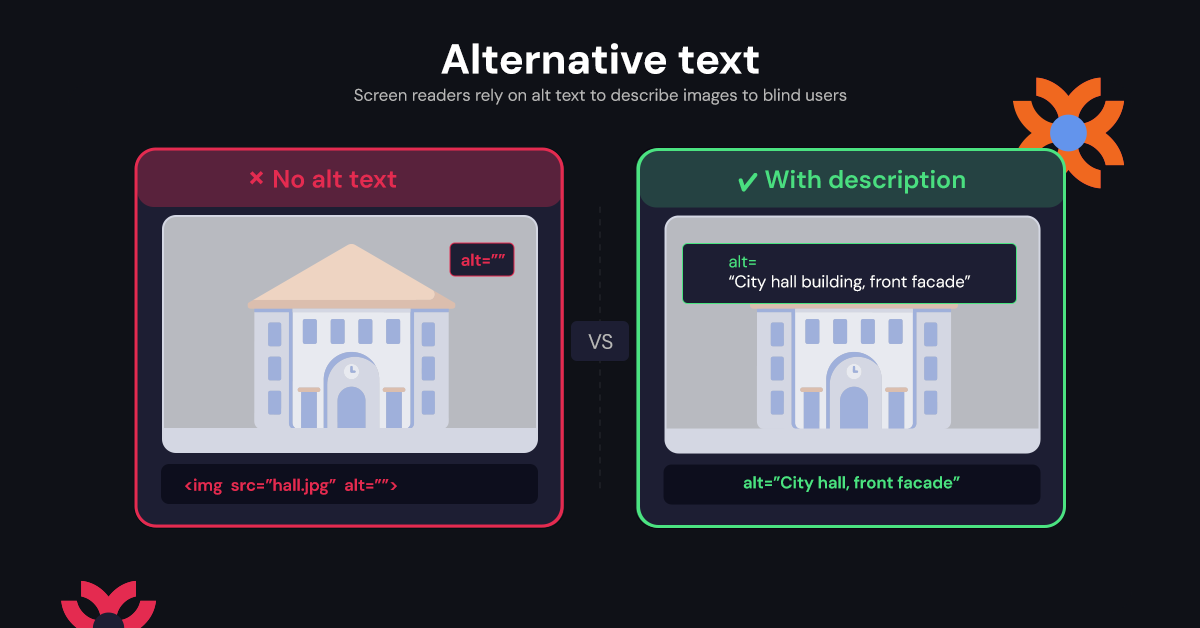
Imagine receiving an important public notice that contains several images, maps, or charts, but none of them are explained aloud by your screen reader. Without alternative text, a blind or visually impaired resident may hear only the word “image,” missing critical information entirely.
Alternative text, commonly called alt text, acts as a hidden description that screen readers can announce to users. It helps ensure that visual information is communicated clearly to residents who cannot see the screen.
When writing alt text for government websites, focus on clarity and usefulness:
- Describe the action or meaning: Instead of writing “photo,” explain what is happening, such as “Mayor speaking at a city council meeting.”
- Keep descriptions concise but meaningful: The goal is understanding, not excessive detail.
- Avoid phrases like “image of” or “picture of”: Screen readers already identify content as an image.
- Leave decorative images empty: If an image adds no informational value, empty alt text prevents unnecessary interruptions for screen reader users.
Complex visuals require additional care. For example, a municipal flood zone map should not attempt to describe every street individually. Instead, the alt text should summarize the essential information residents need to understand, such as affected areas, evacuation zones, or emergency instructions.
Accessible images help residents understand public information independently. However, readable text and visual clarity are equally important for overall usability.
The High Cost of Low Contrast: Ensuring Every Resident Can Read the News
Reading a faded parking sign while driving into the sun is incredibly frustrating. That same squinting frustration happens digitally when cities use light gray text on white backgrounds for community announcements. When evaluating common accessibility barriers for senior citizens or neighbors with low vision, poor color choices rank highest. If text blends into the background, checking a simple trash pickup schedule quickly becomes impossible.
Fixing this invisible text requires understanding the "Contrast Ratio," which measures how much a font stands out against the space behind it. For digital inclusion, 4.5:1 is the magic number. Think of this ratio like turning up a television's volume; it ensures the letters are "loud" enough for aging eyes to easily read without straining.
Meeting this standard drives website accessibility compliance by proving your town values every resident's ability to stay informed. Once your news is visibly clear, the next challenge is ensuring people can interact with the page using alternative navigation.
Ditching the Mouse: Why Keyboard Navigation is a Non-Negotiable Necessity
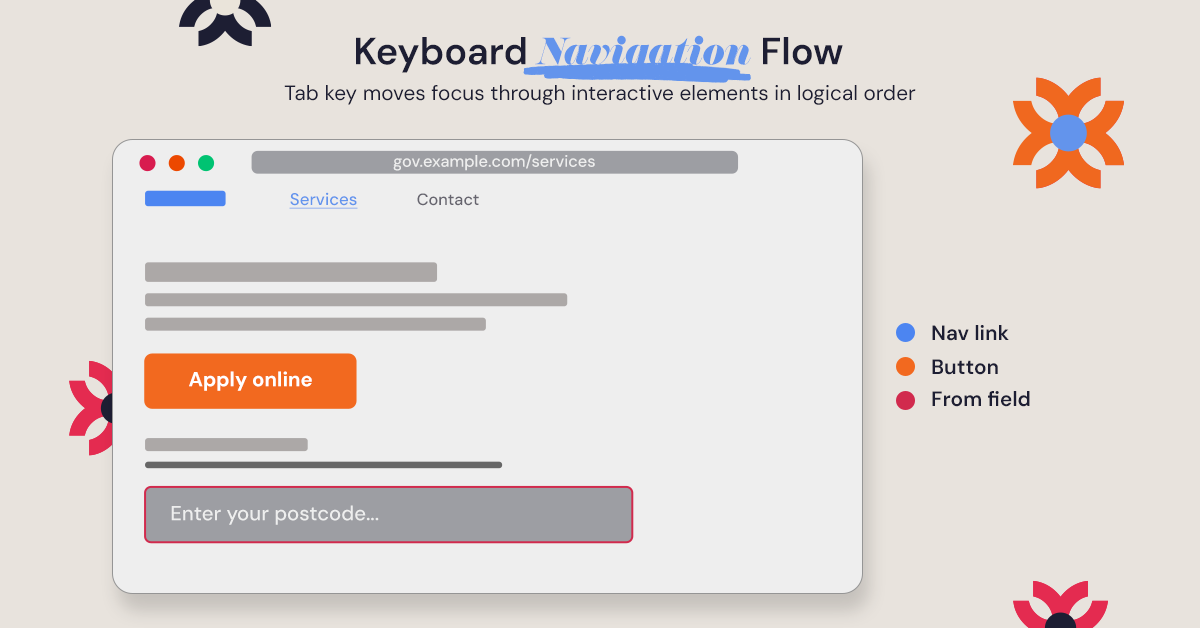
If a computer mouse breaks right as a resident needs to pay a tax bill online, they quickly realize the importance of alternative navigation. For residents with motor impairments, navigating without a mouse is their daily reality. Relying solely on a keyboard is essential to inclusive design principles for community digital services. Without it, clicking "Submit" on a local form becomes impossible.
Test this yourself by pressing the "Tab" key on your city’s homepage. When performing basic assistive technology testing for local council websites, look for these four elements:
- Focus Indicators: A visible box highlighting links, acting like a "You Are Here" spotlight.
- Logical Order: The spotlight moves predictably from top to bottom, matching how we read.
- Skip Links: A hidden shortcut jumping past the long main menu straight to the content.
- No Traps: Ensure you never get permanently stuck inside a dropdown menu.
Effortlessly tabbing through a webpage keeps digital doors open for everyone. However, a navigable website is only half the battle if attached public documents and hearing notices remain unreadable.
Fixing Unreadable PDFs: Accessibility for Public Documents and Notices
One of the most common accessibility problems on government websites involves PDFs.
Many municipalities upload scanned documents as flat images instead of properly structured digital documents. While sighted users may still read the text visually, screen readers often cannot interpret scanned image-based PDFs correctly.
To a screen reader, an untagged scanned document may appear as nothing more than a single image.
Accessible PDFs require proper document structure, often called “tags.” These tags identify headings, paragraphs, lists, tables, and reading order so assistive technologies can interpret the document accurately.
Improving PDF accessibility actually begins before the PDF is created.
When preparing documents in Microsoft Word or similar software, local government teams should:
- Use built-in heading styles instead of manually formatting text.
- Add alt text to informative images, charts, and graphics.
- Use real bullet lists and numbered lists.
- Ensure tables include proper headers.
- Write meaningful hyperlink text instead of vague phrases like “Click Here.”
Starting with a properly structured source document dramatically reduces accessibility problems after exporting to PDF.
This is especially important for:
- Public hearing notices
- Meeting agendas
- Emergency preparedness documents
- Budget reports
- Election materials
- Community planning documents
Accessible documents help residents engage independently with public information without requiring outside assistance.
Frictionless Forms: Creating Accessible Voting Info and Bill Pay Portals
Registering to vote while someone points to a blank line you cannot see is a daunting task. This happens digitally when town forms lack proper text labels. While sighted users easily see "First Name" beside a box, blind residents rely on invisible software tags to connect those words to the field. Implementing best practices for accessible online voting information ensures every blank has a coded label so screen-reading software announces exactly what input is required.
Frustration also peaks when typos happen during a routine water bill payment. Flashing a red outline around a missed zip code means nothing to someone who cannot see the screen or a user with cognitive challenges. Following inclusive design principles for community digital services requires forms to clearly explain mistakes in plain text, like "Please add a five-digit zip code." This straightforward communication dramatically improves completion rates for essential city services.
Building frictionless forms guarantees nobody is blocked from civic participation by a poorly designed "Submit" button. To identify where your municipality currently stands, leadership must implement a strategy to measure and monitor progress.
The Audit Roadmap: How to Measure and Monitor Your Progress
Keeping digital doors open requires ongoing maintenance. Like a building inspector using a safety checklist, your municipality needs automated accessibility monitoring tools for public sector websites. These scanners quickly catch obvious structural errors, like missing text labels on a parking ticket payment portal.
However, software cannot catch every barrier. An automated scanner knows a photo has a hidden description, but only a human knows if that description actually makes sense to a blind resident. Combine automation with human review using these three straightforward methods:
- WAVE: A free browser tool highlighting visual errors directly on your screen.
- Axe: A low-cost scanner for catching underlying code compliance issues.
- Manual Testing: Unplug your mouse and try navigating your homepage using only the "Tab" key.
Setting a quarterly schedule for these checks keeps your town connected. Pairing this routine with digital accessibility training for local government staff empowers your team to fix mistakes before they are ever published. With progress actively measured, you can build a truly open city.
Building a Culture of Inclusion: Your Action Plan for a Truly Open City
Building a digital "ramp" is as vital as pouring concrete for a physical one. True website accessibility compliance isn't just about avoiding legal risks; it is a fundamental civic duty that ensures every neighbor can participate fully in your community.
To turn this knowledge into action, take these immediate steps this month:
- Audit your city's homepage using only the "Tab" key.
- Schedule basic accessibility training for staff who update the website.
- Draft a public sector accessibility statement to transparently share your roadmap.
- Create a simple feedback form for residents to report digital barriers.
Accessibility is a continuous journey, not a final destination. Start with that quick keyboard test today to experience your site differently. Every barrier you remove shifts your town's mindset from basic compliance to true inclusion, building a welcoming digital town hall for everyone.
.svg)
.jpg)


.jpg)

.svg)

.svg)

.svg)
