.svg)
.svg)

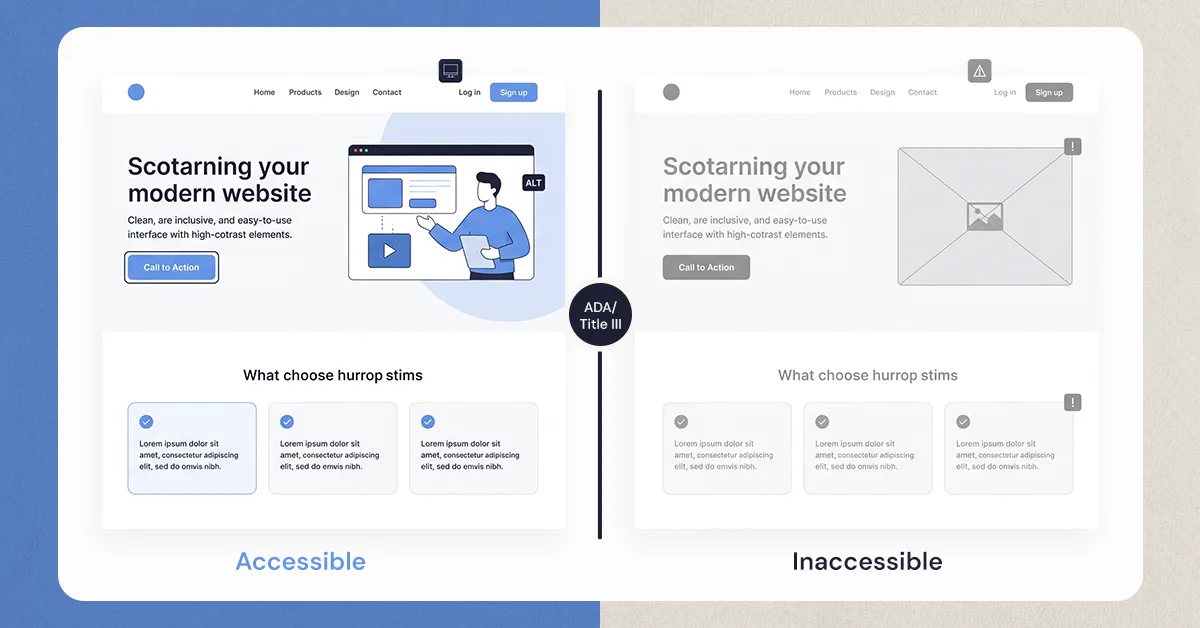
An inaccessible government website costs more than remediation would. It creates legal exposure under ADA Title II, pushes residents into phone calls and counter visits that staff have to absorb, and erodes public trust in the agency.
Imagine needing to pay a parking ticket online to avoid a late fee, but the website’s Submit button simply does not exist for you.
For millions of Americans who rely on screen readers, this is an everyday reality. An inaccessible government website does not just cause frustration; it turns routine civic tasks into impossible ones.
We would never build a town hall with no wheelchair ramp and a locked front door. But when government websites ignore accessibility, that is exactly what happens in the digital public square.
According to the Centers for Disease Control and Prevention, more than 1 in 4 U.S. adults live with a disability. Government web accessibility is not a technical bonus feature. It is a civil right.
The good news is that accessible websites improve the experience for everyone. This is known as the “Curb-Cut Effect.” Sidewalk curb cuts were originally designed for wheelchair users, but they also help parents with strollers, travelers with luggage, and delivery workers. The same principle applies online.
Accessible digital services make emergency alerts reachable, tax portals usable, and voting forms completable for every resident. They also protect local governments from legal exposure while reducing unnecessary costs.
The Invisible Tax: How Inaccessible Websites Drain Public Resources

When a resident cannot renew their dog license online because the system lacks a screen reader description, they do not simply give up, they pick up the phone. Many communities view a poor website user experience merely as a digital inconvenience, but it actually creates a massive, hidden financial drain on public funds. Every time a digital barrier forces a citizen to seek manual help, your local government pays a premium to process that simple request.
Consider the dramatic disparity in transaction costs when government digital services fail to accommodate everyone. Moving a single user from an automated web system to a human-assisted channel triggers a steep price increase:
- Online Self-Service: Approximately $0.10 per transaction.
- Call Center Support: Around $5.00 to $8.00 per call.
- In-Person Visit: Upwards of $15.00 or more per interaction.
Fixing these roadblocks after the fact adds yet another heavy burden to taxpayer dollars. The costs of remediating inaccessible digital content—like hiring developers to rewrite an existing site so a keyboard can navigate it—are often ten times higher than utilizing inclusive design from the very start. Just as retrofitting an old courthouse with an elevator costs significantly more than drawing an accessible ramp into the original blueprints, treating web accessibility as an afterthought wastes precious budget and staff time.
Ultimately, making digital spaces work for every neighbor is a vital tool for fiscal responsibility. Beyond these daily operational hurdles, failing to provide equal access carries an even steeper, more sudden financial risk. To protect your community's resources completely, municipalities must also navigate strict legal realities.
The New Legal Standard: Understanding ADA Title II and the Cost of Non-Compliance
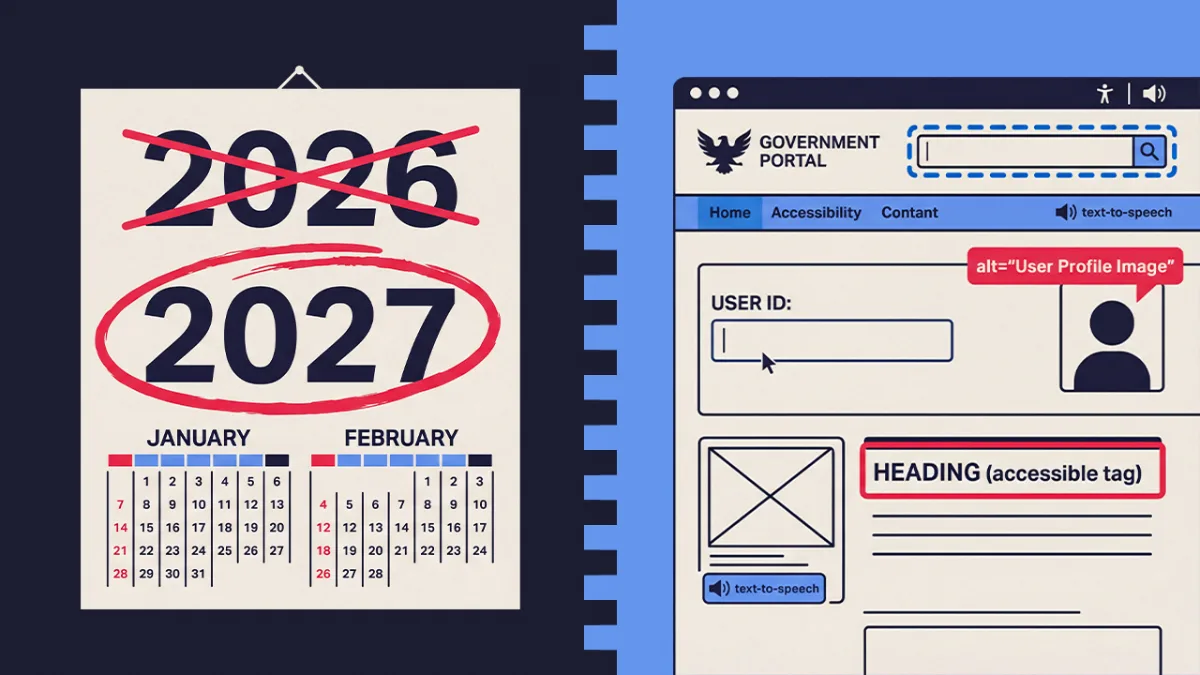
While physical public spaces are routinely designed with accessibility in mind, many municipalities accidentally create locked doors in the digital world. The Department of Justice has officially declared that the Americans with Disabilities Act applies to our digital infrastructure, finalizing the ADA Title II website requirements for local governments in 2024. Depending on your community's population size, your municipality has until either April 2026 or April 2027 to ensure all web platforms and mobile apps are fully accessible. This is no longer merely a strong recommendation; it is a strict federal mandate.
Ignoring these updated rules exposes your community to severe financial risk. The legal consequences of non-compliant government websites often include drawn-out lawsuits, damaged civic reputations, and steep attorney fees. While a proactive, comprehensive accessibility audit might cost a municipality a few thousand dollars, the average legal settlement for digital discrimination easily exceeds $20,000 to $50,000. That figure does not even include the rushed, premium developer fees required to fix the broken website under a court order.
To avoid these expensive legal battles, public agencies must follow a set of international "building codes" for the internet, specifically the WCAG 2.2 accessibility standards for public sector sites. While the acronym stands for Web Content Accessibility Guidelines, you do not need to be a programmer to understand its three most critical goals. A compliant website must be perceivable (users can see or hear the information, like having captions on town meeting videos), operable (users can navigate forms using just a keyboard instead of a mouse), and understandable (instructions are clear, and error messages actually explain how to fix a mistake).
Protecting your municipality requires immediate action rather than waiting for a citizen complaint. Local administrators can start today with a straightforward 3-step compliance checklist:
- Inventory your digital doors: List all websites, citizen portals, and mobile apps your local government operates or contracts out.
- Run a baseline scan: Use free automated tools to check your homepage for obvious visual barriers, like text that is too light to read in the sun.
- Establish a feedback loop: Add a highly visible contact method so residents can report digital barriers to a human being before frustrations escalate into legal action.
Meeting these legal mandates ultimately achieves much more than just preventing lawsuits and protecting taxpayer dollars. When residents see that your online services are deliberately built to welcome everyone, regardless of their physical or cognitive abilities, it directly repairs and strengthens a vital civic bond.
Why Digital Inclusion Is the Secret to Winning Back Public Trust
What if the only way to find your polling place was a digital map that wouldn't zoom in or read aloud? This kind of barrier chips away at the social contract between citizens and local leaders. Using inclusive design principles for municipal websites ensures every neighbor has an equal voice in their community. When everyday residents cannot easily register to vote online, they understandably feel ignored and undervalued.
During local crises, digital exclusion transforms from a quiet frustration into a genuine public safety hazard. Consider a severe weather evacuation notice published solely as an image without a hidden text description, leaving visually impaired residents completely unaware of the danger. Accessible communications guarantee that life-saving information reaches everyone simultaneously. By prioritizing digital equity in government services, municipalities prove they have the competence to protect their most vulnerable populations.
Every successful interaction a resident has with your online portal actively strengthens their civic bond. Improving public trust through digital inclusion works because it signals deep institutional care. When a city intentionally designs platforms where seniors can easily enlarge text and individuals with motor impairments can navigate forms without a mouse, the government stops being a faceless bureaucracy and becomes a reliable partner.
True accessibility requires looking past regulatory codes to examine the real-world human impact. It is easy to falsely assume a platform works perfectly just because it passes a basic automated scan. To grasp the real barriers your neighbors face, you have to look past the algorithms and understand what happens on the other side of the screen.
Beyond the Checklist: How People with Disabilities Actually Experience Your Website

Applying for a small business permit relying entirely on a robotic voice to read the screen is a daily reality for millions of Americans. A screen reader acts as a specialized browser that reads a website out loud, like a digital audiobook. However, without proper screen reader optimization for government forms, this software simply hits a wall, leaving users unable to submit vital paperwork.
Visual barriers also appear when important pictures lack descriptions. Think of "alt-text" as a hidden label that tells a story to someone who cannot see an image. If a city uploads a graphic of road closures but forgets this invisible label, visually impaired residents are left guessing about their daily commute.
Navigating without a mouse is another reality for individuals with motor impairments, though keyboard-friendly design ultimately helps everyone—the classic digital "curb-cut effect" that also assists a citizen holding a baby while typing. You do not need a computer science degree to figure out how to conduct a web accessibility audit for this barrier. In fact, you can test your local government site right now using only your keyboard.
Here is a 5-Minute Accessibility Health Check you can try today:
- Put your mouse away and press the "Tab" key to move forward through a page.
- Look for a visible outline or "focus ring" around buttons as you move.
- Try to open a menu or submit a form using only the "Enter" key.
- Check if you get trapped in a drop-down list and cannot escape.
Software scanners might catch a missing focus ring, but they cannot tell you if a form is actually confusing. That is the crucial difference between manual vs automated accessibility testing tools: robots check code, but humans experience friction. Ensuring your digital doors remain open requires a systematic approach to finding and fixing these barriers.
The Recovery Plan: 4 Actionable Steps to Audit and Fix Your Agency’s Digital Service
When your community realizes its website has digital walls, the sheer size of the problem can feel overwhelming. You do not need to fix everything overnight. The smartest way to begin is by focusing on the public services your neighbors use the most. Think about high-stakes tasks: paying property taxes, finding trash pickup schedules, or registering to vote. By auditing these popular pages first, you immediately remove the biggest roadblocks, ensuring critical resources are available to everyone.
To keep these high-traffic pages functional, agencies need a systematic approach rather than a one-time sweep. Local leaders should adopt a practical Section 508 compliance checklist for government agencies to guide continuous monitoring. This roadmap should prioritize:
- Testing top pages with screen readers and keyboard-only navigation.
- Fixing color contrast issues so text is easily readable in bright sunlight.
- Ensuring all video broadcasts of city council meetings have closed captions.
- Checking the site monthly to catch new errors before they cause frustration.
Transparency is just as important as fixing the barriers themselves, which is why developing an agency-wide accessibility statement is a crucial step. Instead of acting as a dense legal shield, this public page should serve as a welcoming front door. It tells residents you are actively working to make the site fair and explains exactly who to contact if they get stuck. A clear statement invites community feedback, turning frustrated users into helpful partners.
Finally, governments must ensure the outside software they buy does not introduce new barriers. When hiring vendors for parking payments or recreation sign-ups, demand proof of assistive technology compatibility for public portals before signing any contracts. By holding vendors accountable and staying proactive with audits, your town lays the groundwork for sustainable, long-term digital inclusion.
Building a Digital Future Where No One Is Left at the Curb
You now recognize that an inaccessible government website is more than a simple glitch, it is a locked door to essential services. Understanding the importance of government web accessibility transforms how we view digital civic duty. It is not just about dodging lawsuits or lowering call center costs; it is about securing the fundamental trust between a community and its leaders.
Start putting this awareness into practice with one simple step. Set aside your mouse today and try navigating your local municipality's homepage using only the "Tab" and "Enter" keys. This quick test immediately highlights hidden barriers and helps you experience public digital spaces from a necessary new perspective. Each time you identify and advocate for removing these roadblocks, you help build a stronger, fairer community.
Ultimately, digital inclusion is about people, not pixels. Modern, effective governance requires serving every single neighbor, regardless of their physical or cognitive abilities. Our digital town halls should be as open as our physical ones, ensuring every citizen can easily access the critical public services they help fund.
Want results like this
Your website should make money, not excuses. Let us find the revenue hiding in your current experience.
FAQs
Quick answers to the questions we hear most about website conversion and UX design.
Under ADA Title II, state and local governments are federally required to meet web accessibility standards. Non-compliance can result in lawsuits, DOJ enforcement actions, and legal settlements commonly ranging from $20,000 to $50,000 — far more than the cost of fixing issues early.
Yes. The Department of Justice finalized ADA Title II rules in 2024 requiring all state and local government websites and apps to meet WCAG 2.1 Level AA accessibility standards. Compliance deadlines are April 2027 for larger governments and April 2028 for smaller ones.
Retrofitting an inaccessible site can cost up to ten times more than building accessibly from the start. A preventive audit typically runs a few thousand dollars, while a single lawsuit settlement can exceed $50,000, making early action the smartest financial decision.
Start with a simple keyboard test, put your mouse aside and navigate using only Tab and Enter. If you get stuck, your residents do too. Free tools like WAVE or Google Lighthouse can also scan for common issues like missing alt-text and low color contrast.
Focus on your highest-traffic pages first, bill payments, permit applications, and emergency information. Audit those pages, fix the biggest barriers, then set up a visible feedback channel so residents can report issues before they escalate into legal complaints.
Related articles
More field notes on conversion, UX, and building websites that sell.