.svg)
.svg)

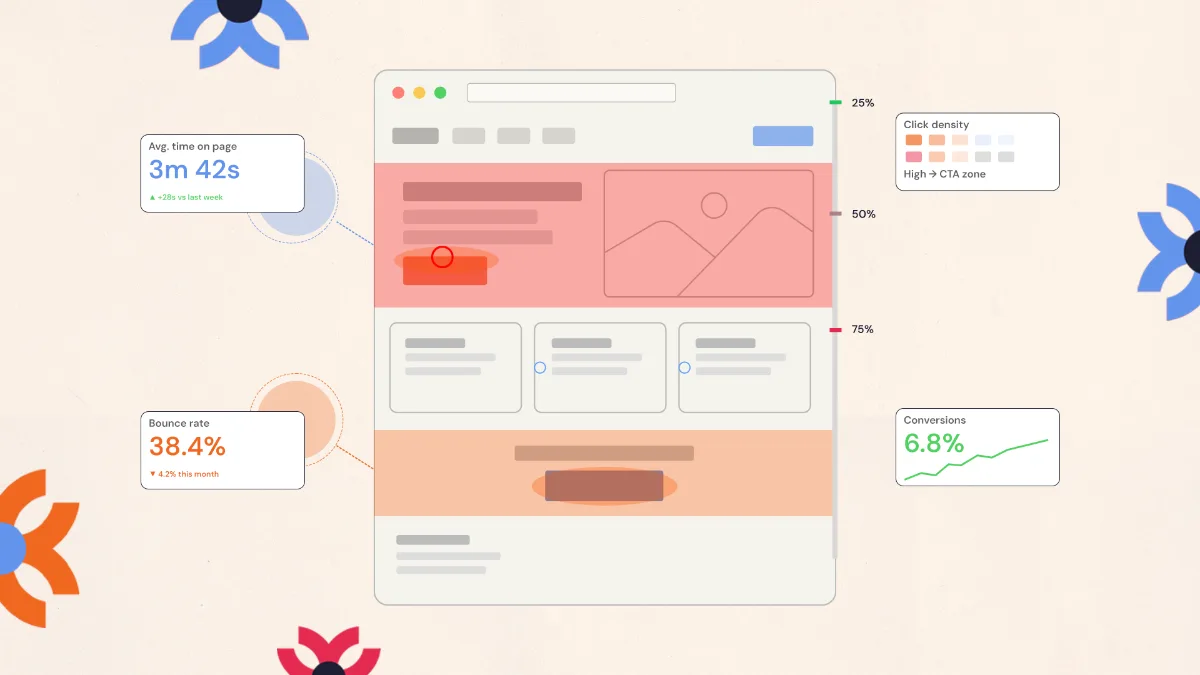
To analyze user experience, pick the single action you want people to take, track how they move toward it, find where they drop off, study those pages, watch real users attempt the task, then fix the specific step that failed.
There are two versions of every website.
The first is the one your team designed, carefully structured, thoughtfully written, and built to guide users toward specific actions.
The second is the version users experience when they actually interact with it.
Sometimes those two versions match perfectly. But often, they don’t.
Users may navigate in unexpected ways, miss important elements, or struggle with parts of the interface that seemed perfectly clear during design.
Analyzing user experience helps reveal the difference between these two realities. By studying how people actually use your website, you can uncover the friction points that affect usability and engagement.
In this article, we’ll explore how to analyze user experience on a website, the tools that reveal real user behavior, and the steps teams take to turn those insights into better digital experiences.
What Is User Experience (UX) Analysis?

User experience (UX) analysis is the process of evaluating how people interact with a website to identify usability issues and improve how easily they can complete key actions.
As usability expert Don Norman famously noted, “We must design for the way people behave, not for how we would wish them to behave.” UX analysis follows this same idea. It focuses on real user behavior; where visitors pause, click, scroll, or leave, so teams can spot the small moments of friction that shape the overall experience and make smarter improvements to the design.
UX analysis shows what visitors are actually doing on a website and where they may be getting stuck. You might have plenty of traffic, but if users struggle with navigation, miss an important button, or abandon a form, they will leave without completing their goal. Identifying these friction points helps teams make focused improvements that create a smoother, more effective experience.
Key Metrics Used to Measure User Experience
To understand what users experience on your website, you need to track the right UX metrics. These metrics show how people navigate, interact, and complete tasks, helping you identify what’s working and where improvements are needed.
Each category of UX metrics provides a different perspective on the experience.
Behavioral metrics
Behavioral metrics track how users navigate and interact with the website.
Common examples include:
- click paths
- page views
- scroll depth
- navigation flows
These metrics help identify how users move through the site and where they encounter obstacles.
Performance metrics
Performance metrics evaluate how efficiently users can complete tasks.
Examples include:
- task completion rate
- time on task
- error rate
If users take too long to complete an action or frequently make mistakes, the interface may need improvement.
Engagement metrics
Engagement metrics measure how actively users interact with the website.
Examples include:
- session duration
- pages per session
- returning visitors
Low engagement may indicate that the content or structure does not meet user expectations.
Attitudinal metrics
Attitudinal metrics capture how users feel about the experience.
These insights often come from:
- satisfaction surveys
- user interviews
- feedback forms
- Net Promoter Score (NPS)
While behavioral data shows what users do, attitudinal feedback helps explain why they behave that way.
A Step-by-Step Process to Analyze User Experience

Analyzing user experience works best when you focus on how people actually move through your website and try to complete important tasks. The goal is to understand where users succeed, where they hesitate, and what might be getting in their way.
Step 1: Identify the Main Action You Want Users to Take
Start by defining the most important action the website should drive.
This could be:
- booking a demo
- requesting a quote
- signing up for an account
- purchasing a product
For example, if your goal is demo bookings, the analysis should focus on how easily users can move from landing on the site to scheduling that demo.
Once the main goal is clear, it becomes easier to evaluate whether the current experience supports that action.
Step 2: Track How Users Move Toward That Action
Next, review how users typically reach that goal.
Look at analytics data to see:
- which pages users visit before converting
- where they enter the website
- where they leave the journey
For instance, you might notice that many visitors read a blog article before visiting a service page. This tells you that the blog plays an important role in guiding users toward the next step.
Step 3: Find Where Users Drop Off
After mapping the journey, look for places where users abandon the process.
Common drop-off points include:
- pricing pages
- long forms
- account creation steps
- checkout pages
If many users reach a page but fail to continue, it usually signals a usability issue that needs further investigation.
Step 4: Study How Users Interact With Those Pages
Once you identify potential friction points, examine how users interact with those pages.
Tools like heatmaps and session recordings can help you see:
- where users click
- how far they scroll
- which sections they skip
- where they hesitate before taking action
For example, users may scroll past a call-to-action without noticing it, which suggests the design or placement may need adjustment.
Step 5: Observe Real Users Completing Key Tasks
Watching real users navigate the website can reveal problems that analytics cannot.
During usability testing, ask participants to complete tasks such as:
- finding pricing information
- submitting a contact form
- signing up for a trial
Pay attention to moments where users pause, ask questions, or struggle to move forward.
These observations often highlight usability issues that are easy to overlook internally.
Step 6: Prioritize the Improvements That Will Have the Biggest Impact
After gathering insights, the final step is deciding what changes to make.
Focus first on improvements that affect the core user journey, such as:
- simplifying navigation
- shortening forms
- clarifying calls to action
- improving page structure
At NUUX Design Studios, UX analysis often begins by identifying these friction points so teams can focus on the design changes that will have the greatest impact on usability and conversions.
UX Analysis Tools That Help Identify Problems
Several tools can assist in analyzing user experience. Each category focuses on a different type of insight.
Analytics platforms
Analytics tools provide quantitative data about user behavior.
Examples include:
- Google Analytics
- Adobe Analytics
- Mixpanel
These platforms track metrics such as traffic sources, user flows, and engagement patterns.
Behavior analytics tools
Behavior analytics tools visualize user interactions.
Popular examples include:
- Hotjar
- Crazy Egg
- Contentsquare
These tools provide heatmaps, session recordings, and behavioral insights that reveal how users interact with page elements.
User research tools
User research platforms support usability testing and qualitative feedback collection.
Examples include:
- Maze
- UserTesting
- Lookback
These tools allow teams to observe real users performing tasks and gather valuable insights into usability challenges.
Common UX Issues Discovered During Analysis
UX analysis frequently uncovers patterns of friction that affect website performance.
Some of the most common issues include:
- confusing navigation structures
- unclear calls to action
- overly complex forms
- slow page loading times
- poor mobile usability
Accessibility challenges can also impact the user experience. For example, low color contrast, missing alt text, or difficult keyboard navigation may prevent some users from interacting with the website effectively.
Identifying these issues is the first step toward improving the experience.
Turning UX Insights Into Design Improvements

The goal of UX analysis is not simply to collect data. The real value comes from translating insights into meaningful improvements.
Once friction points are identified, teams can prioritize changes such as:
- simplifying navigation
- improving page structure
- redesigning conversion flows
- clarifying calls to action
- optimizing mobile experiences
At NUUX Design Studios, UX analysis is often the starting point for improving digital products. By examining real user behavior and identifying points of friction, design decisions are grounded in evidence rather than assumptions.
This research-driven approach helps organizations create websites that are easier to navigate, more intuitive to use, and better aligned with user needs.
When Should You Perform a UX Analysis?
UX analysis can be valuable at many stages of a product’s lifecycle.
Organizations often conduct UX analysis when:
- planning a website redesign
- experiencing low conversion rates
- noticing high bounce rates
- receiving negative user feedback
- expanding a digital product
Regular UX analysis ensures that the experience continues to evolve as user expectations change.
Turning UX Insights Into Better Experiences
Understanding how users interact with a website is essential for creating meaningful digital experiences. By analyzing behavioral data, observing real user interactions, and gathering feedback, organizations can identify the challenges users face while navigating their site.
These insights make it possible to design experiences that are clearer, faster, and easier to use. For businesses looking to improve engagement, usability, and conversions, UX analysis provides a strong foundation for making informed design decisions.
At NUUX Design Studios, we help organizations turn user insights into practical design improvements that remove friction and strengthen the overall experience. If you want to understand where your website may be slowing users down, our team can help you analyze the experience and identify the opportunities that matter most.
Want results like this
Your website should make money, not excuses. Let us find the revenue hiding in your current experience.
FAQs
Quick answers to the questions we hear most about website conversion and UX design.
NUUX Design Studios looks for patterns in user behavior, such as pages where users leave quickly, forms that are abandoned, or steps where visitors stop progressing through the journey.
Always start with the highest-traffic drop-off point. Fixing where most users leave has the fastest impact on conversions.
Ongoing. User behavior evolves, so your analysis should too, especially after design changes, new content, or shifting audience demographics.
They show exactly where users click, scroll, and ignore, making it easy to reposition CTAs or restructure content with confidence.
Absolutely. Even a five-page site can have friction points costing you leads, and small fixes often deliver outsized results.
Related articles
More field notes on conversion, UX, and building websites that sell.