.svg)
5 Top User Experience Techniques That Improve Websites

The first thing in a user’s mind when visiting a website is: “I need to get this done.” Most people are not thinking about design, layouts, or interface patterns. Their attention is on completing a task, finding information, booking a service, making a purchase, or solving a problem.
When a website supports that goal, users move from one step to another without hesitation. But when something interrupts that process, when a button leads somewhere unexpected or the next step is difficult to locate, the experience quickly changes. This often determines whether someone continues using the website or leaves.
For product designers, this highlights an important responsibility. UX is more than decoration or trends (although these are important); it is about structuring interactions so people can complete what they came for without unnecessary friction.
In this article, we explore five user experience techniques that improve websites and explain how thoughtful UX design can change the way visitors interact with a digital product.
How User Experience Influences the Way People Use Your Website
Using a poorly designed website can feel like walking into a store where nothing is labeled. You know what you came for, but finding it takes more effort than it should. After a while, most people simply leave and try somewhere else.
The same thing happens online. User experience influences how people move through a website and whether they continue using it or abandon it altogether.
When a website is easy to navigate and quick to understand, visitors are more likely to stay longer, explore additional pages, and complete actions such as signing up or making a purchase. When interactions become complicated or slow, users often drop off before reaching their goal.
Search engines also increasingly prioritize websites that provide a better experience for users. Factors such as page speed, mobile usability, and clear navigation help determine whether a site offers real value to visitors.
For designers, these patterns reveal where users encounter friction and where the structure of a website may need improvement. Much of the work we do at NUUX Design Studios focuses on identifying those moments in the user journey and redesigning them so people can move through the website more easily.
5 Top User Experience Techniques That Improve Websites
Many websites don’t need a complete redesign to improve usability. Often, a few targeted changes can make a noticeable difference. Here are five techniques that help improve how users interact with a website.
1. Make Navigation Easy to Follow
Navigation should help users reach their goal with as few decisions as possible. When menus contain too many options or labels are vague, people spend time figuring out where to click instead of completing their task.
A common example is a services menu with labels like “Solutions,” “Capabilities,” or “Resources.” These terms often require interpretation. Replacing them with clearer labels such as “Pricing,” “Services,” “Case Studies,” or “Contact” removes that extra step of thinking.
Several practical adjustments can simplify navigation:
- Keep the primary menu to about 5–7 main categories
- Group related pages under clear parent sections
- Keep navigation placement consistent across pages
- Add a site search for content-heavy websites
- Use breadcrumbs so users can easily move back through deeper pages
Platforms such as Amazon and Apple rely on predictable navigation structures so users always know where to find categories and move between pages.
A similar principle appears in real product redesign work. In one NUUX project, the quote experience for an insurance platform was restructured to reduce friction in the user journey. The original flow required users to navigate through multiple confusing steps. By simplifying the structure and guiding users through clearer steps, the redesign helped users complete the process more easily and improved completion rates.
When navigation reflects how users actually move through a product, tasks become easier to complete and the overall experience improves.
2. Improve Website Speed and Performance
Speed has a direct impact on whether users stay on a website or leave before interacting with it. When pages load slowly, users often abandon the site before the content appears.
Many performance issues come from common design and development choices. For example, uploading full-resolution images directly from design files can dramatically increase page weight.
Several practical improvements can significantly reduce load times:
- compress large images before uploading
- serve images in modern formats such as WebP
- load images only when they enter the viewport through lazy loading
- remove unused scripts and plugins
- use content delivery networks (CDNs) to serve files closer to users
Perceived speed also matters. Platforms like LinkedIn and YouTube use skeleton screens or progressive loading so content appears gradually instead of leaving users staring at a blank page.
In UX audits, performance issues often appear in analytics as high bounce rates on slower pages. Identifying these bottlenecks allows teams to prioritize technical improvements that keep users engaged.
3. Organize Pages So People Know Where to Look
Visual hierarchy helps users understand what to read first, second, and next on a page. Without it, users are forced to scan randomly, which slows down interaction.
One of the simplest ways to establish hierarchy is through typography scale. For example:
- page headline: 32–48px
- section headings: 20–28px
- body text: 16–18px
This immediately signals the structure of the page.
Spacing also plays a major role. Instead of placing multiple sections close together, increasing whitespace between them allows users to process content one step at a time.
Many modern websites use a predictable reading pattern called the F-pattern, where users scan the headline, move across the page, and then skim down the left side. Placing important content such as key messages or call-to-action buttons along this path increases visibility.

Design systems from companies like Stripe and Shopify rely heavily on consistent spacing, clear typography scales, and strong contrast to guide user attention.
In practice, visual hierarchy helps users scan pages quickly and locate important actions without searching through dense content.
4. Optimize for Mobile and Accessibility
Mobile usability has become a baseline expectation. If a website requires zooming, scrolling horizontally, or tapping small buttons, users often leave quickly.
Responsive layouts ensure that content adapts naturally across devices. This usually involves:
- stacking columns vertically on smaller screens
- increasing button sizes to at least 44px for touch interactions
- keeping navigation simple on mobile, often through a hamburger menu
- ensuring text remains readable without zooming
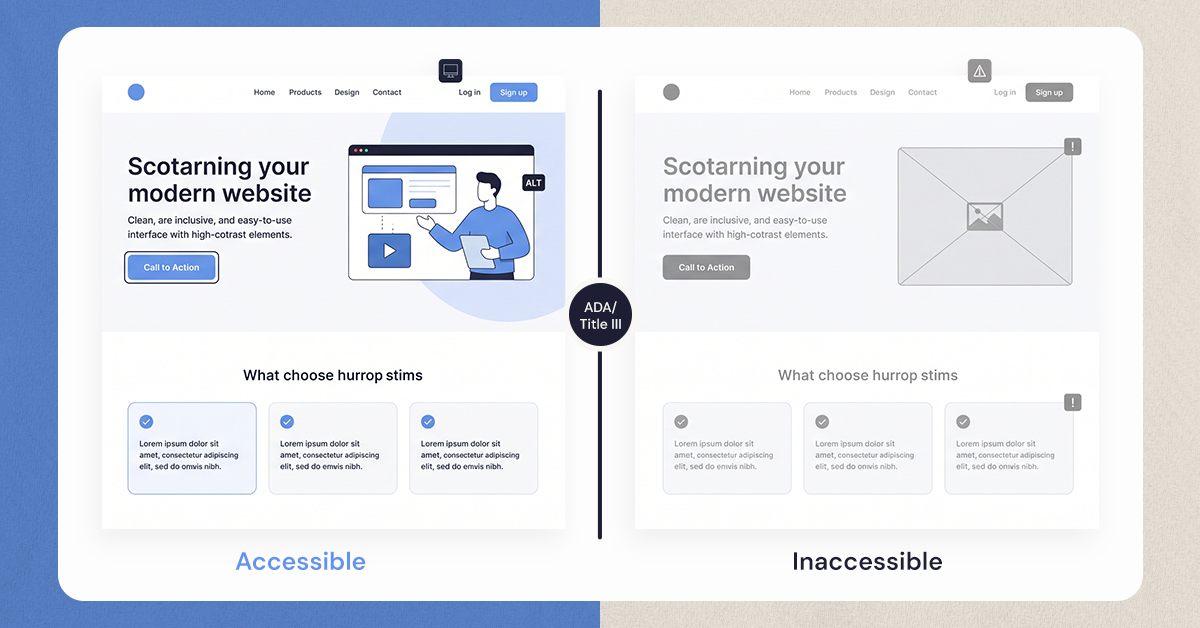
Accessibility improvements often benefit all users, not only those with disabilities.
Examples include:
- sufficient color contrast to improve readability
- descriptive alt text so screen readers can interpret images
- keyboard navigation so forms and menus can be accessed without a mouse
- clear labels that make forms easier to complete
Major platforms such as Apple and Microsoft design with accessibility guidelines like WCAG in mind because these standards improve usability for a wider audience.
Designing for multiple devices and accessibility simultaneously ensures that websites remain usable regardless of screen size or user ability.
5. Use Real User Behavior to Improve the Experience

Even experienced designers cannot accurately predict how every user will behave. Data helps reveal what actually happens when people interact with a website.
Behavioral analytics tools provide insights such as:
- heatmaps showing where users click or ignore elements
- session recordings revealing navigation patterns
- user flow reports showing where people drop off
- A/B tests comparing different design variations
For example, if a checkout process shows a large drop-off at the payment step, recordings may reveal that users struggle with form fields or error messages. Adjusting the form layout or simplifying inputs can significantly improve completion rates.
Many teams use tools such as Hotjar, Maze, or Google Analytics to identify these patterns.
At NUUX Design Studios, UX improvements often begin with this type of behavioral analysis. Instead of relying on assumptions, design decisions are guided by real user interactions, allowing teams to refine experiences based on evidence.
This Is Not Where Better UX Ends
Improving user experience is rarely a one-time effort. The way people interact with websites continues to change as expectations, devices, and behaviors evolve.
Often, the most valuable insights come from small patterns in user behavior. A page users repeatedly return to, a form that gets started but rarely finished, or a step where visitors pause longer than expected.
Paying attention to these moments reveals where a product can improve.
At NUUX Design Studios, much of the work focuses on observing these patterns and translating them into practical adjustments. Over time, these small refinements help transform websites into experiences that people can move through naturally.
If you want to better understand how people interact with your website and improve how users move through it, the team at NUUX Design Studios can help review the experience and identify areas for improvement.
.svg)


.jpg)
.jpg)

.svg)

.svg)

.svg)
