.svg)
What Makes a Good User Experience? (And Why It Directly Affects Your Business)

You've probably visited a competitor's website and thought, "ours is better than this." And you're right. So why are they still winning more business?
Nine times out of ten, it's not about how the website looks. It's about how it works.
There's a difference between a website that impresses people and one that actually moves them to act. One gets an "oh that's nice" and a bounce. The other gets an enquiry, a purchase, a booking. That gap is what people call user experience, but what it really means for you is simple: when someone lands on your site, how easy is it for them to do what you want them to do?
If the answer is "not very," you're leaving money on the table every single day. That visitor who got confused and left didn't email you to explain why, they just went to your competitor.
This article breaks down exactly what makes a user experience good, and what it means for your bottom line.
Why a Good User Experience Is No Longer Optional
If you're like most business owners, you've probably looked at your website analytics and asked questions like:
- Why are people visiting but not converting?
- Why do so many users leave after viewing just one page?
- Why are customers abandoning forms, bookings, or checkouts halfway through?
- Why isn't our website generating the results we expected?
The instinct is often to blame traffic.
Maybe you need more SEO. Maybe you need bigger ad budgets. Maybe you need more content.
But in many cases, the problem isn't getting people to your website. It's what happens after they arrive.
Every visitor comes to your website with a goal. They want to find information, compare options, request a quote, book a service, or make a purchase. When that journey feels difficult, confusing, or time-consuming, they leave.
Not because they don't need what you're offering.
Because someone else makes it easier.
The businesses seeing the strongest online growth aren't always the ones attracting the most visitors. They're often the ones removing the most friction. They make decisions easier. They make next steps clearer. They help customers reach their goals faster.
That's what good user experience does. It turns interest into action.
6 Things That Make a User Experience Truly Good
The best websites share a common trait: they make things easy for users. Here are six elements that play a major role in creating a great user experience.

1. Clarity — Are Visitors Leaving Because They Don't Know What to Do Next?
One of the most frustrating problems for businesses is seeing people visit their website, spend time browsing, and then leave without taking action.
In many cases, the issue isn't a lack of interest. It's a lack of clarity.
When someone lands on your website, they should immediately understand:
- What your business does
- How it can help them
- What step they should take next
If visitors have to search for answers, compare multiple pages, or figure out where to click, many won't bother. They'll simply leave.
We encountered this challenge when working with AMAX Insurance. Their quote journey was trying to serve multiple types of users through a single experience. Too many choices were presented too early, creating hesitation and increasing drop-offs. By restructuring the journey into clearer paths based on user intent, quote completions increased by 10%.
The easier it is for people to understand what to do next, the more likely they are to do it.
2. Speed — How Much Business Are You Losing While Your Website Loads?
Most businesses underestimate how impatient online users have become.
Not because people suddenly have shorter attention spans, but because technology has trained them to expect immediate results. Social media feeds refresh instantly. Streaming platforms start playing within seconds. Search engines deliver answers almost immediately.
That expectation follows users everywhere online—including your website.
When a page feels slow, visitors rarely stop to think about why. They simply move on.
Recent research shows that 53% of mobile users will abandon a website if it takes longer than three seconds to load. Even more telling, the probability of a visitor leaving increases by 32% when page load time grows from one second to three seconds.
For businesses, that delay can translate directly into:
- Lost leads
- Lower conversion rates
- Higher bounce rates
- Reduced search visibility
- Missed revenue opportunities
Think about it from your customer's perspective. They clicked because they were interested. They may be comparing providers, requesting a quote, researching a service, or trying to make a purchase.
The longer they wait, the more time they have to reconsider, get distracted, or choose a competitor instead.
Speed isn't just a technical metric. It's often the difference between a customer completing an action and abandoning it altogether.
A fast website protects the investment you've already made in attracting visitors and helps ensure that interested prospects actually reach the point of conversion.
3. Navigation — Are Customers Struggling to Find What They're Looking For?
Imagine walking into a store where nothing is labeled.
You know what you want, but every aisle sends you somewhere different, and every turn creates another question.
That's what poor website navigation feels like.
Customers shouldn't have to guess where information lives, which page to visit, or how to complete a task. The path should feel natural.
This was one of the key challenges we addressed with Chin Chin. Customers were being sent away from the main website to a separate ordering platform, creating a disconnected experience that caused many users to abandon their orders.
By creating a seamless journey between browsing and ordering, the experience became easier to navigate and generated more than $150,000 in online revenue within the first year.
Every unnecessary step gives users another opportunity to leave.
4. Consistency — Does Your Website Feel Trustworthy?
Trust is built through familiarity.
When every page looks different, buttons behave differently, or information is presented inconsistently, users start questioning whether they're in the right place.
They may not consciously notice these issues, but they feel them.
Consistent experiences help users feel comfortable because they understand how things work. They know where to click, what to expect, and how to move forward.
When your website feels connected and predictable, users focus on making decisions.
When it feels inconsistent, they focus on figuring out the interface.
And that's where conversions start to suffer.
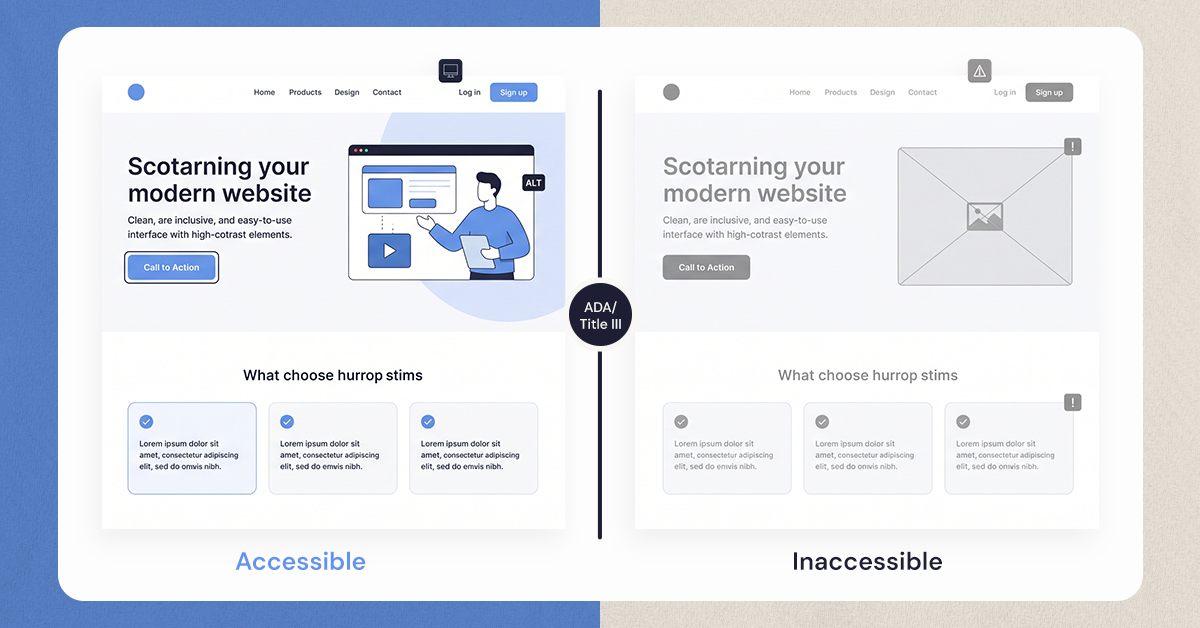
5. Accessibility — How Many Potential Customers Are You Accidentally Excluding?
Businesses often think accessibility is about compliance.
In reality, it's about opportunity.
Every barrier on your website makes it harder for someone to become a customer.
That barrier might be:
- Text that's difficult to read
- Poor mobile usability
- Low color contrast
- Forms that are difficult to complete
- Content that doesn't work well with assistive technology
Accessibility isn't about designing for a small group of people. It's about ensuring that more people can successfully engage with your business.
The easier your website is to use for everyone, the larger your potential audience becomes.
6. Emotional Design — How Do People Feel After Interacting With Your Brand?
Have you ever used a website that technically worked but still felt frustrating?
Or one that felt so smooth and effortless that you barely noticed the experience at all?
That's emotional design.
Customers don't judge your business solely on whether they completed a task. They judge it on how the experience made them feel.
Did it feel simple?
Did it feel trustworthy?
Did it feel professional?
Did it feel like their time was respected?
Those feelings influence whether someone buys from you, returns in the future, or recommends your business to others.
The most successful digital experiences don't just help users accomplish something. They make the process feel easy, natural, and rewarding.
UX vs. UI Design: What's the Difference?

UX and UI are often used interchangeably, but they solve different problems.
User Experience (UX) focuses on how a product works. It's about understanding what users are trying to achieve, identifying obstacles in their journey, and creating an experience that helps them reach their goals with as little friction as possible.
User Interface (UI) focuses on how a product looks and feels. It's the visual layer users interact with, including layouts, buttons, colors, typography, imagery, and interactive elements.
Think of it this way: UX determines whether users can successfully complete a task, while UI influences how confident, comfortable, and engaged they feel while doing it.
A simple example is online shopping.
A customer wants to buy a product:
- UX determines how easy it is to find the product, compare options, add it to the cart, and complete checkout.
- UI determines whether the product pages look professional, whether buttons are easy to spot, and whether the overall experience feels trustworthy.
You can have excellent UI and poor UX. A website may look beautiful, but if users can't find what they're looking for or become confused during checkout, they're unlikely to convert.
On the other hand, you can have strong UX and weak UI. A website might be functional and easy to navigate, but if it looks outdated or unprofessional, users may question the credibility of the business before taking action.
That's why the most successful digital products don't treat UX and UI as separate disciplines. They work together.
UX creates the structure. UI brings that structure to life.
Or, to use a simple analogy:
Imagine building a new office.
The UX designer creates the floor plan, deciding where rooms go, how people move through the space, and whether employees can work efficiently.
The UI designer chooses the finishes, furniture, lighting, colors, and visual details that make the space inviting and professional.
A beautiful office with a confusing layout quickly becomes frustrating. A practical office with poor presentation can feel uninspiring and untrustworthy.
Digital experiences work exactly the same way.
To create a product that users enjoy and trust, you need both UX and UI working together. One helps users achieve their goals. The other helps them feel confident doing it.
Is Your Website Delivering a Great User Experience?
A great user experience isn't a nice-to-have anymore.
It's one of the most important factors influencing how customers perceive your business, how easily they convert, and whether they come back.
Ask yourself:
- Is it clear what visitors should do next?
- Can users find what they need quickly?
- Does the experience feel seamless across devices?
- Are there points where customers might become frustrated or confused?
If you're not sure, there may be opportunities to improve.
At NUUX Design Studios, we help businesses uncover friction points and create digital experiences that support both user needs and business goals.
Book a free consultation to see how your user experience could be working harder for your business.
.svg)


.jpg)
.svg)

.svg)

.svg)
