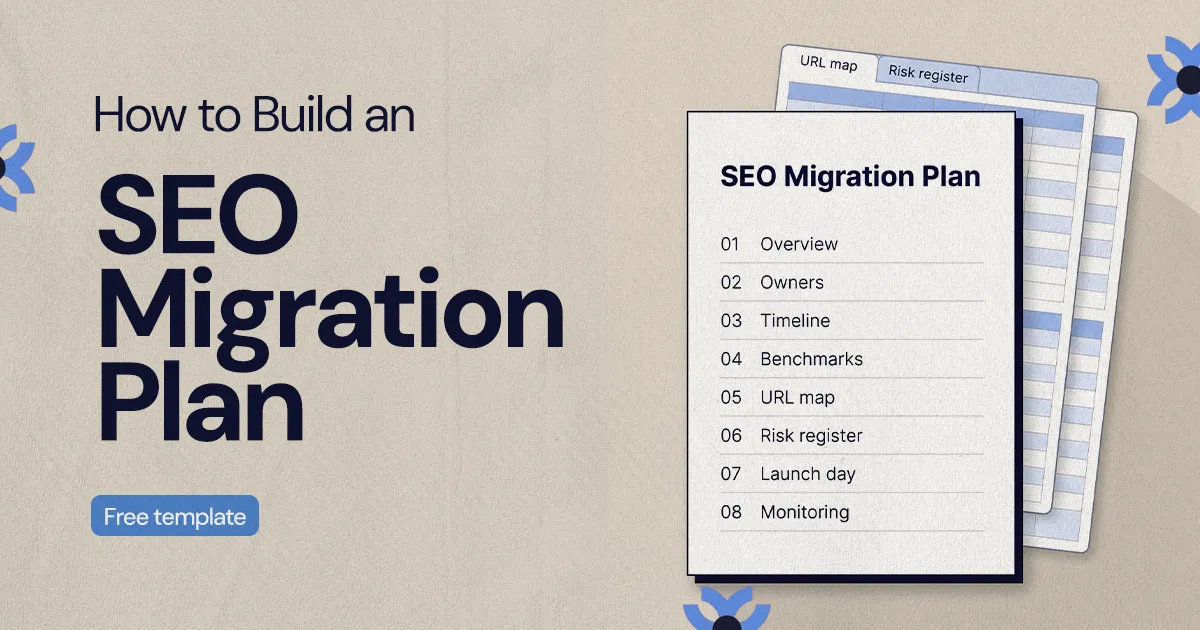
An SEO migration plan documents what is changing, who owns each decision, your baseline search performance, where every old URL redirects, the main risks, the launch day sequence and the post-launch monitoring schedule. Keep it in one shared document the whole team works from until the new site has settled in search.
To build an SEO migration plan, write down what is changing, name an owner for every decision, record baseline search performance, map every important old URL to its new destination, list the risks with a response for each, script launch day, and schedule post-launch monitoring. Put all of that in one shared document that marketing, design, development and leadership work from until the new site has settled in search.
This guide walks through each part of an SEO migration plan and ends with a template outline you can copy into a doc or spreadsheet. It is written for marketing leads and founders at small and mid-sized businesses who are planning a redesign, a replatform or a URL change and want search traffic to survive the move.
What is an SEO migration plan?
An SEO migration plan is the working document that protects organic search performance while a website changes. That change might be a redesign, a move to a new CMS, a domain change, a new URL structure or a large content cleanup. Any of them can change the addresses, templates and content that search engines have already indexed.
The plan connects SEO decisions to the rest of the project. It tells the team which pages must be preserved, which will be merged or removed, where every old URL should point, how success will be measured and who checks what after launch. For a small team, it does not need to be long. It does need to be specific enough that a developer, a designer and a content owner can each find their responsibilities without asking.
A useful plan answers four questions:
- What is changing? Pages, templates, navigation, CMS collections, URL patterns, metadata, tracking or the domain itself.
- Who owns each part? A named person for redirects, content decisions, analytics, QA and launch approval.
- What must be protected? Top organic landing pages, pages that generate leads, pages with backlinks and your analytics history.
- How will you know if something broke? Benchmarks, redirect tests, crawl checks and a monitoring schedule.
Why does a website migration need a plan instead of a checklist?
A checklist reminds you of tasks. A plan explains how the migration will run: who decides, in what order, what counts as a launch blocker and what can be fixed afterwards. Migrations usually arrive alongside new branding, new messaging, a new navigation and a stack of stakeholder feedback, and SEO requirements are the first thing to get squeezed when the timeline tightens.
Keep the plan somewhere the team already works, such as a shared doc linked to a spreadsheet, or a project board with one task per section. Review it before development starts, update it during the build and use it on launch day. If you want a task-by-task companion, our CMS migration checklist covers the build and QA steps in more detail, and the plan below is what keeps those steps coordinated.
What should you capture before the redesign starts?
Before design and development go too far, capture a baseline of the current site and decide which pages carry the most value. This is the step that prevents a team from quietly removing pages that bring in search traffic or leads, because nobody knew what those pages were doing.
Start with a snapshot of the current site. It does not need to be a perfect audit, but it should be reliable:
- Export every URL you can find from the CMS, the XML sitemap, your analytics platform and a crawler. Each source catches pages the others miss.
- Pull clicks, impressions and top queries per page from Google Search Console, and organic sessions and conversions from your analytics.
- Note which pages have backlinks from other sites.
- Record current title tags, meta descriptions, H1s, canonical tags and indexing settings for your priority pages.
- List every form, thank-you page, booking tool and tracking event that has to keep working after launch.
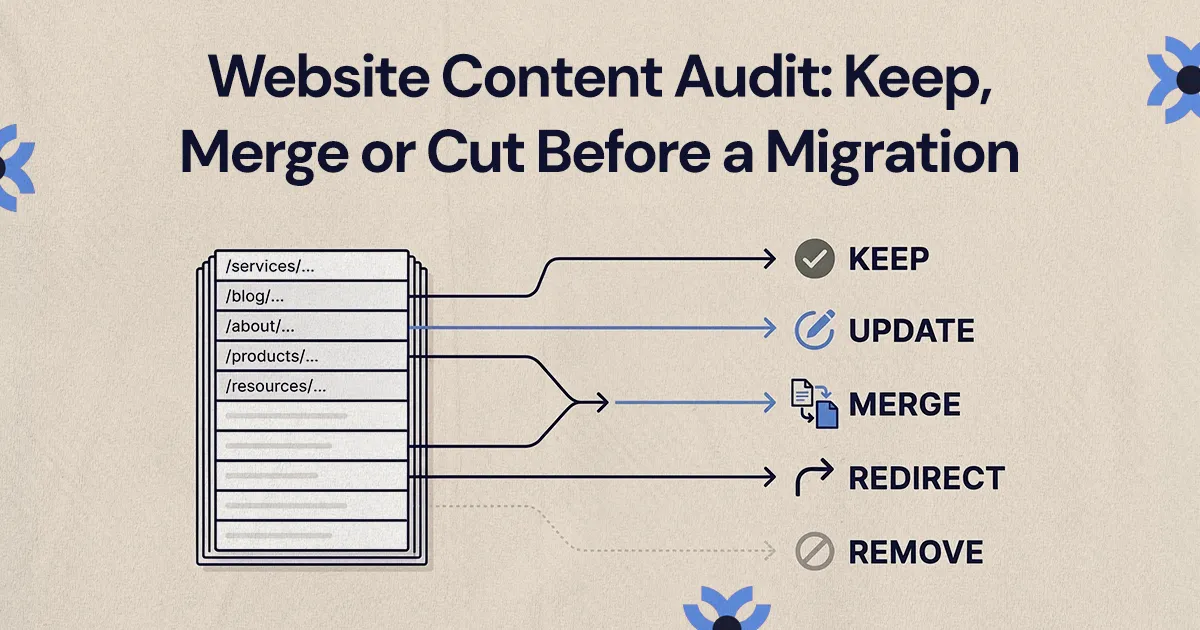
Then connect SEO priorities to business priorities. A page nobody on the team likes may still be the one that brings in consultation requests. Judge pages by what they do for searchers and for the business, and decide early which ones will stay, be rewritten, merge into another page or be retired.
Free SEO migration plan template (outline)
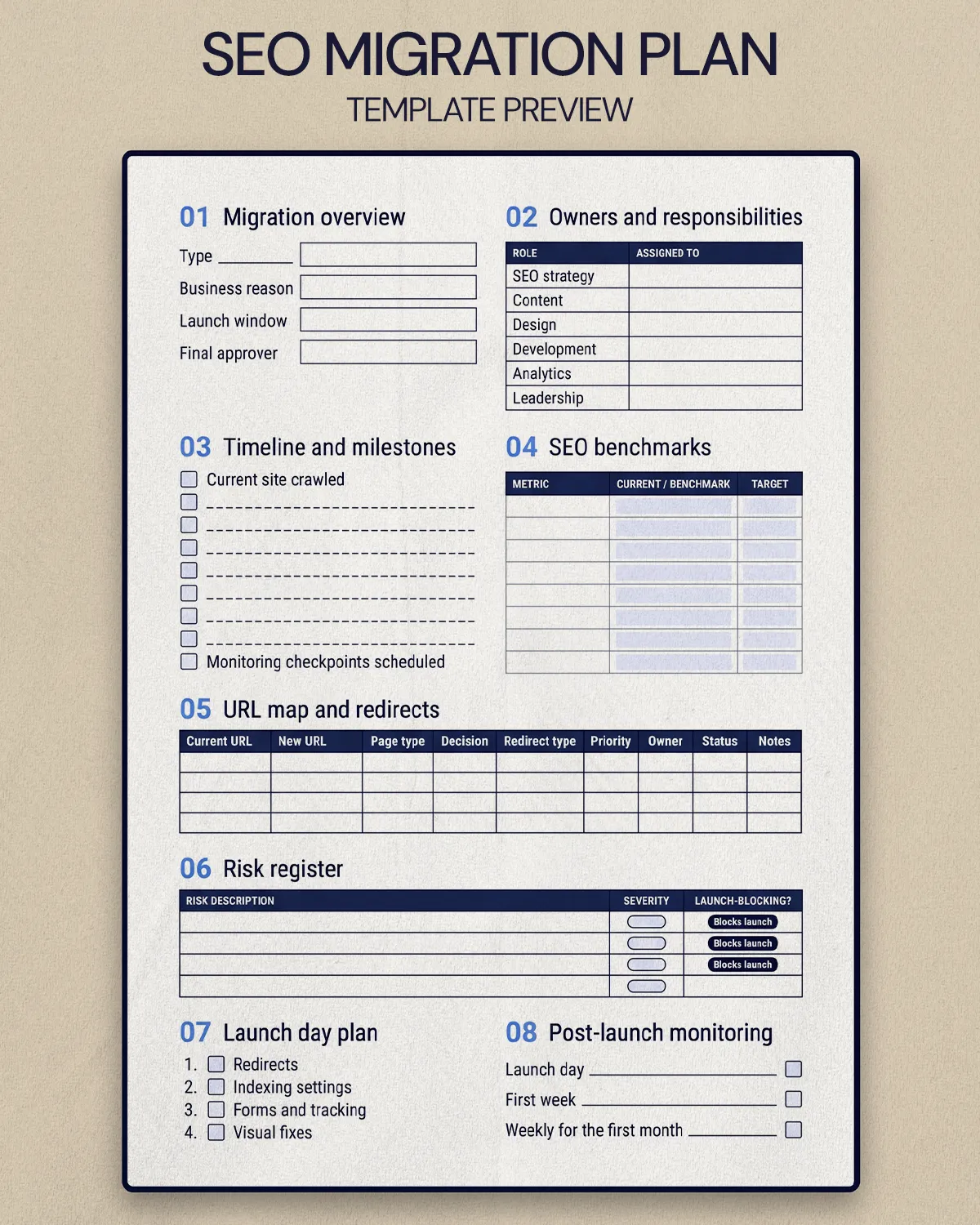
Copy this outline into a document, then build the URL map and risk register as linked spreadsheets. Each numbered section can also become a task or task list in your project management tool.
- Migration overview
- Project name and type of migration (redesign, replatform, domain change, URL restructure, content consolidation)
- Business reason for the migration
- Target launch window
- Primary stakeholders and the one person who gives final launch approval
- Owners and responsibilities
- SEO strategy: marketing lead or SEO owner
- Sets priorities, approves the redirect map, monitors performance after launch
- Content: content owner
- Approves copy, metadata, page merges and removals
- Design: design lead
- Keeps priority content visible in the new templates and navigation
- Development: developer or technical owner
- Implements redirects, templates, canonical tags, sitemaps and tracking
- Analytics: marketing or operations owner
- Captures benchmarks and confirms tracking works in staging and production
- Leadership: founder or executive sponsor
- Resolves scope and launch tradeoffs
- SEO strategy: marketing lead or SEO owner
- Timeline and milestones
- Current site crawled and URL list complete
- Benchmarks captured
- Content decisions approved
- URL map drafted and approved
- Redirects built and tested in staging
- Metadata, headings and internal links reviewed on priority templates
- Analytics and conversion tracking tested
- Pre-launch QA signed off
- Launch date confirmed
- Monitoring checkpoints scheduled after launch
- SEO benchmarks
- Organic sessions and organic conversions for a recent period, plus the same period last year if traffic is seasonal
- Clicks and impressions for your top landing pages and priority queries
- Number of indexed pages
- Pages with the most valuable backlinks
- Known technical issues on the current site
- URL map and redirects
- Columns: current URL, new URL, page type, content decision, redirect type, priority, owner, status, notes
- Every priority URL has a relevant destination
- Removed pages have a documented reason
- Risk register
- Priority URL missing a redirect
- Severity: high. Owner: SEO owner. Response: test the full redirect list before launch. Rule: blocks launch
- Tracking or forms not firing
- Severity: high. Owner: analytics owner. Response: test every conversion in staging. Rule: blocks launch for key conversions
- Staging noindex or robots.txt block carried into production
- Severity: high. Owner: developer. Response: check robots.txt and noindex tags at launch. Rule: blocks launch if sitewide
- Metadata missing on some templates
- Severity: medium. Owner: content owner. Response: QA priority templates. Rule: fix before or right after launch
- Priority URL missing a redirect
- Launch day plan
- Release sequence and launch window
- Who is online, and who can call a pause or a rollback
- Test order: redirects, indexing settings, forms and tracking, then visual fixes
- Issue log with severity, owner and status
- Post-launch monitoring
- Checkpoints: launch day, first week, then weekly for at least the first month
- What gets checked: redirects, crawl errors, indexing, sitemap, rankings for priority queries, organic landing pages, conversions
- Who checks each item, and where issues are logged
How do you map URLs and redirects without losing rankings?
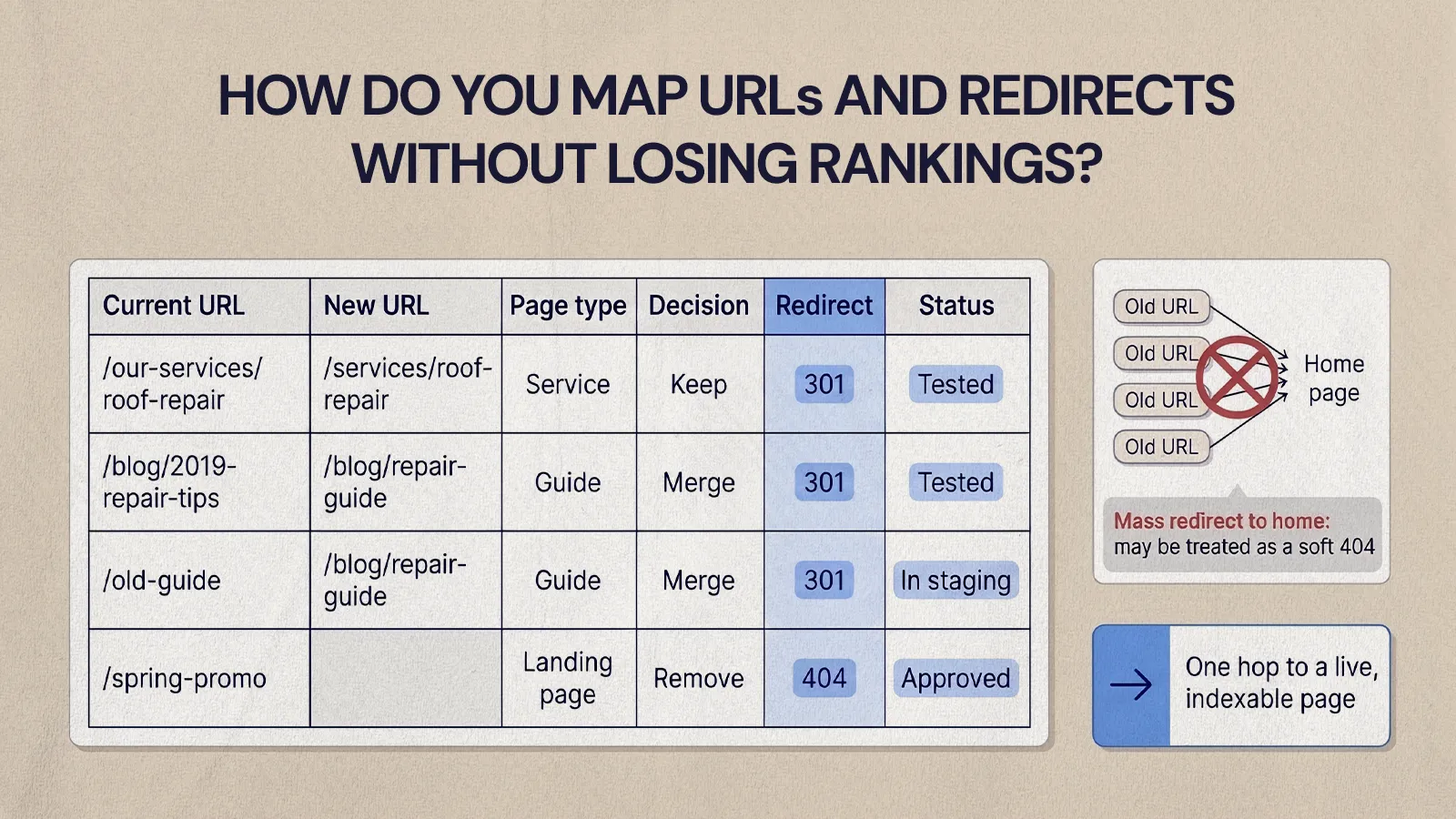
Map each old URL to the page on the new site that best matches its intent, then use permanent redirects. Google's guidance on site moves recommends building a mapping of every old URL to its new URL, and its redirect documentation says permanent server-side redirects (301 or 308) are the best way to send both people and Google to the right page. Permanent redirects also tell Google to show the new URL in search results.
Intent is the part teams skip. A service page should point to the updated version of that service page, a guide to the closest equivalent guide and a merged article to the page it merged into. Google specifically warns against redirecting many old URLs to one irrelevant destination such as the home page, because it can confuse users and may be treated as a soft 404.
A practical workflow:
- Combine URL sources (sitemap, CMS export, analytics, Search Console and a crawl) into one list.
- Rank URLs by organic traffic, conversions, backlinks and business value.
- Assign a destination to every page that is staying, moving or merging, and flag uncertain ones for the content owner.
- Build the redirects in staging and confirm each one resolves in a single hop to a live, indexable page.
- Test again in production after launch, because staging and live environments do not always behave the same way.
How you implement redirects depends on the platform. In Webflow, for example, redirects live under Site settings, Publishing, 301 redirects, and can be imported as a two-column CSV of old and new paths (note that an import overwrites existing redirects, so export a backup first). Our guide to handling redirects when migrating to Webflow goes deeper on patterns and edge cases. Google also recommends keeping redirects in place for as long as possible, generally at least one year.
When NUUX migrated Quality Collision Group's 26+ partner brand websites onto Webflow, the site structure was one page per service, one per manufacturer certification and one per location. A repeatable structure like that makes URL mapping far easier, because each old page has an obvious type and an obvious home on the new site.
What should happen on launch day?
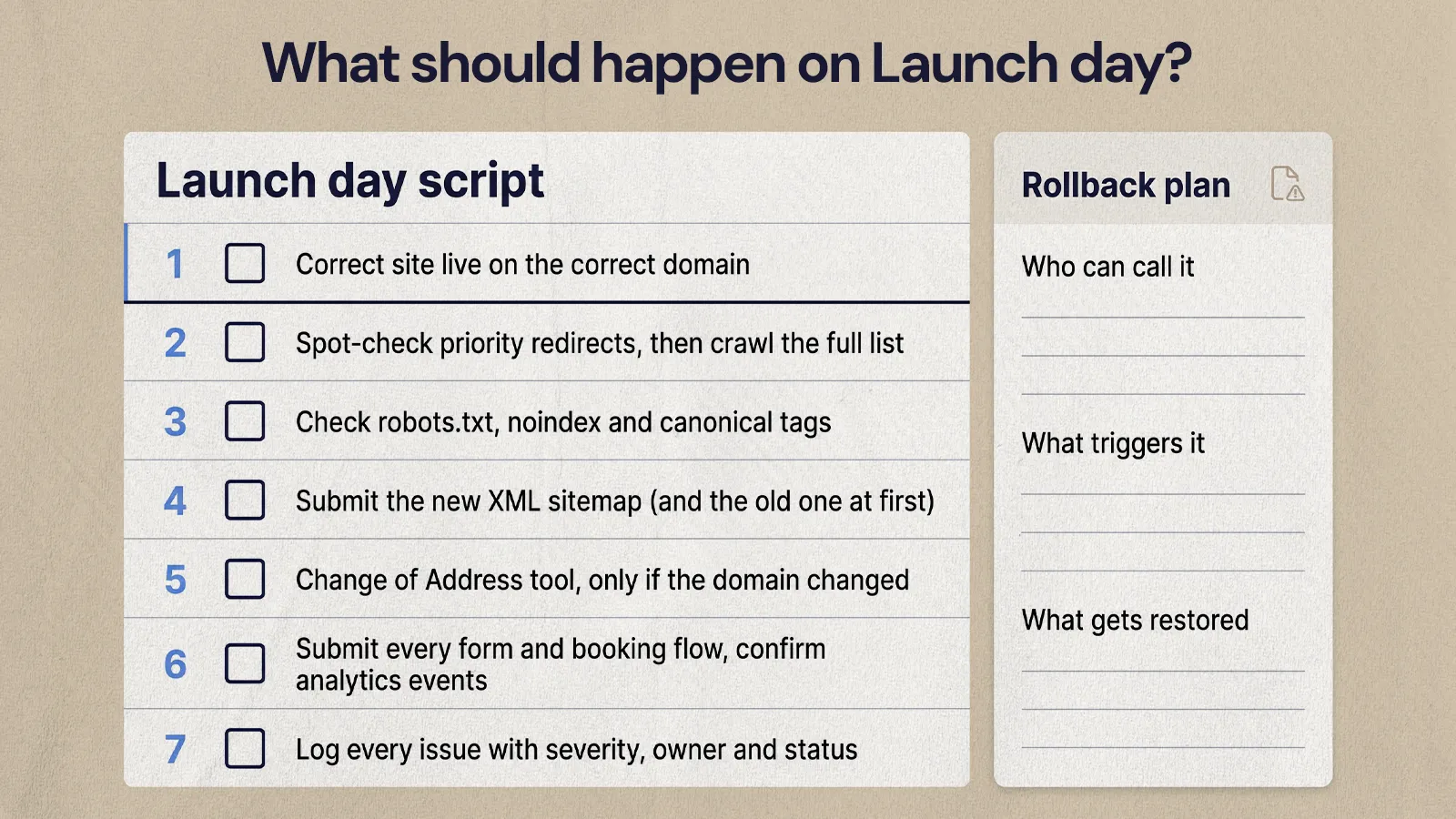
Launch day should follow a script the team agreed on in advance. The plan already says who is online, what gets tested first and which problems pause the release, so nobody is debating ownership while the DNS is changing.
Test the items that can damage search visibility, measurement or lead flow first, and leave visual polish for later:
- Confirm the correct version of the site is live on the correct domain.
- Spot-check priority redirects, then run the full redirect list through a crawler.
- Check robots.txt, noindex tags and canonical tags. Google's site move guidance reminds you to remove any temporary noindex added during development.
- Submit the new XML sitemap in Search Console. Google suggests submitting the old sitemap as well at first, so it can discover the redirects.
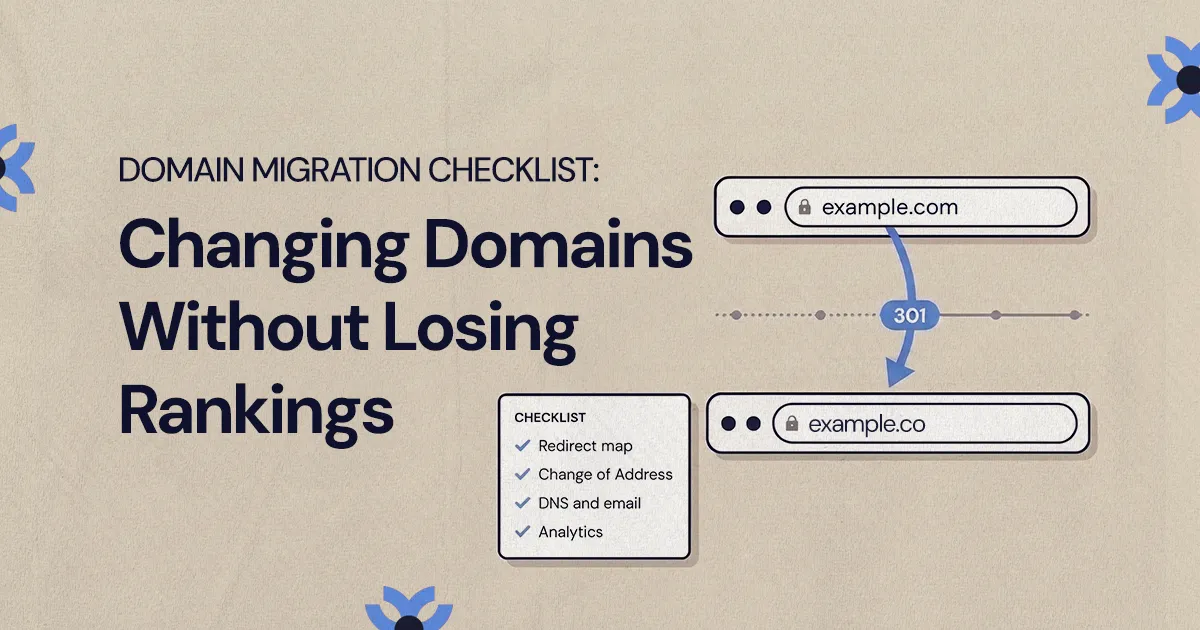
- If the domain itself changed, use the Change of Address tool in Search Console. It is only needed for domain or subdomain moves.
- Submit every form and booking flow, and confirm the events arrive in analytics.
- Log every issue with a severity, an owner and a status.
Write down a rollback plan even if you expect never to use it: who can make the call, what would trigger it and what would need to be restored.
How long should you monitor after a site migration?
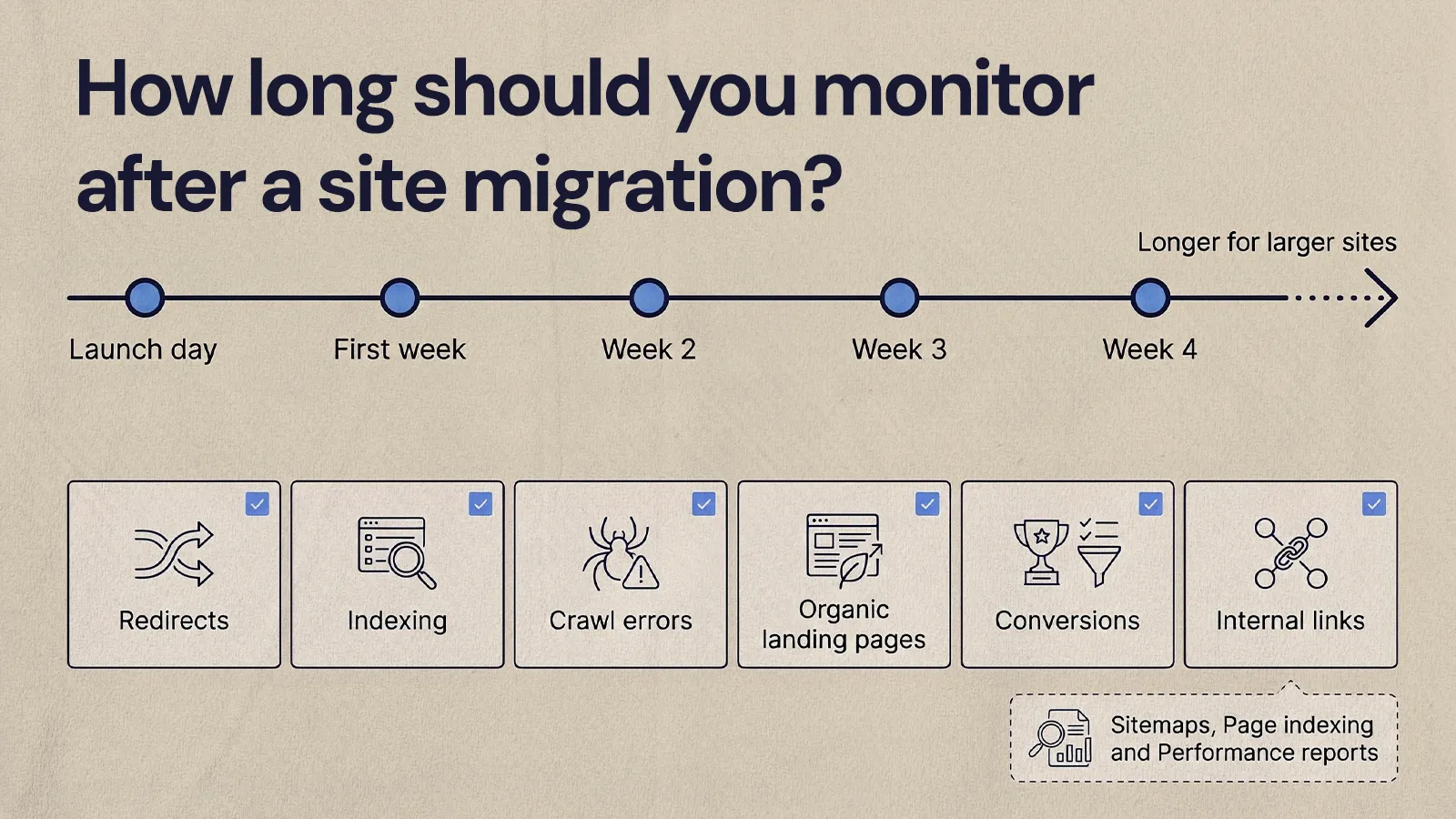
Plan to monitor closely for at least several weeks, and longer for larger sites. Google says that for medium-sized websites it can take a few weeks or more before it shows the new URLs in place of the old ones, and that temporary ranking fluctuations are normal during a move. Monitoring is how you separate that expected fluctuation from real problems.
Google points to the Sitemaps, Page indexing and Performance reports in Search Console as the main tools for watching a move. The Performance report shows clicks, impressions, click-through rate and average position, which makes it easy to compare priority pages against your benchmarks. Check these areas at each checkpoint:
- Redirects: broken redirects, chains, loops and old URLs still getting visits.
- Indexing: priority pages indexed on their new URLs, and no staging or duplicate pages exposed.
- Crawl errors: new 404s and server errors, especially on pages that had backlinks.
- Organic landing pages: clicks and impressions compared with the baseline.
- Conversions: forms, calls and bookings from organic visitors still tracking.
- Internal links: navigation, footer and in-body links pointing straight to final URLs instead of through redirects.
Measure the outcomes that matter to the business, not just rankings. On Brandywine Coachworks, one of the QCG brands where NUUX built SEO into the redesign from the start, the result QCG reported from its own call tracking was about a 5% increase in organic calls. Decide before launch which metric plays that role for you.
Common SEO migration risks and how to plan around them
Most migration problems come from small gaps between people rather than one dramatic mistake: a redirect spreadsheet that never got finalized, a noindex tag that stayed on from staging, a redesigned form nobody re-tested, or a valuable page removed because nobody knew it ranked. Each of these has a simple planning fix:
- SEO joins too late. Bring the plan in before wireframes are approved, so URL structure and content decisions are part of the design.
- The redesign changes page intent. Compare old and new versions of priority pages against what the searcher wanted, and keep the content that answered it.
- The URL list is incomplete. Combine several sources instead of trusting the sitemap alone.
- There are no benchmarks. Capture them before launch, or post-launch reviews become guesswork.
- Tracking breaks. Test in staging and again right after launch.
- Nobody owns the problem. Name a person for every section of the plan.
Budget is part of risk planning too. If you are still scoping the project, our breakdown of what professional website migration costs explains where the SEO work fits, and the WordPress to Webflow migration guide shows how these steps apply to one of the most common platform moves.
Put the plan to work
An SEO migration plan gives everyone on the project the same answers about owners, dates, benchmarks, redirects, risks, launch day and monitoring. Start with the template outline, cut what your site does not need and keep the plan open until the new URLs have settled in search.
If you would like a team to plan and run the migration with you, see how NUUX approaches website migrations and builds.
Want results like this
Your website should make money, not excuses. Let us find the revenue hiding in your current experience.
FAQs
Quick answers to the questions we hear most about website conversion and UX design.
Start the SEO migration plan before wireframes are approved, ideally when the project is scoped. Content decisions and URL structure shape the design, so bringing SEO in after development starts usually means rework or compromises. At a minimum, capture benchmarks and a full URL list before any pages are rebuilt, because you cannot recreate the old site's data once it is gone.
Use permanent redirects, 301 or 308, for pages that have moved for good. Google's documentation says permanent redirects tell it to show the new URL in search results, while temporary redirects such as 302 keep the old URL showing. Use temporary redirects only for short-term changes, like a page that is briefly offline, and keep permanent redirects in place for at least a year.
Some fluctuation is normal. Google says rankings can fluctuate temporarily during a site move and that for medium-sized sites it can take a few weeks or more for new URLs to replace old ones in results. A drop that lasts, or that hits specific priority pages hard, usually points to a real issue such as a missing redirect, a noindex tag or lost content.
Most small teams can run a migration with Google Search Console, their analytics platform, a site crawler and a shared spreadsheet for the URL map and risk register. Search Console provides clicks, impressions and indexing data, the crawler finds URLs and tests redirects, and the spreadsheet keeps decisions in one place. Your CMS's own redirect settings handle the implementation.
Only if the domain or subdomain changes, for example moving from one domain to another. Google says the Change of Address tool is not needed for a redesign on the same domain, a switch from HTTP to HTTPS or a www change. For those moves, permanent redirects, updated internal links and a new sitemap submitted in Search Console do the work.
Related articles
More field notes on conversion, UX, and building websites that sell.