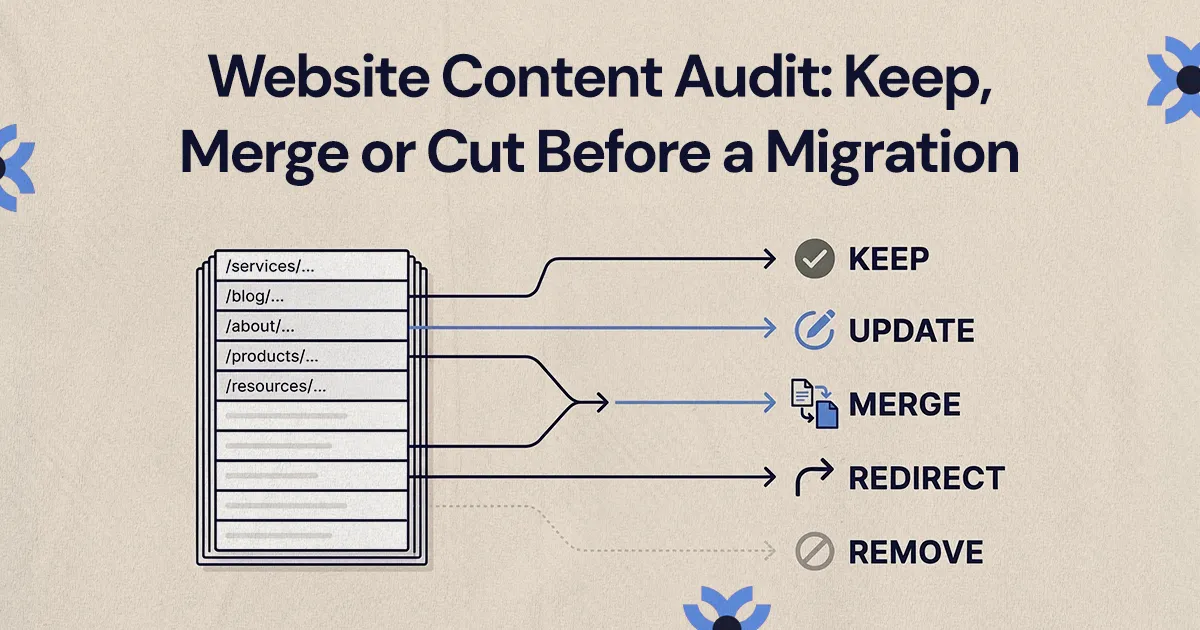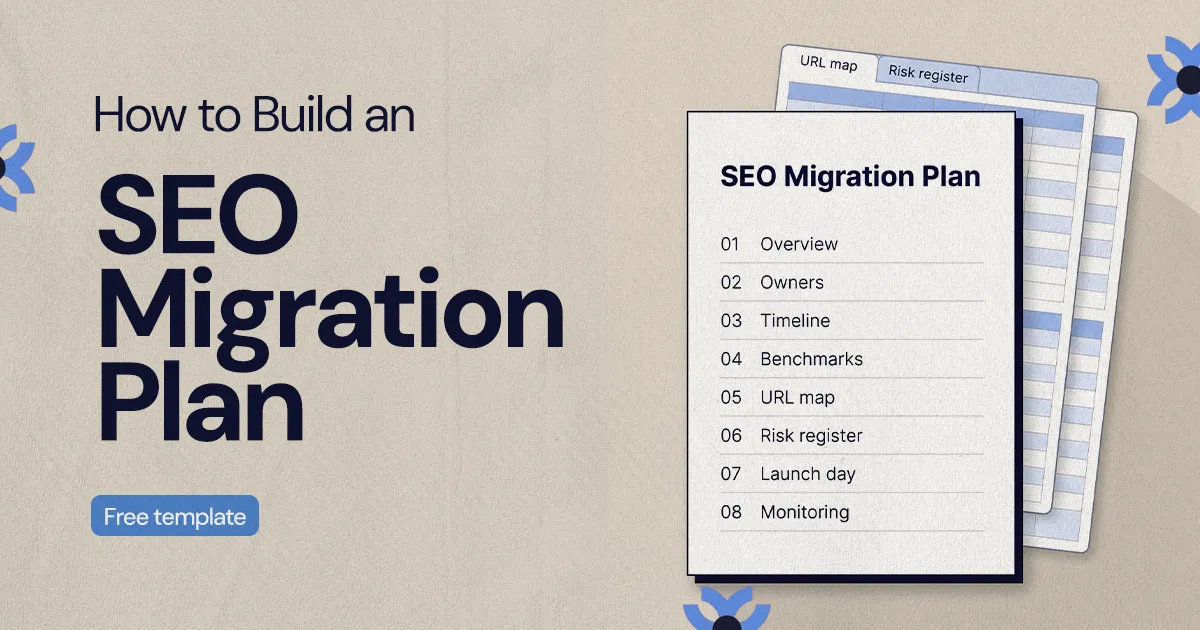
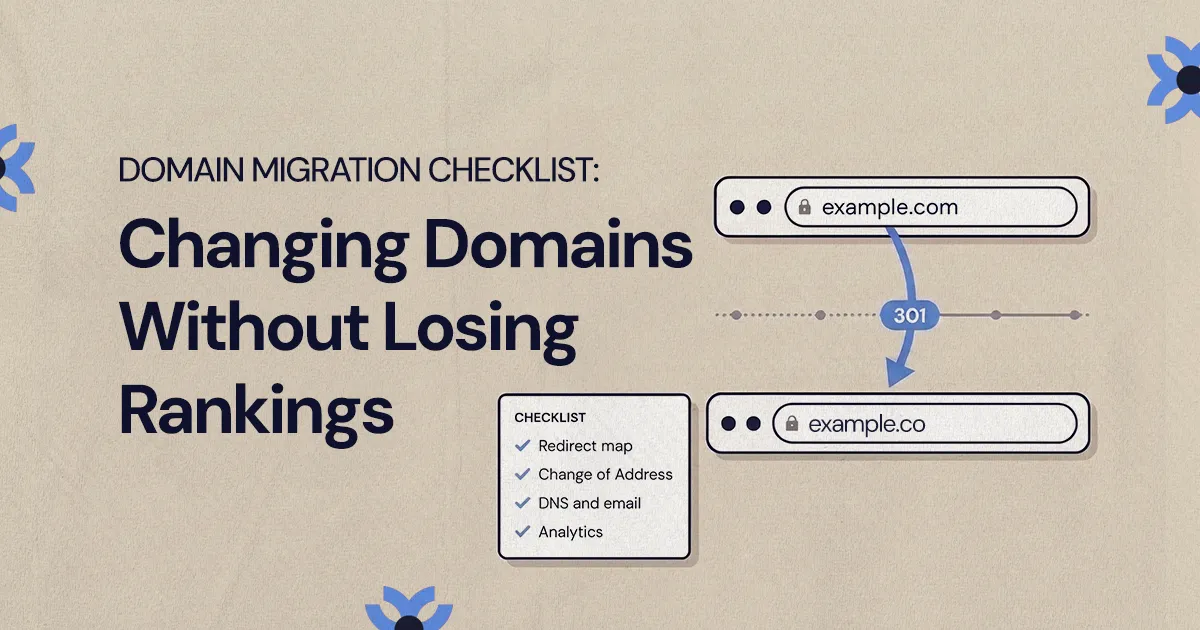
To change domains without losing rankings, map every old URL to its new equivalent with 301 redirects, verify both domains in Google Search Console and submit a Change of Address, and set up DNS and email records on the new domain before launch. Keep the redirects for at least a year, update key backlinks and profiles, and monitor indexing and analytics closely for the first few weeks.
A domain migration checklist covers five things: a page-by-page 301 redirect map from the old domain to the new one, verified Google Search Console properties for both domains and a Change of Address submission, updated backlinks and profiles, DNS and email records that keep working, and analytics that keep tracking. Get those right, keep the redirects in place for at least a year, and monitor closely for the first few weeks, and you give your rankings the best chance of carrying over.
This guide covers a domain change only: moving from example.com to example.co, or merging a brand onto a new name, while the platform stays the same. If you are also changing CMS, the CMS migration checklist we use with clients covers that side. Doing both at once is possible, but it adds risk and makes problems harder to diagnose.
What counts as a domain migration?
A domain migration is any move where your site's URLs change host name. Common reasons include a rebrand, an acquisition, consolidating several brand sites onto one domain, or moving from a country code domain to a .com. Google treats this as a site move with URL changes, and its guidance is specific about what it expects: permanent redirects from every old URL, a new sitemap and, for domain changes, the Change of Address tool in Search Console.
Some changes look similar but are not domain migrations. Moving from HTTP to HTTPS, or from www to non-www on the same domain, does not use the Change of Address tool. Those still need redirects, but they are a lighter lift.
Before you start, write down why you are moving and what success looks like. For most businesses it is simple: organic traffic and leads should return to their pre-move level, and customers should never hit a dead end. Pick a launch window away from your busiest season and major campaigns, when your team can watch for problems.
What should you do before changing domains?
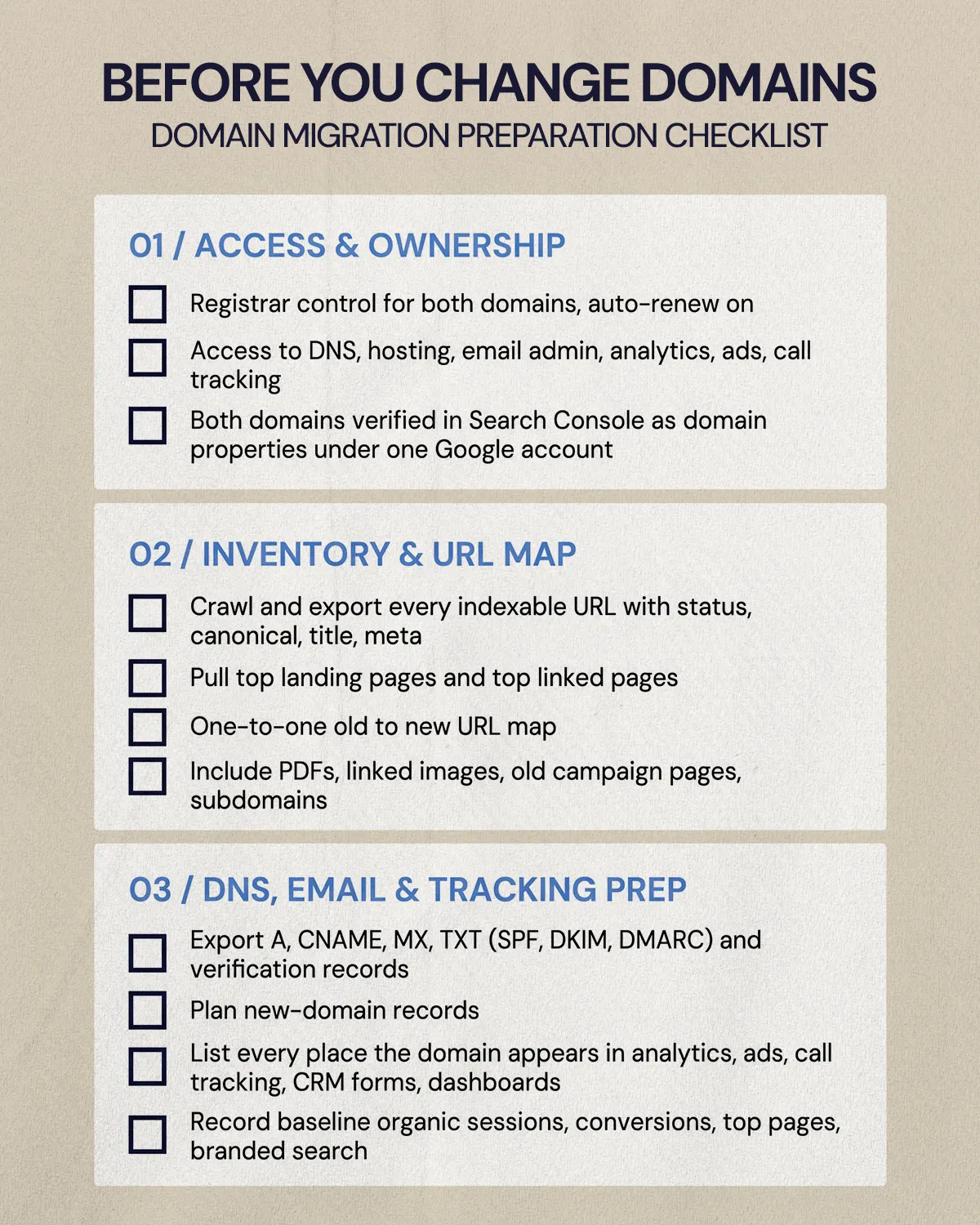
Most of the work happens before launch. Use this pre-launch section of the checklist as your working plan.
Access and ownership
- Confirm who controls the registrar accounts for the old and new domains, and set both to auto-renew. You will need the old domain for a long time.
- Confirm access to DNS, hosting or your website platform, email admin, analytics, ad accounts and call tracking.
- Verify both domains in Google Search Console under the same Google account, as domain-level properties. The Change of Address tool requires this.
Inventory and URL map
- Crawl the current site and export every indexable URL, along with status codes, canonicals, titles and meta descriptions.
- Pull your top landing pages from analytics and your top linked pages from a backlink tool. These get extra review.
- Build a one-to-one map of old URL to new URL. If paths stay the same, the rule can be simple, but still check the exceptions.
- Include PDFs, images that get linked externally, old campaign landing pages and any subdomains.
DNS, email and tracking prep
- Export every DNS record on the old domain: A, CNAME, MX, TXT (including SPF, DKIM and DMARC) and any verification records for third-party tools.
- Plan the equivalent records for the new domain.
- List every place the domain appears in analytics settings, conversion events, ad destination URLs, call tracking, CRM forms and dashboards.
- Record baseline numbers: organic sessions, conversions, top landing pages and branded search performance.
The domain migration checklist for launch day
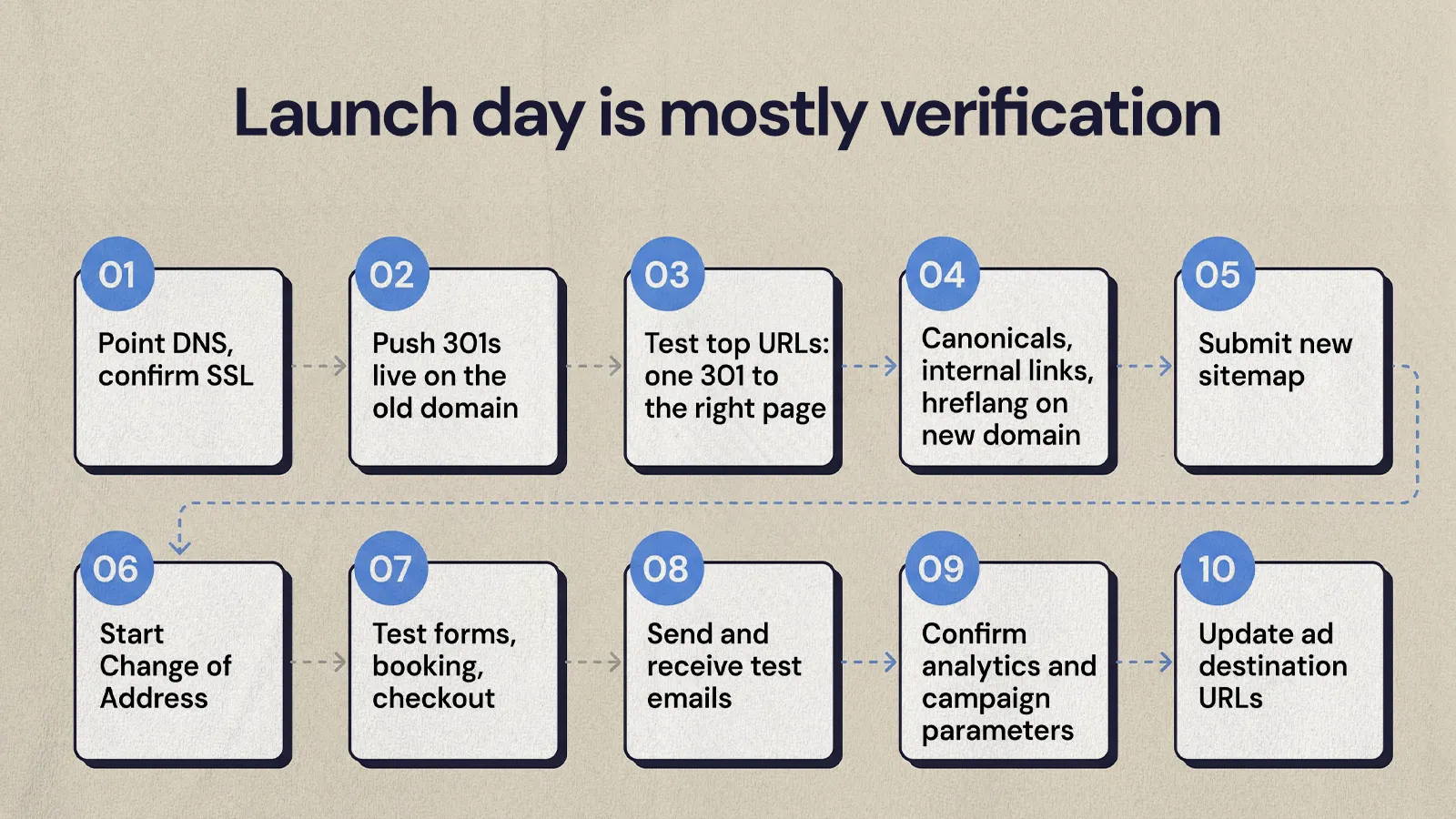
Launch day should be mostly verification. If the prep was done well, the job is to switch things on in the right order and test.
- Point the new domain's DNS to the site and confirm it loads with a valid SSL certificate.
- Push the 301 redirects live on the old domain.
- Test your highest-value URLs first: homepage, service pages, location pages, contact and booking pages, and active ad landing pages. Each should return a single 301 to the correct new page.
- Check that canonical tags, internal links and hreflang (if you use it) point to the new domain, not the old one.
- Submit a sitemap of the new URLs in Search Console for the new property.
- Start the Change of Address in the old domain's Search Console property.
- Test every form, booking flow and checkout, and confirm notifications arrive.
- Send and receive test emails on the new domain, including automated messages from your CRM or booking tools.
- Confirm analytics is recording sessions, conversions and campaign parameters on the new domain.
- Update ad destination URLs so paid traffic doesn't depend on a redirect.
How do redirects protect rankings during a domain change?
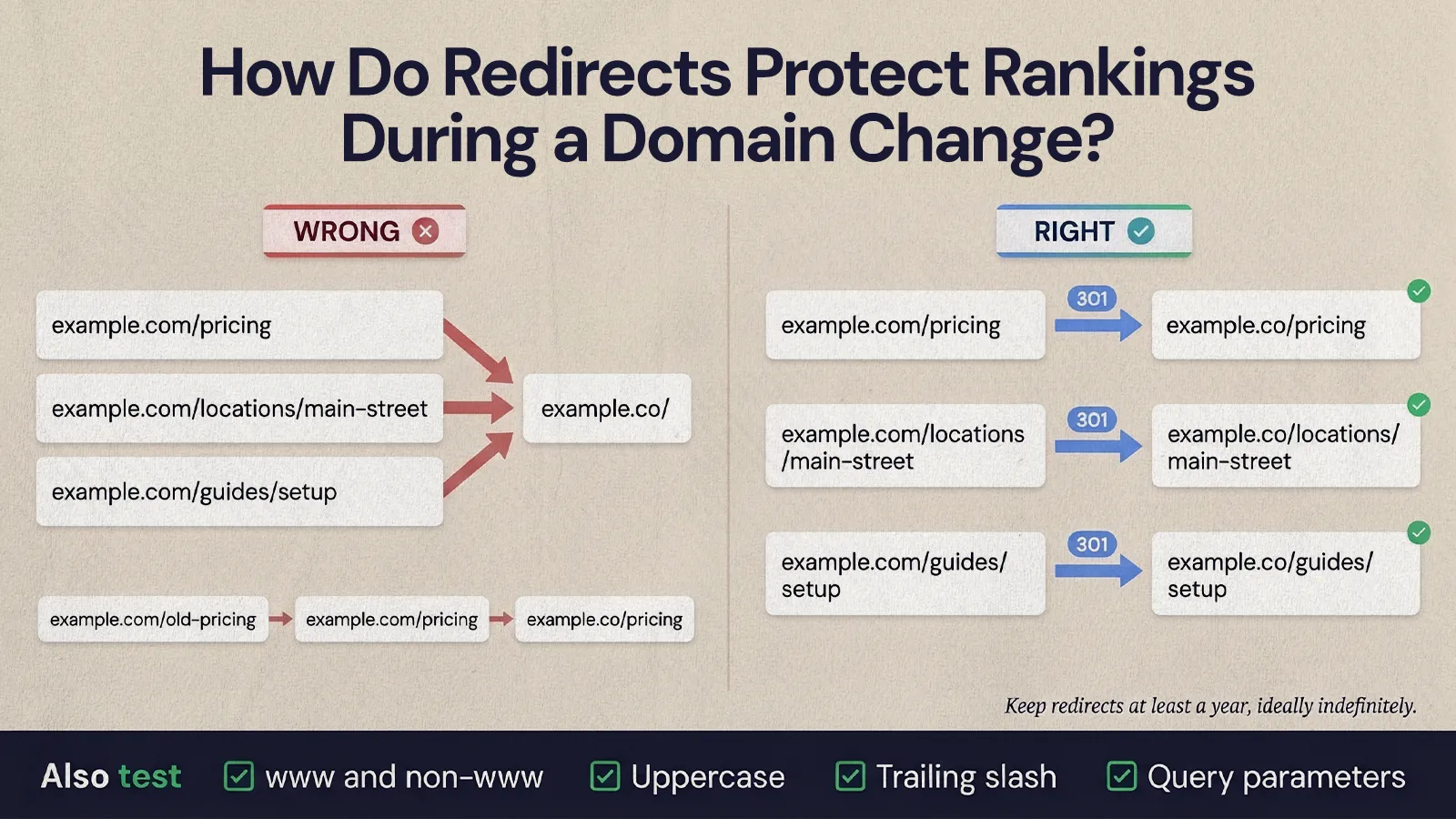
Redirects tell browsers and search engines that each old URL has moved permanently to a specific new URL. Google recommends server-side permanent redirects, such as 301 or 308, and says to keep them for as long as possible, generally at least one year. From a user's point of view, it suggests keeping them indefinitely, since old links and bookmarks never fully go away.
The most common mistake is redirecting everything to the new homepage. It's quick, but it throws away the match between an old page and its equivalent. If an old pricing page, location page or guide has earned rankings and links, it should redirect to the closest matching page on the new domain.
Watch for redirect chains, where URL A redirects to B and then B redirects to C. This often happens when an older redirect set from a previous redesign is left in place. Update the old rules so every legacy URL points straight to its final destination in one hop.
Also test the variations that tend to slip through: uppercase letters, trailing slashes, query parameters, and the www and non-www versions of the old domain. Our guide to handling redirects when migrating goes deeper on building and testing a redirect map, and most of it applies to any platform.
How do you use the Google Search Console Change of Address tool?
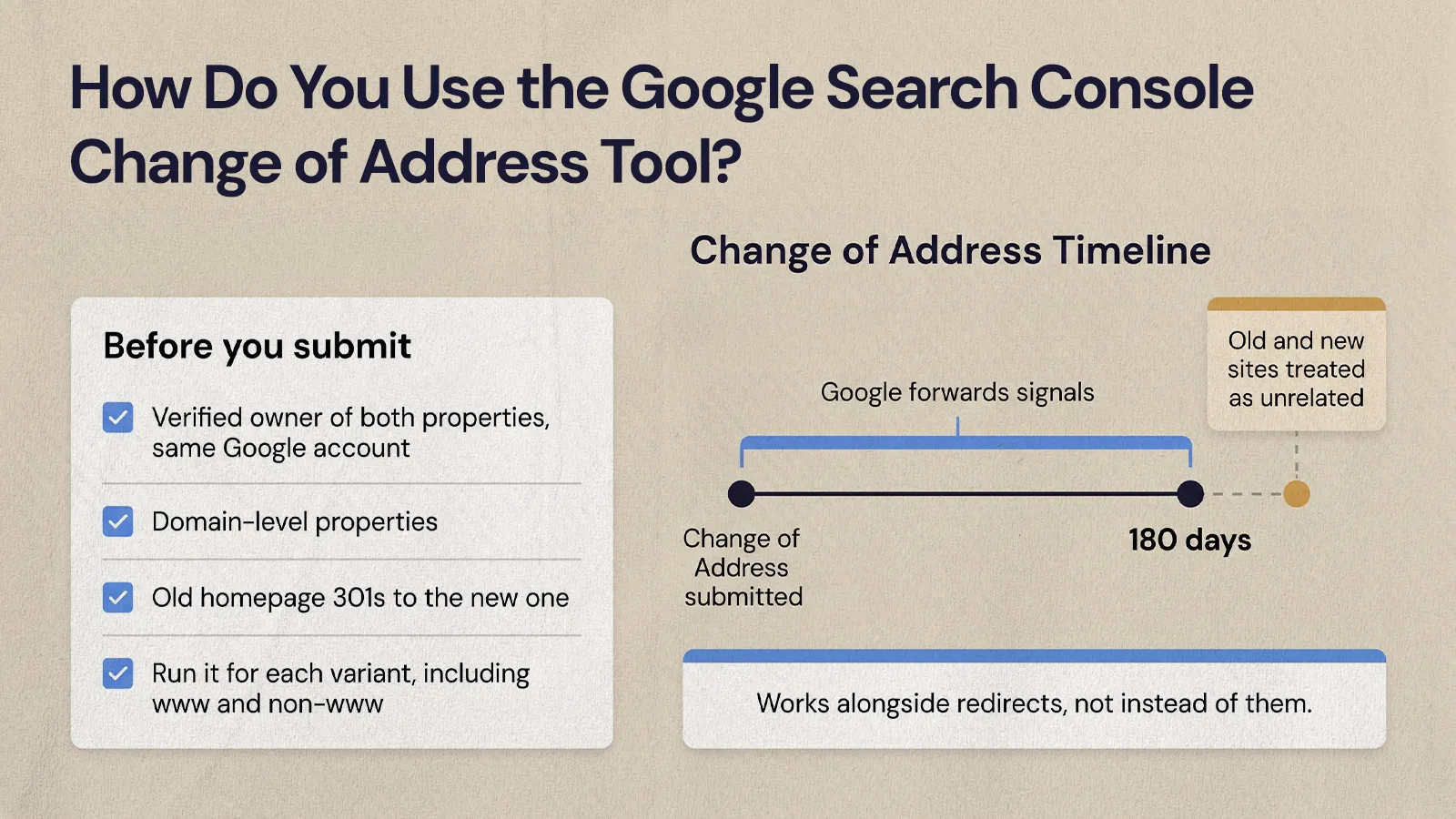
The Change of Address tool tells Google that your site has moved to a new domain, and it works alongside your redirects rather than instead of them. Google's requirements are worth knowing before launch day:
- You must be a verified owner of both the old and new properties, using the same Google account.
- The tool only works on domain-level properties, and all paths under that domain are covered.
- Your old homepage must 301 redirect to the new one before you submit.
- Google forwards signals for 180 days after you start the move in Search Console. After that, it treats the old and new sites as unrelated.
- Subdomains are not moved automatically. Google says to run the tool for each variant you use, including www and non-www.
After submitting, watch the new property's Pages report, sitemap processing and performance data. Some fluctuation in impressions and rankings is normal. What matters is that Google can crawl the new domain, follow the redirects and index the canonical pages you want.
What happens to your backlinks when you change domains?
Links to the old domain keep working as long as the redirects stay live, and they pass through to the matching new pages. Updating your most important links directly is still worth the effort. It reduces your dependence on redirects, and it means visitors from partner sites land on the right page without an extra hop.
Keep the outreach small and focused:
- Export your top referring domains from a backlink tool and your top referral sources from analytics.
- Sort by business value: partners, industry associations, directories, review sites, press and vendor pages.
- For each priority link, find a contact and send a short note with the exact old URL and the exact new URL.
- Follow up once on the links that matter most, then move on.
Update everything you control yourself on day one: Google Business Profile, social profiles, directory listings, ad accounts, email signatures, invoices, sales decks and support templates.
How do you keep email and DNS working after a domain change?
A new site can look perfect while email quietly fails. If your team is moving email addresses to the new domain too, treat that as its own workstream with its own owner.
Email authentication has to be set up on the new domain before you start sending from it. Gmail's sender guidelines require all senders to set up SPF or DKIM, and bulk senders (more than 5,000 messages a day to Gmail accounts) to set up SPF, DKIM and DMARC, with the From domain aligned to SPF or DKIM. Your exact records depend on your email provider and marketing tools, so build them from each provider's instructions rather than copying old values.
Keep the old domain's MX records active and set up forwarding, so customers using saved contacts still reach the right person. Check form notification addresses, calendar links and automated emails from your CRM or booking system, since these often have the old domain hard-coded. If several vendors manage parts of your stack, have one person coordinate the order of DNS changes so they don't overwrite each other.
Analytics, ads and tracking after the move
Tracking problems can make a healthy migration look like a disaster, right when leadership is watching. Prepare analytics before launch and check it again within hours of go-live.
- Update the website URL in your analytics property and data stream settings where relevant.
- If both domains will be live for a while (for example, a shared checkout or booking tool on the old domain), set up cross-domain measurement so sessions don't split.
- Add the old domain to referral exclusions if it would otherwise show up as a referrer.
- Check that conversion events, form tracking and call tracking fire on the new domain.
- Update destination URLs in Google Ads, Meta and any other paid channels.
- Annotate the launch date in your reporting so anyone reading the data later knows what changed.
After launch, compare page groups against your baseline instead of reacting to a single day. If organic traffic dips but leads stay steady, the business impact may be small. If high-intent pages lose visibility and leads drop at the same time, go back to redirects, indexing and tracking in that order.
How long does it take rankings to recover after changing domains?
Google says a small to medium-sized site can take a few weeks for most pages to move in its index, and larger sites take longer. Rankings often move around during that period, so set that expectation with founders and stakeholders before launch.
Early signs things are on track: redirects returning 301s to the right pages, the new sitemap being read, new URLs appearing in the index, branded searches showing the new domain and conversion paths working. If rankings drop sharply and don't start to stabilize, check in this order: redirects live and correctly mapped, important pages indexable and self-canonical on the new domain, Search Console errors and sitemap status, then tracking.
A few mistakes cause most of the lasting damage:
- Launching without a complete URL map, so important pages 404.
- Redirecting everything to the homepage.
- Letting the old domain expire or removing redirects after a few weeks.
- Forgetting email records, so messages bounce or land in spam.
- Combining a domain change with a full redesign and content rewrite, so no one can tell which change caused a drop.
- Not naming one owner for the whole move.
Plan the move before you make it
A domain change is manageable when every risk has an owner and a test. Map every URL, keep redirects in place for the long term, use Search Console properly, protect email and tracking, and watch the data calmly for the first few weeks. If you are weighing whether to bring in help, our breakdown of what professional website migration costs explains what drives the scope.
If you'd like a team to plan and run the move with you, NUUX's web development team handles migrations end to end.
Want results like this
Your website should make money, not excuses. Let us find the revenue hiding in your current experience.
FAQs
Quick answers to the questions we hear most about website conversion and UX design.
It can cause a temporary dip, but a well-run move usually keeps most of your rankings. Google says a small to medium-sized site can take a few weeks for most pages to move in its index. Page-level 301 redirects, a Change of Address in Search Console, a new sitemap and updated key backlinks give Google the clearest signals and reduce the risk of lasting losses.
Google recommends keeping redirects for as long as possible, generally at least one year, and suggests keeping them indefinitely for users who still follow old links and bookmarks. The Change of Address tool forwards signals for 180 days, so removing redirects early is one of the most damaging mistakes. Keep renewing the old domain so the redirects never disappear.
Not necessarily, but most businesses do eventually. If you move email, set up SPF, DKIM and DMARC on the new domain before sending from it, since Gmail requires authentication and bulk senders need all three. Keep the old domain's mail records active with forwarding so customers using saved addresses still reach you, and update form notifications and automated emails.
It's safer to separate them when you can. Changing the domain, templates, URLs and content together makes it hard to tell which change caused a traffic drop, and it multiplies the testing. If timing forces both at once, keep URL paths and page content as close to the old site as possible at launch and make larger content changes after the move settles.
It's a Search Console feature that tells Google your site has moved from one domain to another. You need verified, domain-level properties for both domains under the same account, and your old homepage must already 301 redirect to the new one. Google then forwards signals for 180 days. It supports your redirects rather than replacing them, and subdomain variants need their own submissions.
Related articles
More field notes on conversion, UX, and building websites that sell.