.svg)
.svg)

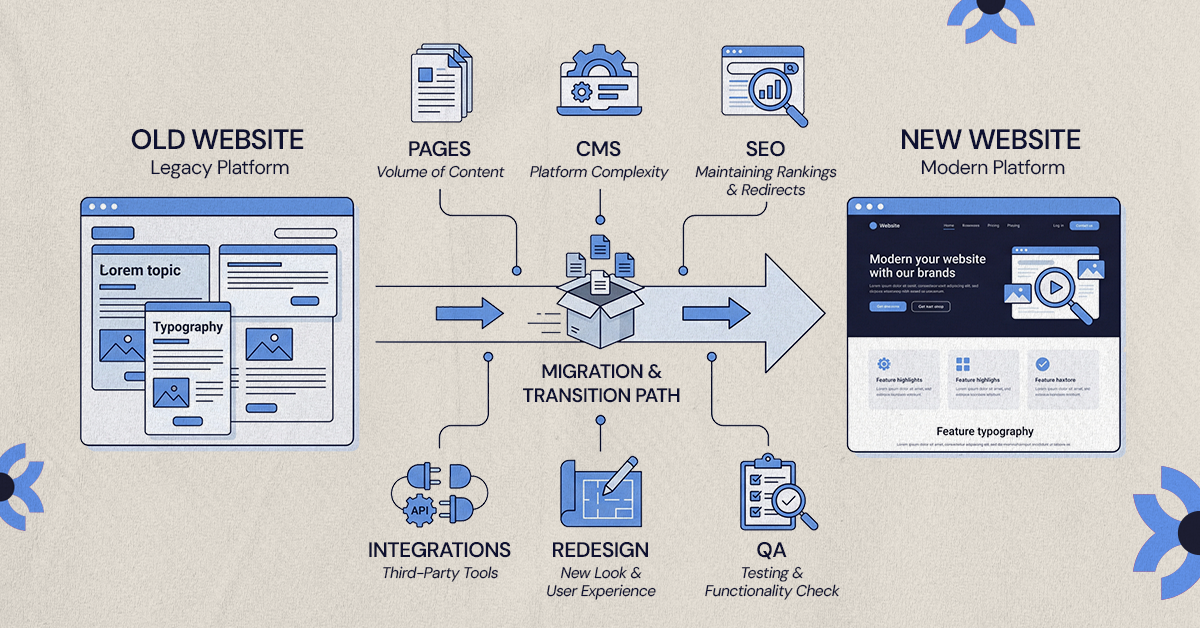
Professional website migration runs from a few hundred dollars to $50,000 or more, priced by complexity rather than page count. URL volume, CMS structure, integrations and how much SEO protection is included are what separate two very different quotes.
Professional website migration can cost anywhere from a few hundred dollars to $50,000 or more, depending on what you're moving, how complex the website is, and how much work is needed to protect SEO and functionality. A small five-page website is a very different project from migrating hundreds of URLs, a CMS, integrations, and years of search traffic.
That difference is why two agencies can quote completely different prices for what appears to be the same migration.
The goal isn't to find the cheapest migration quote. It's to understand what the quote covers, what your website actually needs, and what could go wrong if important work is left out.
How Much Does Professional Website Migration Cost?
There is no standard price for website migration because there is no standard migration project.
As a starting point, these ranges can help with budgeting:
| Migration Type | Typical Planning Range |
|---|---|
| Simple website or host migration | $500–$2,500+ |
| Small CMS migration | $2,000–$5,000+ |
| Mid-size CMS migration | $5,000–$20,000+ |
| Complex or eCommerce migration | $10,000–$50,000+ |
| Enterprise or custom migration | $50,000+ |
These are planning ranges, not fixed quotes. The final cost depends on the website's size, CMS, content structure, integrations, SEO requirements, functionality, and whether you're redesigning the site at the same time.
A 100-page website with custom content types and several integrations can require more work than a 500-page site made up mostly of simple pages.
So page count matters, but it isn't the whole story.
What Are You Actually Paying for With Professional Migration?
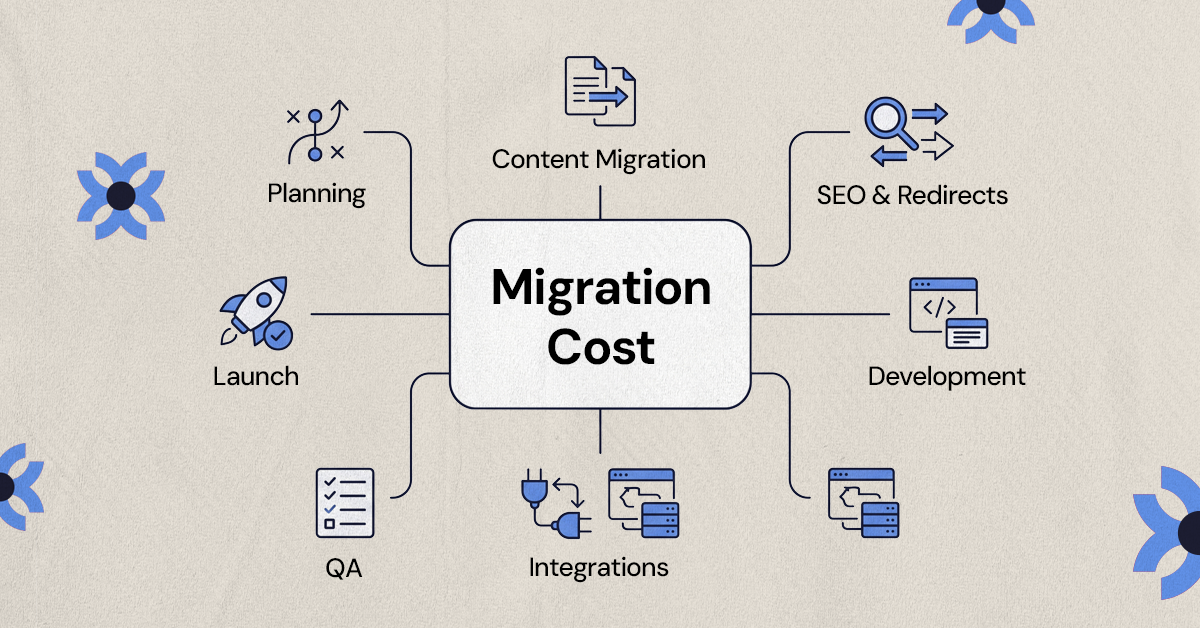
When an agency quotes for a migration, you're not necessarily paying someone to move files from one platform to another.
A proper migration can involve planning, content restructuring, SEO preservation, development, testing, and post-launch checks.
Pre-Migration Planning and Audit
Before anything moves, the existing website needs to be assessed.
This can include:
- Auditing the existing website
- Creating a URL inventory
- Reviewing the CMS
- Identifying integrations
- Assessing SEO dependencies
- Reviewing content structure
- Identifying what should be migrated, rebuilt, redirected, or removed
This stage can look like extra work on a proposal, but it determines what actually needs to happen during the migration.
Skipping it can create problems later, particularly when a website has accumulated years of content, custom functionality, or technical workarounds.
Content Migration
Moving content isn't always an export-and-import exercise.
An agency may need to migrate:
- Hundreds of pages
- Blog posts
- Images
- Videos
- Custom fields
- Categories
- Authors
- Structured content
- Large media libraries
The work increases when the old CMS and new CMS structure content differently.
For example, a collection of custom fields on one platform may need to be manually mapped to a new CMS structure. Some content may also need to be cleaned up or reformatted rather than transferred exactly as it exists.
URL Mapping and SEO Preservation
SEO is one of the areas where a cheap migration can become an expensive problem later.
Professional migration work may include:
- URL inventory
- Old-to-new URL mapping
- 301 redirects
- Metadata migration
- Canonical checks
- Sitemap updates
- Indexation checks
- Internal-link review
If the website already receives meaningful organic traffic, this work deserves particular attention.
Google recommends creating a mapping between old and new URLs, using permanent redirects where possible, updating sitemaps, testing the new site, and monitoring traffic after the move.
Redirects also determine where visitors and search engines are sent when an old URL no longer exists, making 301 redirects an important part of the migration rather than a final technical detail.
Design and Template Rebuild
If you're keeping the existing design and simply moving platforms, the project is primarily a migration.
If you're also changing the way the website looks and works, you're adding a redesign to the project.
That can introduce:
- UX strategy
- Wireframes
- UI design
- New page templates
- Responsive layouts
- Interactions
- Development
This distinction matters when comparing proposals. A migration and a migration-plus-redesign shouldn't be treated as equivalent projects.
Integrations and Custom Functionality
Your website rarely operates on its own.
It may connect to:
- A CRM
- Marketing automation
- Analytics
- Forms
- Payment systems
- Search tools
- Membership systems
- Third-party APIs
- Custom databases
During migration, these systems may need to be rebuilt, reconnected, replaced, or tested.
For example, moving a form to a new platform isn't complete if submissions stop reaching your CRM.
The agency has to make sure the surrounding systems still work once the new website goes live.
Testing and QA
A website shouldn't go live simply because the pages have been transferred.
Testing may cover:
- Broken links
- Redirects
- Forms
- Mobile layouts
- Desktop layouts
- Images
- Navigation
- Integrations
- Analytics
- Performance
This is particularly important when the migration involves a new CMS or rebuilt templates.
A website can look fine on the homepage while having broken forms, missing images, incorrect redirects, or unusable mobile pages deeper in the site.
Launch and Post-Launch Monitoring
The work shouldn't necessarily stop when the new website goes live.
Post-launch monitoring can include checking for:
- 404 errors
- Redirect problems
- Indexation issues
- Traffic changes
- Search visibility
- Conversion issues
- Technical errors
Monitoring the move helps you catch issues as Google recrawls and reindexes the new site. Temporary changes in search visibility can occur during this process, so it's worth watching traffic, indexing, and crawl errors after launch.
The first few days and weeks after launch can reveal problems that weren't obvious during development.
The Biggest Factors That Affect Website Migration Cost
So why can one migration cost $3,000 while another costs $30,000?
The biggest difference is usually scope.
Website Size
More pages generally mean more:
- Content to migrate
- URLs to map
- Pages to test
- Potential errors to investigate
But don't use page count as the only measure.
One hundred complex pages can require more work than 500 simple pages if they contain custom functionality, dynamic content, or complicated CMS structures.
Platform and CMS
Not every platform-to-platform migration requires the same amount of work.
Common examples include:
- WordPress → Webflow
- Wix → WordPress
- Squarespace → Webflow
- Drupal → WordPress
- Custom CMS → modern CMS
The difficulty depends on how the content, templates, functionality, and integrations are structured on the source and destination platforms.
For example, if you're considering a move from WordPress to Webflow, the amount of work involved will depend on how your existing content, templates, SEO settings, and functionality need to be rebuilt on the new platform.
Content Complexity
A simple marketing website is relatively straightforward compared with a website containing:
- Multiple content types
- Dynamic content
- Custom fields
- Large databases
- User-generated content
- Multilingual content
The more structured the content is, the more carefully it needs to be mapped to the new system.
SEO Risk
A website with little organic traffic has a different migration risk profile from a website that ranks for hundreds of valuable search terms.
If organic search drives leads or sales, the migration needs to account for existing URLs, metadata, redirects, internal links, indexation, and post-launch performance.
That additional planning can increase the project cost, but it also protects an asset the business has already invested in building.
You may also see temporary ranking fluctuations while Google recrawls and reindexes the migrated site, so monitoring traffic, indexing, and search visibility after launch should be part of the migration plan.
Integrations
Every integration that needs to be rebuilt, reconnected, or tested adds scope.
A website with a CRM, payment system, marketing automation, analytics tools, search functionality, and custom APIs will require more work than a brochure site with a basic contact form.
Redesign
This is one of the biggest cost differences to understand.
Migration only: Move the existing website to a new platform.
Migration + redesign: Move the website while creating a new UX and visual experience.
The second option costs more because you're effectively combining two projects.
If you're also trying to improve conversions, the redesign may involve more than visual changes. UX decisions can affect how easily visitors find information and complete actions.
Timeline
A rushed migration can require additional resources for:
- Parallel development
- Additional QA
- Faster content preparation
- More project management
A shorter timeline doesn't automatically mean a better migration.
If there isn't enough time to properly map URLs, test integrations, review content, and QA the new website, the business may simply be moving faster toward avoidable problems.
Website Migration Cost by Project Type
Looking at migration by project type makes the pricing differences easier to understand.
Simple Website Migration
A simple migration might have:
- A small number of pages
- Minimal integrations
- Little or no URL restructuring
- An existing design that will largely remain intact
Budget: Usually at the lower end of the range.
CMS Migration
A CMS migration may involve:
- Moving to a new CMS
- Restructuring content
- Rebuilding templates
- Preserving SEO
- Setting up redirects
Budget: Usually falls into the mid-range.
The amount of work depends heavily on how the old and new CMS structures compare.
Migration + Website Redesign
This combines migration with:
- UX
- Design
- Development
- Content migration
- SEO
- QA
Budget: Higher, because you're paying for both the platform transition and a new website experience.
Complex or eCommerce Migration
An eCommerce migration can involve:
- Products
- Customer accounts
- Orders
- Payments
- Integrations
- Large databases
Budget: Significantly higher.
There is much more at stake than moving static pages. Customer and transaction data, purchasing functionality, and third-party systems all need to work after launch.
Enterprise Migration
Enterprise projects can involve:
- Multiple websites
- Large content databases
- Multiple integrations
- International websites
- Custom systems
- Complex infrastructure
Budget: Highly project-specific.
At this level, the project may involve multiple teams, systems, environments, and migration phases rather than one straightforward website move.
Why One Website Migration Quote Can Be Much Higher Than Another
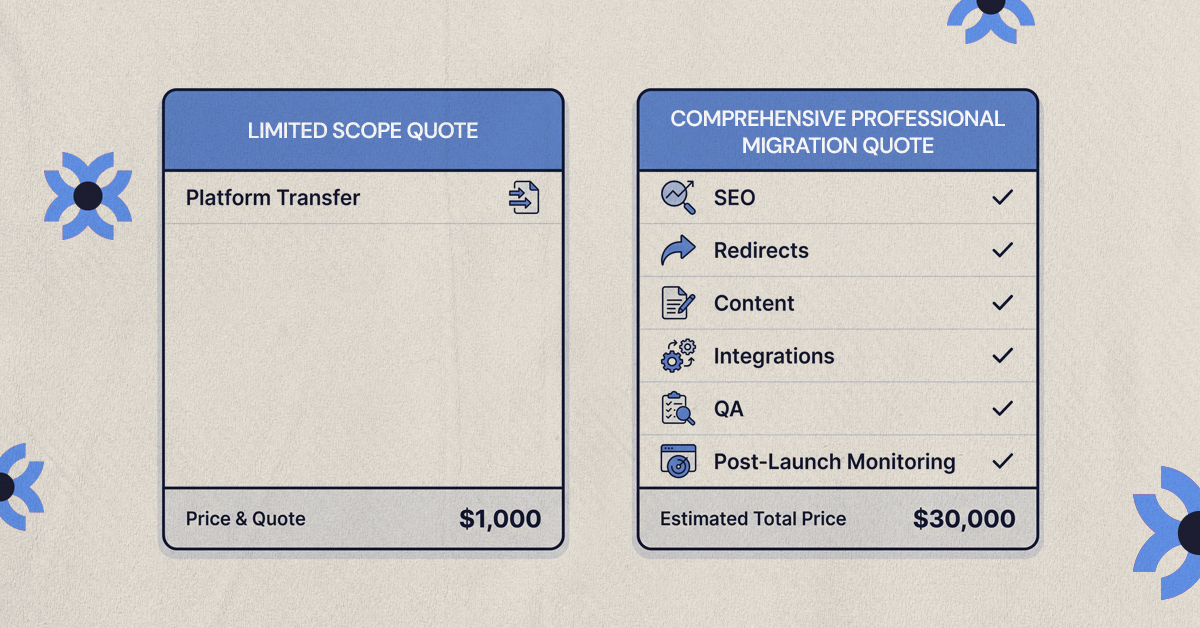
Two agencies can look at the same website and produce very different quotes without either one necessarily being wrong.
The difference may be what's included.
One agency might quote:
Audit + SEO + redirects + content migration + development + QA + launch monitoring
Another might quote:
Platform setup + content transfer
Those aren't equivalent proposals.
Compare the Scope, Not Just the Price
Before choosing the lower quote, ask:
- What exactly is being migrated?
- Are redirects included?
- Is SEO preservation included?
- Is content cleanup included?
- Are integrations included?
- Is QA included?
- Is post-launch monitoring included?
- Who handles the launch?
A useful way to compare proposals is to put the deliverables side by side rather than comparing the final number alone.
If one proposal is substantially cheaper, find out what isn't in it.
What Is Usually Not Included in a Basic Migration Quote?
There is no universal definition of "website migration."
Depending on the provider, the following may cost extra:
- Website redesign
- Copywriting
- SEO strategy
- Content rewriting
- New functionality
- Third-party integrations
- Hosting
- Premium plugins or apps
- Ongoing maintenance
- Post-launch optimization
This is why asking for a detailed scope matters.
A quote for "website migration" could mean transferring existing content, while another agency's version could include SEO preservation, template development, redirects, QA, and launch support.
Read the deliverables before comparing the prices.
DIY vs. Professional Website Migration: Which Costs Less?
DIY migration can absolutely cost less upfront.
The question is whether your website is simple enough for the risk to be reasonable.
DIY May Make Sense If:
- The site is small.
- There are very few pages.
- There are minimal integrations.
- SEO traffic isn't significant.
- The platform offers a straightforward migration path.
- You have the technical knowledge to troubleshoot issues.
For a small brochure website, paying an agency thousands of dollars may not make financial sense if the migration can be completed safely in-house.
Professional Migration May Be Worth It If:
- The site generates significant organic traffic.
- You have hundreds of URLs.
- You're changing CMS platforms.
- You're changing domains.
- You have complex integrations.
- The website is business-critical.
- You're redesigning at the same time.
The more valuable the existing website is, the more important it becomes to control the migration rather than treating it as a simple content transfer.
Consider the Cost of Getting It Wrong
A cheaper migration isn't necessarily cheaper if you later have to pay to:
- Fix broken redirects
- Recover lost content
- Repair integrations
- Fix tracking
- Resolve SEO problems
- Rebuild pages
The real cost isn't only the migration invoice.
It's also the cost of recovering from mistakes.
How to Get an Accurate Website Migration Quote
If you want a useful quote, give the agency enough information to understand the project.
Step 1: Define What Is Changing
Start by identifying whether you're changing:
- Hosting
- CMS
- Domain
- URL structure
- Design
- All of the above
A hosting migration is not the same project as moving to a new CMS and redesigning the website.
Step 2: Prepare Your Website Information
Give the agency:
- Approximate page count
- Current CMS or platform
- Traffic information
- Integration list
- Content types
- Special functionality
The more complete the information, the less likely the quote is based on assumptions.
Step 3: Ask for a Scope-Based Proposal
The proposal should clearly show:
- Deliverables
- Timeline
- Responsibilities
- Cost
- What's excluded
Don't accept a single number without understanding what you're buying.
Step 4: Ask What Happens After Launch
Find out whether the agency provides:
- Launch support
- Redirect testing
- Error monitoring
- SEO monitoring
- Technical fixes
- Post-launch support
A migration isn't necessarily finished the second the new website goes live.
Questions to Ask Before Accepting a Migration Quote
Before signing, ask:
- What exactly is included in the migration?
- Will you preserve our existing URLs and SEO?
- Are redirects included?
- How will you migrate our CMS content?
- Will you rebuild our existing functionality?
- Are integrations included?
- Is QA included before launch?
- Will you monitor the site after launch?
- What isn't included in this quote?
- What could cause the final cost to increase?
These questions can reveal more about a proposal than the headline price.
Website Migration Cost Checklist
Before approving a migration, make sure you've covered:
- ☐ Migration type identified
- ☐ Number of pages/content items estimated
- ☐ CMS/platform complexity assessed
- ☐ URL changes identified
- ☐ SEO requirements documented
- ☐ Integrations listed
- ☐ Redesign requirements separated from migration
- ☐ QA included
- ☐ Launch support included
- ☐ Post-launch monitoring defined
- ☐ Exclusions documented
- ☐ Final scope agreed before work begins
What Your Migration Budget Should Actually Cover
Professional website migration doesn't have one standard price because professional migration isn't one standard service.
The cost depends on how much needs to move, how complex the website is, what needs to be rebuilt, how much SEO value needs to be protected, and how much testing is required.
So the better question isn't:
"What's the cheapest migration quote?"
It's:
"What does this migration need to protect, rebuild, and test, and is that included in the quote?"
That question gives you a much better basis for comparing agencies and avoiding unexpected costs.
Planning a Website Migration?
NUUX can help assess the scope of your migration, plan the transition, and handle the UX, design, development, and technical work involved in moving to a better website setup.
Want results like this
Your website should make money, not excuses. Let us find the revenue hiding in your current experience.
FAQs
Quick answers to the questions we hear most about website conversion and UX design.
Professional website migration can range from around $500 for a simple site or host migration to $50,000+ for complex or enterprise projects. CMS migrations often fall between $2,000 and $20,000+, depending on scope.
The biggest factors are website size, CMS complexity, content volume, integrations, SEO requirements, custom functionality, and whether you're redesigning the website at the same time.
It can be, especially for a small website with few pages and integrations. Professional help becomes more valuable when the site has significant SEO traffic, hundreds of URLs, complex functionality, or business-critical integrations.
It can, but you should never assume it does. Ask whether the quote includes URL mapping, 301 redirects, metadata, sitemap updates, indexation checks, and post-launch monitoring.
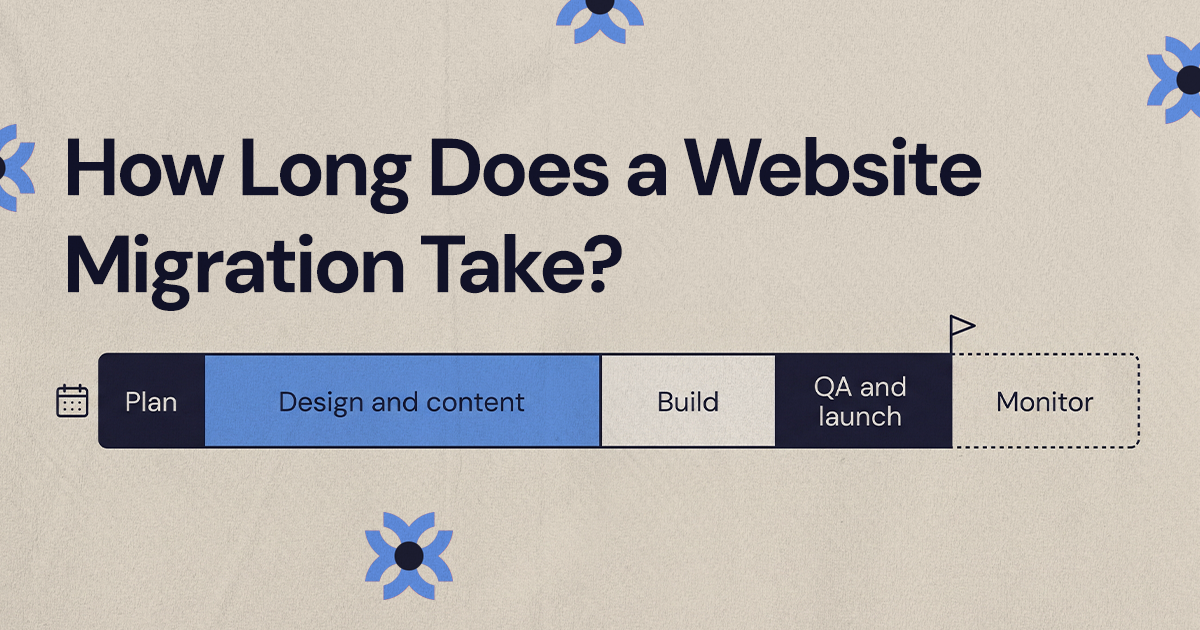
Simple migrations can take a few days to a few weeks. Larger CMS, eCommerce, and enterprise migrations can take considerably longer depending on the amount of content, functionality, integrations, and testing required.
Related articles
More field notes on conversion, UX, and building websites that sell.