.svg)
.svg)


To redesign a website without losing SEO, benchmark current performance, inventory every URL and 301 redirect each changed URL to its closest new equivalent, keep the content and metadata that earned your rankings, and crawl the staging site before launch. After launch, monitor Google Search Console closely and fix any indexing or redirect errors quickly.
To redesign a website without losing SEO, benchmark current performance, inventory every URL, map each old URL to its closest new equivalent with a 301 redirect, keep the content and metadata that earned your rankings, and check the staging site before launch. After launch, monitor Google Search Console closely and fix problems fast. An SEO website redesign goes wrong when SEO is treated as a final checklist item instead of a requirement from the first planning meeting.
A redesign can also improve search performance by making the site faster, clearer and easier to crawl. The risk comes from changing too many signals at once without a plan: URLs disappear, titles get rewritten, internal links break and Google has to reinterpret pages that were already doing well. This guide walks through the steps in the order they should happen.
What does an SEO website redesign need to protect?
It needs to protect whatever Google already understands and rewards about your site: the URLs that rank, the content on those pages, the links pointing to them from inside and outside the site, and the technical setup that lets Google crawl and index them. Every one of those can change during a redesign, often without anyone noticing until traffic drops.
A few common examples:
- A new navigation improves the user journey but removes internal links to pages that earn organic traffic.
- A cleaner URL structure looks better but needs a redirect for every old URL.
- A more modern page design cuts copy, FAQs or comparison details that were answering the search query.
- A new CMS creates duplicate pages, blocks resources or ships with a leftover noindex tag.
None of that means SEO should block design decisions. It means the SEO, content, design and development people need to be in the same conversation early, so tradeoffs are made on purpose. Treat SEO as a design constraint, the same way you treat brand guidelines or accessibility.
If you are still deciding whether you need a full redesign or a lighter refresh, our post on signs your website needs a redesign can help you make that call first.
Benchmark performance before anything changes

Before designs or templates are final, capture a baseline. Without one, you can't tell normal post-launch movement from a real problem, and you can't show whether the redesign protected what you had.
Total organic traffic is not enough on its own, because it can hide a problem in one section behind growth in another. Break it down by page type and conversion path where you can.
A useful pre-launch benchmark includes:
- Organic traffic by landing page: which URLs bring visitors from search, and which of those lead to revenue, leads or signups.
- Search Console queries and pages: clicks, impressions, click-through rate and average position for your priority pages, exported so you keep a copy.
- Top converting pages: pages that may not get the most traffic but drive business outcomes.
- Backlinks: URLs with valuable external links, so they are never deleted or redirected carelessly.
- Index status: which pages are indexed, excluded, canonicalized or blocked.
- Crawl issues: existing broken links, redirect chains, duplicate titles and orphan pages.
- Core Web Vitals: Largest Contentful Paint, Interaction to Next Paint and Cumulative Layout Shift for key templates.
For reference, web.dev defines "good" Core Web Vitals as LCP within 2.5 seconds, INP of 200 milliseconds or less and CLS of 0.1 or less, measured at the 75th percentile of page loads. If your current templates miss those, the redesign is a chance to fix them.
This baseline becomes your control panel. If rankings drop after launch, you compare the affected URLs against it and work out whether the cause is redirects, lost content, changed metadata, indexing or something outside your control.
How do you build a URL inventory and 301 redirect map?

Pull every URL you can find into one spreadsheet, decide what happens to each one, and redirect every old URL that is changing to its closest new equivalent. This is the single most important safeguard in a redesign, because a missed URL means a dead end for users and a lost signal for Google.
A crawler will find most pages, but it misses orphaned, old or blocked URLs that may still get traffic or links. Combine sources:
- A full crawl of the current site.
- Google Search Console pages report and performance data.
- Your analytics landing pages.
- XML sitemaps and the CMS export.
- Backlink tool exports.
- Old paid and email campaign landing pages.
Then give every URL an action:
- High-value page that still has a purpose: keep it, ideally at the same URL. If the URL has to change, map it one to one to its new equivalent.
- Several pages competing for the same intent: merge them into the strongest page and redirect the others to it.
- Outdated page with traffic or backlinks: redirect it to the most relevant live page.
- Low-value page with no traffic, links or replacement: remove it on purpose and let it return a 404 or 410.
Google's documentation on site moves recommends server-side permanent redirects (301 or 308) from each old URL straight to its final destination. It also says to keep redirects for as long as possible, generally at least one year. Avoid sending batches of old URLs to the homepage just because it's convenient. Redirect each one to the closest real replacement.
Avoid redirect chains too. If page A redirects to B and B redirects to C, update the rule so A goes straight to C. Chains slow crawling and create maintenance headaches later. Our guide to handling redirects when migrating to Webflow covers the mechanics in more detail if Webflow is your new platform.
How do you keep content, metadata and internal links intact?
Keep the search intent of every important page, carry over or improve its metadata, and rebuild the internal links that point to it. The visual design can change a lot. What the page says and answers should not get weaker.
Content parity doesn't mean every sentence stays the same. It means the new page keeps the information, depth, headings and answers that made the old page useful. If the old page ranked because it had step-by-step guidance, comparison details or location information, removing those for a cleaner layout can cost you the ranking.
Go through high-value pages one at a time and decide what to keep, improve, merge or rewrite. A redesign is a good time to fix thin copy and outdated information. It's a bad time to delete proven content because the new template has less room.
Before launch, check each priority page against this list:
- The new page still answers the same core query as the old one.
- Valuable sections, examples and trust details made it across.
- Title tags and meta descriptions are carried over, or deliberately improved. Google's SEO starter guide says a good title is unique to the page, clear and concise, and accurately describes the page.
- Headings organize the page logically.
- Structured data is rebuilt if templates changed.
- Canonical tags point to the new live URLs.
- Images have accurate alt text and are compressed.
- Internal links to the page exist from navigation, related content and contextual links, with descriptive anchor text.
Internal links deserve as much attention as redirects. Navigation, footers, breadcrumbs, related posts and in-body links all tell Google which pages matter. If the redesign removes a sidebar, changes category pages or simplifies the main menu, important pages can lose that support. Google's site move guidance also says to update internal links to point at the new URLs rather than relying on redirects.
When NUUX redesigned its own site, the blog moved to /blog/ with short, keyword-led slugs, which meant every old article URL needed a mapped redirect and every internal link needed updating. That's normal for a redesign that changes URL structure, and it is exactly the work that gets skipped when SEO is left until the end.
Check the staging site before launch

Staging is where SEO problems should be caught. Crawl it, compare it with your URL inventory and fix what you find before Google or customers see it.
First, keep staging out of the index with password protection or noindex, and make a launch-day task to remove those protections from production. A noindex tag or blocking robots.txt rule carried into the live site is one of the fastest ways to lose visibility, and Google's site move guidance specifically calls it out.
Run a full crawl of staging and check:
- Robots.txt: important sections will be crawlable on the live site.
- XML sitemap: it lists only canonical, indexable new URLs.
- Canonicals: they point to live production URLs, not staging or old paths.
- Status codes: live pages return 200 and redirects return 301 or 308.
- Structured data: it validates after template changes.
- Mobile layouts: menus, forms and content all work and nothing important is hidden.
- Page speed: key templates are tested, not only the homepage.
- Analytics and conversion tracking: events fire correctly before launch.
Test representative templates, not just the homepage. Service pages, blog posts, location pages, category pages and forms often share templates, so one missed issue can affect hundreds of URLs. Speed is worth a close look here. On NUUX's own redesign, removing heavy images and switching the rest to WebP took about 12.9 MB off the homepage, which is the kind of gain a redesign makes easy and a live site makes hard.
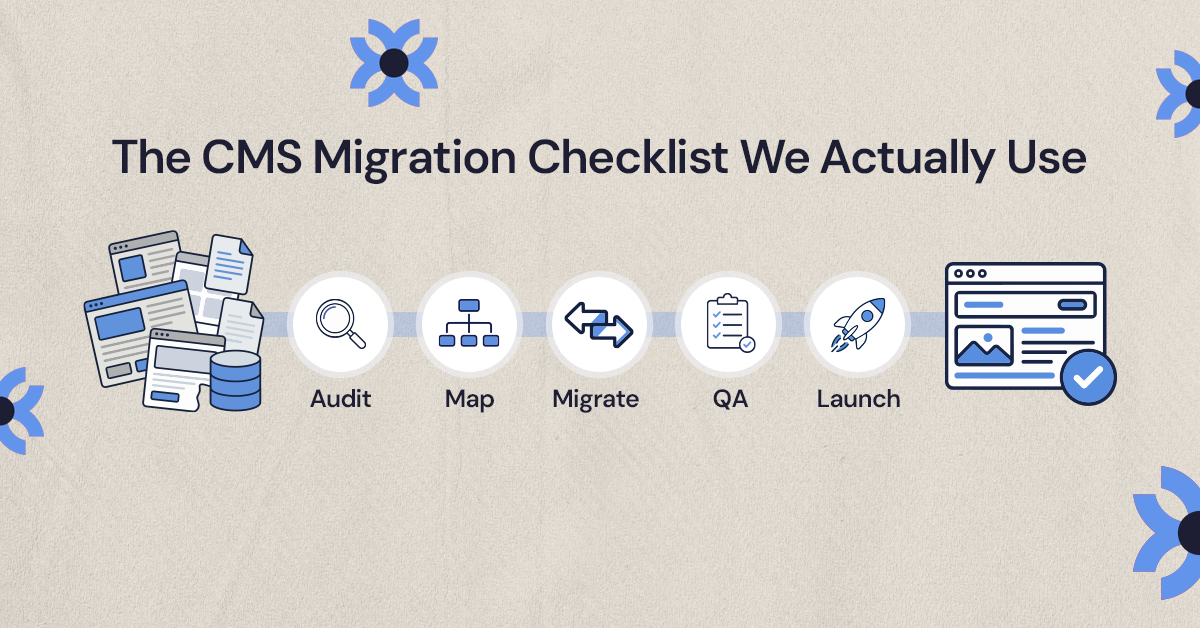
For a fuller pre-launch list, see the CMS migration checklist we use with clients.
What should you check on launch day?
Follow a prepared sequence. Everyone should know who handles DNS, publishing, redirect deployment, analytics checks and the decision to roll back if something critical breaks.
If the project changes URLs, platform, content and design all at once, consider phasing it. Separating the technical migration from a large content rewrite makes problems much easier to diagnose.
Right after launch:
- Click through the main navigation and fill out every key form.
- Test redirects for your highest-traffic URLs, your most-linked URLs, old campaign URLs and anything that changed folders.
- Confirm the live site has no leftover noindex tags or robots.txt blocks.
- Check that analytics and conversion events are recording.
- Submit the new XML sitemap in Search Console.
- Crawl the live site and compare it with the staging crawl.
Fix broken redirects the same day. The longer users and crawlers hit dead ends, the more risk you create.
How long does it take for rankings to recover after a redesign?

Some movement is normal. Google's site move documentation says that for medium-sized sites it can take a few weeks or more for Google to start showing new URLs in results, and that temporary fluctuations are expected. A redesign that keeps URLs the same usually settles faster than one that changes them.
What matters is the trend. Check Search Console often in the first several weeks:
- The Page indexing report for unexpected excluded pages, soft 404s, duplicates and server errors.
- The URL Inspection tool for priority pages, to confirm Google can crawl them and has picked the right canonical.
- The Performance report for clicks, impressions and average position by page, compared with your benchmark.
- Sitemap status for the new URLs.
- Core Web Vitals for the new templates.
- Conversions by landing page in analytics.
If traffic drops, diagnose by section before reacting to the whole site. A blog decline often points to content or redirect issues in that folder. A sitewide drop points to something bigger, such as crawl blocking, a noindex tag, broken analytics or a redirect failure.
Don't only watch traffic. On the Brandywine Coachworks site, part of NUUX's work for Quality Collision Group, SEO was built into the redesign rather than added afterward, and QCG's own call tracking showed about a 5% increase in organic calls. For many businesses, calls and form submissions are the numbers that matter most.
Treat the redesign as an SEO upgrade
The safest redesigns protect what already works and fix what was holding the site back. Faster templates, clearer navigation, better internal links and stronger content can all help after launch, as long as the basics are handled: benchmark first, map every URL, preserve content, carry metadata over, check staging, launch with a plan and monitor Search Console afterward.
If you're budgeting for this, our breakdown of what professional website migration costs explains what drives the price.
When you're ready to plan the rebuild, NUUX's web development team handles redesigns and migrations with SEO built in from the start.
Want results like this
Your website should make money, not excuses. Let us find the revenue hiding in your current experience.
FAQs
Quick answers to the questions we hear most about website conversion and UX design.
It can, but it doesn't have to. Rankings usually drop after a redesign because URLs changed without redirects, useful content was cut, metadata was rewritten or a noindex tag reached the live site. If you benchmark first, map every changed URL with a 301 redirect, keep content parity and check staging, most sites see only temporary movement.
Keep them when you can. URLs that already rank and earn links are easiest to protect when they don't change, and Google has less to reprocess. If you do need a new structure, map each old URL one to one to its closest new equivalent with a permanent server-side redirect, and update internal links so they point at the new URLs directly.
Google's site move documentation says to keep redirects for as long as possible, generally at least one year. In practice many teams keep them indefinitely, because old URLs can keep receiving links, bookmarks and traffic for years. Removing redirects too early turns those visits into 404 errors and can lose the signals the old URLs had built up.
You can, but it adds risk because more signals change at once and problems are harder to trace. If the timeline allows, separate the technical migration from major content rewrites, so you can tell whether a drop comes from the move or the new content. If you do both together, a strong URL inventory and staging crawl matter even more.
Submit the new XML sitemap, then watch the Page indexing report for unexpected excluded pages, soft 404s and server errors. Use URL Inspection on priority pages to confirm they are crawlable and have the right canonical. Compare clicks, impressions and average position by page in the Performance report against your pre-launch benchmark.
Related articles
More field notes on conversion, UX, and building websites that sell.