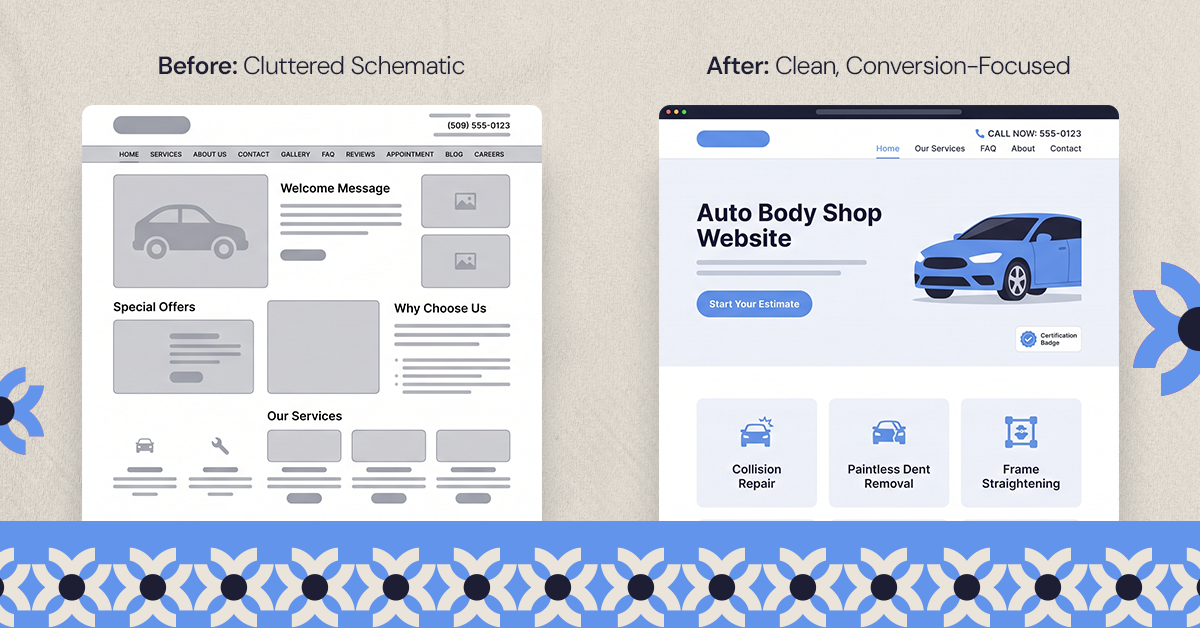
.svg)
.svg)

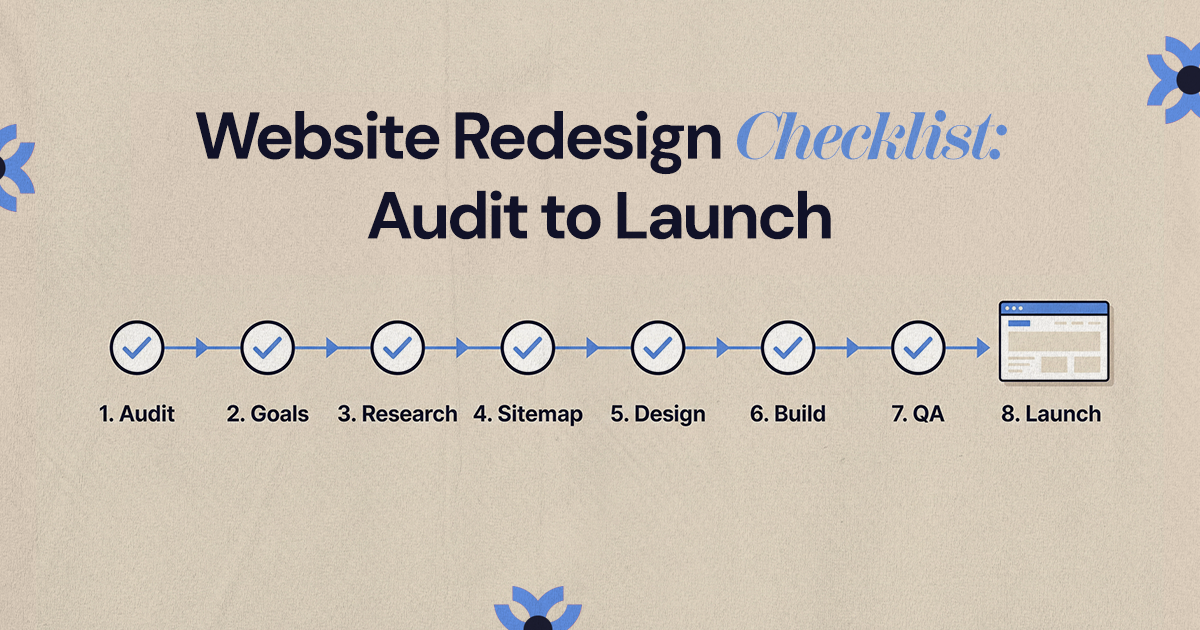
A complete website redesign checklist runs in order: audit the current site, set measurable goals, research your users, plan the sitemap and content, wireframe, design, build, protect SEO, test everything, launch with a plan, and improve based on real data after launch. Working through the phases in that order stops a redesign from becoming a new look on top of the same old problems.
A website redesign checklist should take you through every phase in order: audit the current site, set measurable goals, research your users, plan the sitemap and content, create wireframes, design, build, protect your SEO, test, launch and then improve based on how people actually use the new site. Each phase answers questions the next one depends on, so skipping ahead usually means paying for rework later.
This guide breaks the project into eight phases, each with its own checklist. Use it to plan the work in-house, or to check that an agency's proposal covers every step. SEO has its own phase here, but it is one part of the project, not the whole thing.
What should a website redesign checklist include?
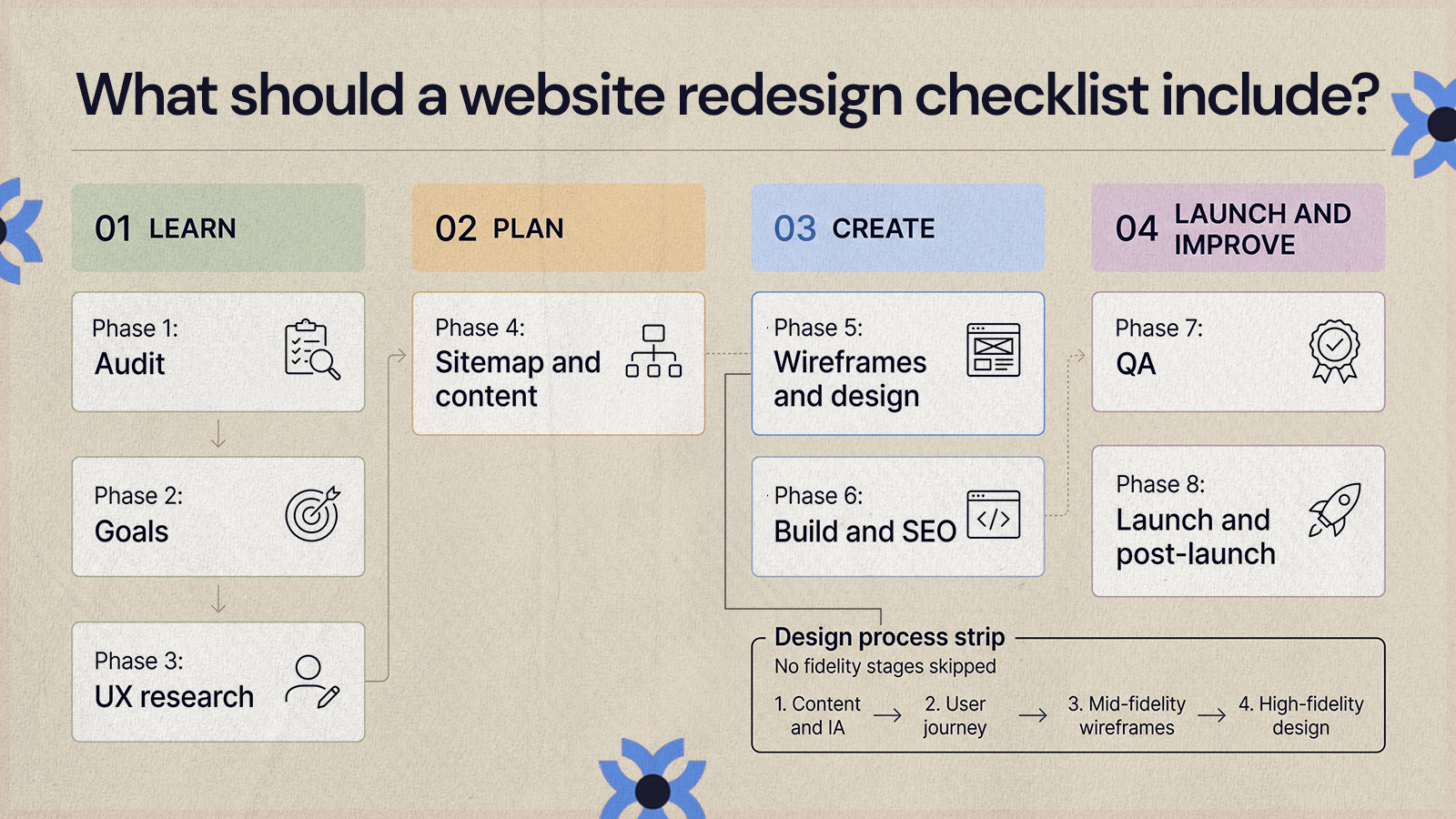
At a glance, the full project covers:
- Audit: performance, content, UX issues, technical health and conversion paths on the current site.
- Goals: what the redesign must achieve and how you will measure it.
- UX research: what users need, where they struggle and how they decide.
- Sitemap and content: the page structure and what each page must say.
- Wireframes and design: layout first, then the visual system.
- Build and SEO: development, CMS setup, redirects and on-page SEO.
- QA: content, functionality, devices, accessibility, tracking and speed.
- Launch and post-launch: a controlled go-live and a plan for the weeks after.
The order matters. You learn first, plan second, create third, and only then launch and improve. At NUUX we work the same way on every project: content and information architecture first, then the user journey, then mid-fidelity wireframes, then high-fidelity design, without skipping fidelity stages.
Phase 1: Audit the current website
The audit tells you what to protect, what to fix and what to leave behind. Without it, a redesign can become a cosmetic refresh that repeats the same problems in a newer layout. If you are not yet sure the site needs a full redesign, our list of signs your website needs a redesign is a good place to start.
Begin with data. Look at traffic trends, top landing pages, conversion rates, top exit pages, form completions and the paths people take to convert. Then use the site yourself like a first-time visitor, on desktop and on a phone. Note where navigation is confusing, where key pages fail to answer obvious questions and where calls to action are unclear. Our guide on how to analyze user experience on a website walks through this step by step.
Audit checklist:
- Analytics and conversion data reviewed for at least the last 12 months
- Top-performing pages identified by traffic and by leads
- Underperforming pages and high-exit pages listed
- Current user journeys mapped from entry to conversion
- Navigation problems and confusing page names documented
- Outdated, duplicated and thin content flagged
- Technical issues noted, including broken links and slow templates
- Pages with organic traffic and backlinks exported for the SEO phase
- Stakeholder concerns gathered from sales, support and leadership
Phase 2: How do you set goals for a website redesign?
Goals turn a redesign from a matter of taste into a business project. Decide what the site needs to do before anyone decides how it looks. "Make the site better" is too broad to guide a decision. "Make it easier for visitors to compare our services and book a call" gives design, content and development a shared direction when time or budget gets tight.
Tie each goal to something you can measure, such as demo requests, quote starts, bookings, newsletter signups or support tickets deflected. Record the current numbers now, because you will need a baseline to judge the new site.
Goals checklist:
- Primary business objective defined
- Secondary objectives listed and ranked
- Target audiences named
- Key user actions and conversion points prioritized
- Baseline metrics recorded
- Stakeholder expectations aligned and signed off
- Scope boundaries written down (for example, no rebrand, no platform change)
- Budget and timeline constraints documented
Phase 3: How do you turn UX research into a design strategy?
Research connects what users need with what the business needs, so the design reflects real questions rather than internal assumptions. It does not have to be elaborate. Customer interviews, input from your sales and support teams, competitor reviews, analytics, heatmaps and short surveys all count.
Look for patterns. Do prospects misunderstand what you offer? Do they need pricing context before they will get in touch? Are they looking for proof, process details or technical specs? Those answers shape page structure, the order of content and where calls to action sit. Mapping the steps people take is a big part of this, and our guide to user journey mapping shows how to do it.
Design strategy checklist:
- Audience needs and pain points summarized
- Primary visitor paths defined for each audience
- Messaging priorities agreed
- Conversion strategy set (what the main action is on each page type)
- Navigation approach chosen
- Visual direction and brand constraints noted
- Platform and technical requirements confirmed
The strategy then becomes the filter for every later decision. If a feature or page does not support it, question it before it becomes expensive to build.
Phase 4: Plan the sitemap and content before any design
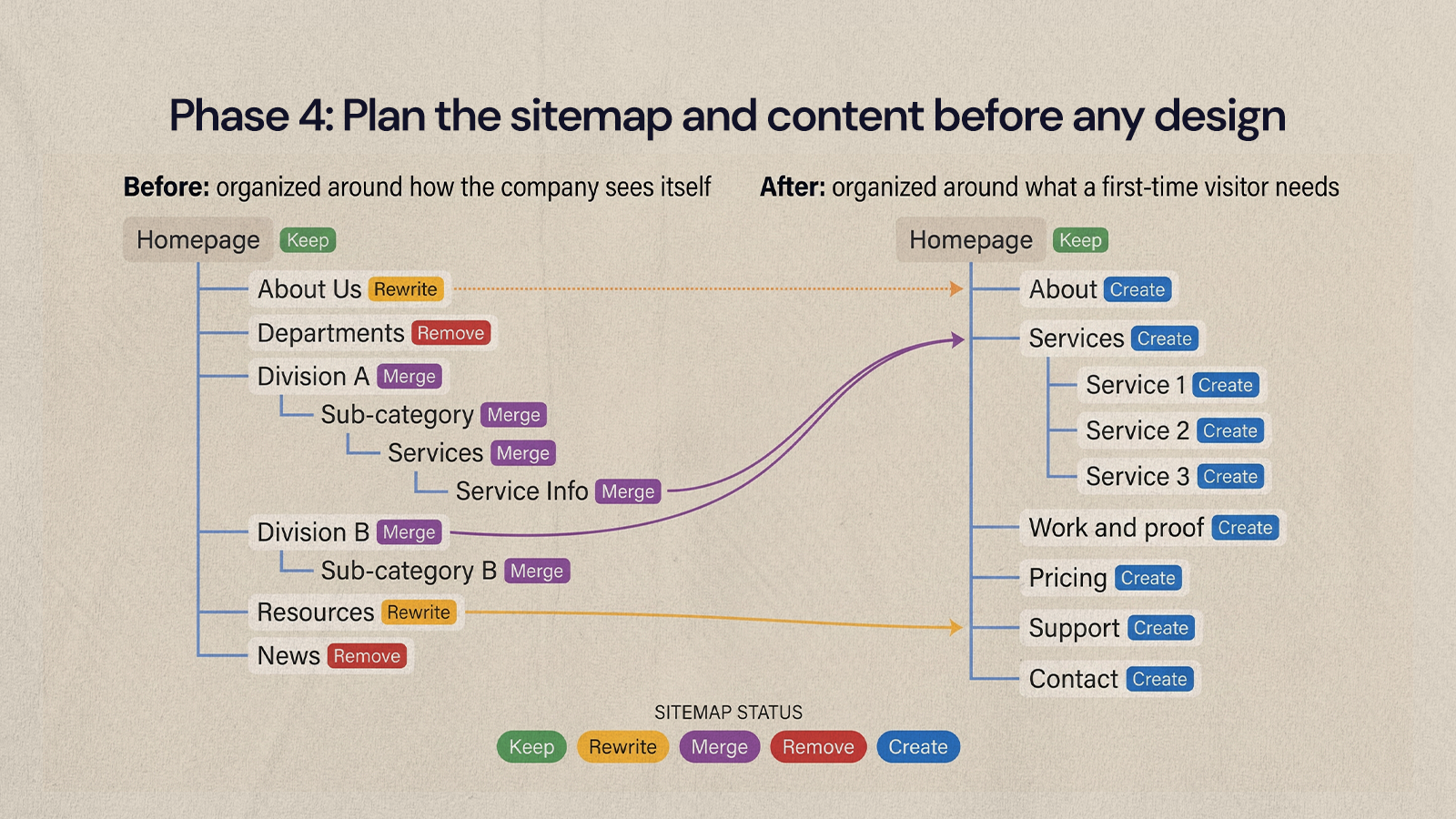
The sitemap defines which pages exist and how they relate. Group pages around what visitors are looking for (services, proof, pricing cues, support, contact) rather than how your company is organized internally. If someone needs three clicks and a guess to find a core page, the structure needs work.
Content planning comes next, and it should happen before design, not after. Content decides how long pages are, what proof they need and where the next step goes. Designing first and dropping copy in later is one of the most common reasons redesigned pages look good but fail to answer the right questions.
Structure is also where SEO is cheapest to get right. On the Quality Collision Group project, NUUX planned the SEO into the sitemap itself across 26+ partner brands, with one page per service, one per manufacturer certification and one per location, so every important search had a page built for it from the start.
Sitemap and content checklist:
- Current pages inventoried
- New sitemap drafted and reviewed with stakeholders
- Main navigation and footer planned
- Each existing page tagged keep, rewrite, merge, remove or create
- Core message and primary call to action defined for each page type
- Content owners, writers and reviewers assigned with deadlines
- Proof points gathered (case studies, reviews, certifications, data)
Phase 5: Create wireframes, then the visual design
Wireframes show structure before color, imagery and typography enter the conversation. They let the team agree on hierarchy, sections, content blocks and calls to action without getting stuck on visual preferences. Build them for mobile as well as desktop, since the order of content often needs to change on a small screen.
Once wireframes are approved, visual design brings the strategy to life. Design a system, not a set of one-off pages. Reusable components such as hero sections, cards, forms, testimonials and content blocks keep the site consistent and make it easier to add pages later.
Wireframe and design checklist:
- Key page templates identified
- Mid-fidelity wireframes approved for each template
- Mobile layouts planned alongside desktop
- Design system defined: type scale, color, spacing and components
- Color contrast checked against accessibility requirements
- Hover, focus, error and empty states designed for interactive elements
- High-fidelity designs approved with real content, not placeholder text
Phase 6: Build the site and protect your SEO
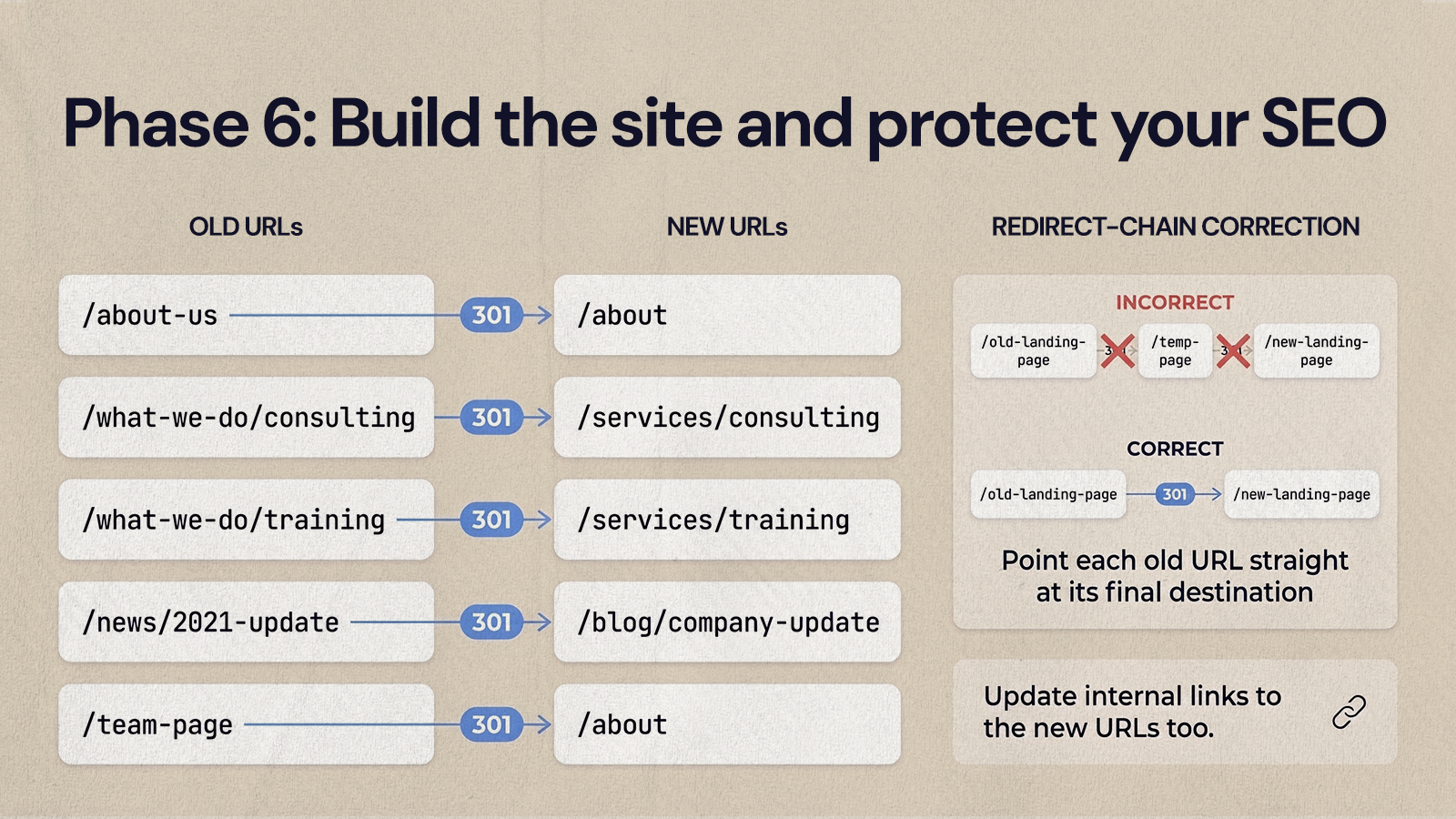
The build turns approved designs into a working website: responsive behavior, CMS fields, forms, integrations, animations and performance all come together here. Keep designers, developers and content owners in close contact, especially where design choices affect how editors will manage content later.
SEO gets its own checklist in this phase. The aim is to protect the visibility you already have and make key pages easier for search engines to understand. The biggest risk is changing URLs without redirects. Google's guidance on site moves recommends mapping old URLs to new ones, using permanent server-side redirects such as 301s, and pointing each old URL directly at its final destination. Our CMS migration checklist covers this in more detail if you are also changing platforms.
Build and SEO checklist:
- CMS collections and fields set up for how your team will actually publish
- Forms connected to email, CRM or booking tools
- Every valuable existing URL documented
- Redirect map created for changed or removed URLs
- Page titles, meta descriptions and heading structure set on priority pages
- Internal links updated to point at new URLs
- Image alt text written where images carry meaning
- Structured data added where it accurately reflects page content
- XML sitemap prepared and robots settings reviewed
- Analytics, conversion events and pixels installed
Phase 7: What should you test before launching a redesigned website?
Test the whole experience: content, functionality, devices, browsers, accessibility, SEO, analytics and speed. Do not rely on a quick click-through the morning of launch. Assign owners, log issues, fix them and retest.
Two public standards are useful here. For accessibility, WCAG 2.2 from the W3C is the current reference, and its Level AA contrast requirement for normal text is a ratio of at least 4.5:1. For speed, Google's web.dev guidance defines good Core Web Vitals as Largest Contentful Paint within 2.5 seconds, Interaction to Next Paint of 200 milliseconds or less and Cumulative Layout Shift of 0.1 or less.
Pre-launch QA checklist:
- Every page proofread for accuracy, spelling and formatting
- No placeholder text or images left anywhere
- Buttons and links tested, including phone and email links
- Forms tested end to end, including confirmation messages and notifications
- Navigation tested on desktop and mobile
- Layouts checked across common screen sizes and browsers
- Accessibility checked: labels, contrast, keyboard access, focus states and alt text
- Core Web Vitals reviewed on key templates
- Redirects tested for status code and final destination
- 404 page working and helpful
- Analytics, pixels and conversion events firing
- CMS editing tested by the people who will use it
- Privacy, legal and cookie pages reviewed
Phase 8: How do you launch a redesigned website without losing traffic?
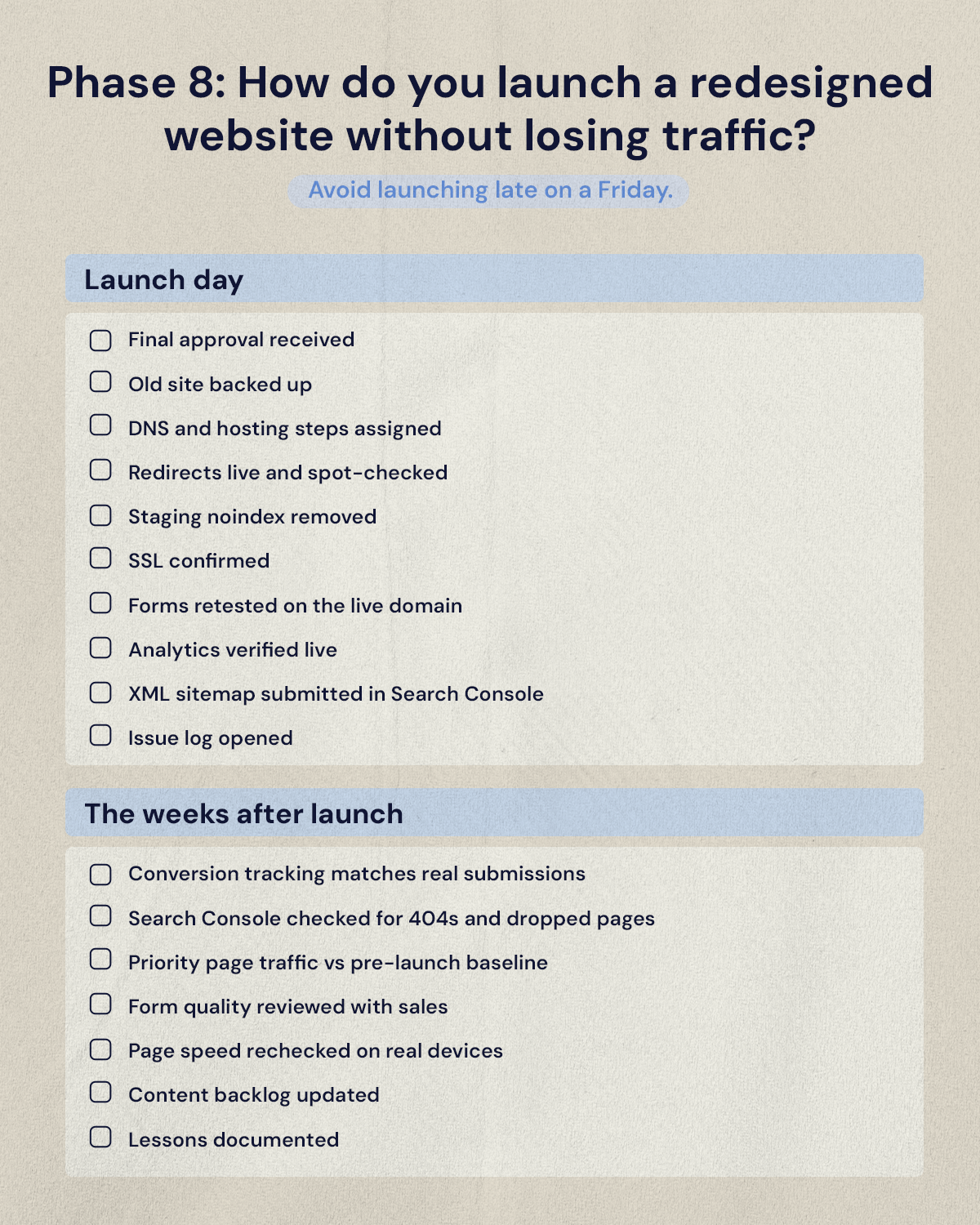
Launch day should follow a written plan. Confirm who approves the final push, who handles DNS or hosting changes, who monitors the site and who communicates updates. Avoid launching late on a Friday or at any time when the team cannot respond quickly.
Launch day checklist
- Final approval received
- Old site backed up
- DNS and hosting steps documented and assigned
- Redirects live and spot-checked
- Staging noindex settings removed from the live site
- SSL certificate confirmed
- Forms retested on the live domain
- Analytics verified on the live site
- XML sitemap submitted in Google Search Console
- Issue log opened for launch-day fixes
The weeks after launch
A redesign is not finished when the site goes live. Some search movement is normal: Google says visibility may fluctuate temporarily during a site move and that medium-sized sites can take a few weeks or more to settle. Watch your analytics, conversions, Search Console reports and user feedback closely, and fix what the data shows.
- Conversion tracking confirmed against real submissions
- Search Console checked for 404s and pages dropped from the index
- Priority page traffic compared against the pre-launch baseline
- Form quality and volume reviewed with sales
- Page speed rechecked on real devices
- Content backlog updated with fixes and new pages
- Lessons documented for the next round of updates
Post-launch work also includes performance cleanup. On NUUX's own site redesign, removing unneeded images and switching the rest to WebP took about 12.9 MB off the homepage, and the mobile PageSpeed accessibility score moved from 83 to 88. Small, measured fixes like these are what the post-launch phase is for.
Before you start your redesign
A redesign goes well when each phase has a clear job and nobody skips ahead. Audit before you plan, plan before you design, and test before you launch. Then keep improving, because the live site gives you better information than any planning session.
If you want a team to run the whole process with you, from audit to launch, see how NUUX approaches UX and UI design.
Want results like this
Your website should make money, not excuses. Let us find the revenue hiding in your current experience.
FAQs
Quick answers to the questions we hear most about website conversion and UX design.
It depends on the number of pages, how much content needs writing, the platform and how quickly stakeholders give feedback. A small marketing site often takes a couple of months, while larger sites with many templates, integrations or a platform change typically take longer. Content and approvals are the most common causes of delay, so plan those as carefully as design and development.
A refresh updates visuals, copy or a few pages while keeping the structure. A redesign rethinks the structure, content and user journey. If your site mostly works but looks dated, a refresh may be enough. If visitors cannot find what they need, the site does not convert, or your offer has changed, the problems usually sit deeper than the visuals and call for a redesign.
It can, but it does not have to. Most SEO losses after a redesign come from changed URLs without redirects, content removed from pages that ranked, indexing settings carried over from staging, or broken internal links. Documenting your valuable URLs, mapping permanent redirects, keeping the content that ranks and testing indexing before launch prevents most of that risk.
At minimum: a project owner who can make decisions, someone responsible for content, a designer, a developer and whoever owns SEO and analytics. Input from sales and customer support is valuable during the audit and research phases, because they hear what customers ask every day. Leadership should sign off on goals early rather than reviewing designs late.
A sitemap shows which pages the website will have and how they connect, like a map of the whole site. A wireframe shows the layout of a single page: which sections appear, in what order, and where the calls to action sit. You plan the sitemap first, then wireframe the key page templates within it, and only then move into visual design.
Related articles
More field notes on conversion, UX, and building websites that sell.