.svg)
.svg)

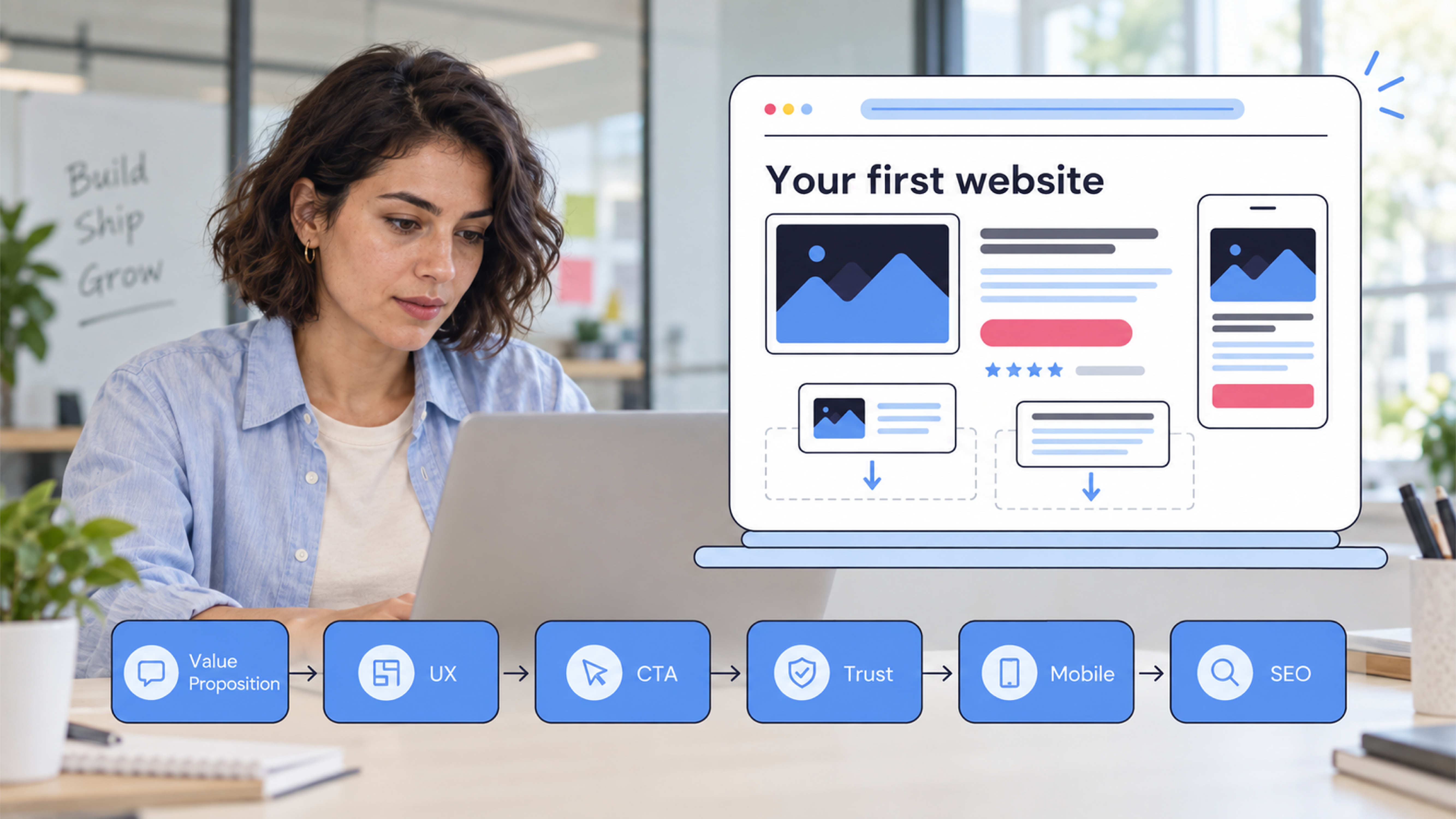
A startup website should explain what you offer, build trust, guide visitors toward one clear action, and provide a strong foundation for future growth.
What actually matters when building a startup website? Your first site needs to explain what you offer, show visitors why they should trust you, and make the next step easy, not pack in every feature you might need someday.
That can be surprisingly difficult to get right. Startups have limited time, limited budgets, and often very little customer data to work with. It is tempting to start with colors, animations, pages, and features before deciding what the website actually needs to accomplish.
Your first website should support the business you have today while giving you enough flexibility to grow into the business you are building.
What Matters Most When Designing a Startup Website?
The most important parts of startup website design are not necessarily the most noticeable ones.
A strong website should have:
- Clear positioning
- A defined target audience
- Simple navigation
- Strong UX
- Focused conversion paths
- A good mobile experience
- Fast performance
- Trust signals
- SEO foundations
- Room to scale
The right priorities will vary depending on whether you are launching a SaaS product, professional service, marketplace, ecommerce business, or another type of startup. But the principle stays the same: build around what visitors need to understand and do.
1. Start With What Your Website Needs to Accomplish
Before choosing a layout, ask a more useful question:
What does the business need the website to do?
For one startup, the answer might be generating qualified leads. For another, it could be getting people to start a free trial. An early-stage company might primarily need to establish credibility before sales conversations.
Identify Your Primary Goal
Your website might need to:
- Generate leads
- Get product signups
- Book demos
- Sell a product
- Get users to download an app
- Build credibility with investors or partners
You can have more than one business objective, but your website should still have a primary action.
Define the Primary Action
Once you know the website's main job, decide what visitors should do next.
For example:
Start a free trial → Book a demo → Get a quote → Contact the team
This gives the rest of the website something to work toward. Your navigation, page structure, copy, and calls to action can all support that journey.
If your website has five different CTAs competing for attention, visitors have to decide which one matters. If there is one obvious next step, the experience becomes much easier to navigate.
2. Make Your Value Proposition Easy to Understand
A visitor should not need a product demo to figure out what your startup actually does.
Your homepage should quickly answer three questions:
- What do you offer?
- Who is it for?
- What problem does it solve?
The exact wording will depend on your business, but the principle is straightforward: make the value of the product understandable before asking people to take action.
Explain What You Do
Avoid opening with language that only makes sense to people who already know your industry.
A founder might understand an internal product description because they have spent months building the company. A first-time visitor has none of that context.
Your homepage needs to provide that context quickly.
Focus on the Outcome
Features matter, but outcomes give those features meaning.
Instead of only explaining what the product contains, show what customers can do with it.
Does it help them save time? Manage a process? Reduce manual work? Increase sales? Make a difficult task easier?
That is usually more useful than a long list of product capabilities.
Avoid Trying to Say Everything Above the Fold
The hero section has one job: give visitors enough information to understand where they are and what they can do next.
It does not need to tell your entire company story.
You can introduce features, use cases, proof, FAQs, and deeper product information further down the page.
3. Design Around Your Audience, Not Your Internal Team
One of the easiest ways to make a startup website harder to use is to build it around how the company talks about itself.
Your customers do not necessarily think about your business in the same way you do.
They arrive with a question, a problem, a goal, or a reason for comparing you with another option.
Understanding that journey is part of good UX. A UX approach focused on real user behavior can help teams identify where people hesitate or drop off instead of designing every page from the company's perspective.
Understand What Visitors Need to Know
Ask:
- What brought them to the website?
- What question are they trying to answer?
- What could make them hesitate?
- What information would help them make a decision?
- What action are they ready to take?
The answers should influence your content and page structure.
Design for Different Visitor Intent
Not every visitor arrives at the same stage.
Someone discovering your company for the first time may need a simple overview. Someone comparing solutions may want more specific information such as:
- Features
- Pricing
- Integrations
- Case studies
- Testimonials
- FAQs
The website should support those different needs without turning the navigation into a list of everything the company has ever created.
4. Keep the User Journey Simple
A startup website does not need complicated navigation to look sophisticated.
In many cases, fewer choices make the website easier to use.
Create a Logical Page Structure
Depending on the business, your core pages might include:
- Home
- Product or Services
- About
- Pricing
- Resources or Blog
- Contact
You may need additional pages, but do not create them simply because another startup has them.
Every page should earn its place.
Make Important Information Easy to Find
Visitors should not have to click through four pages to find pricing, understand your product, or contact your team.
If information matters to the buying decision, make it accessible from the relevant parts of the site.
Give Each Page a Purpose
A pricing page should help people understand cost and make a decision.
A product page should explain what the product does and why it matters.
A case study should provide evidence.
A contact page should make contacting the business straightforward.
When every page has a defined role, the website becomes easier to structure and maintain.
5. Build Trust Into the Design
A new startup has an extra challenge: many visitors will have no prior relationship with the brand.
Your website has to give them reasons to take the business seriously.
Use Social Proof
Depending on what you have available, this could include:
- Customer logos
- Testimonials
- Reviews
- Case studies
- Usage numbers
- Partnerships
You do not need all of these on day one.
Use the proof you can genuinely support.
Show the People Behind the Business Where Appropriate
For some startups, the team is an important part of the buying decision.
Showing the people behind the company can make the business more tangible, particularly when customers are deciding whether to trust a young company with their money, data, or business operations.
Make the Business Look Established Without Pretending It Is
Good design can make a startup look professional without making it appear larger than it actually is.
Clear information, polished visual design, real contact details, useful content, and genuine customer evidence usually do more for credibility than exaggerated claims.
Stanford's Web Credibility Project found that professional visual design, ease of use, useful information, and evidence of a real organization can all contribute to website credibility.
The lesson is not to make your startup look expensive for the sake of appearances. It is to make the website reflect the level of care you put into the business.
6. Make the Design Support the Brand
Your website may be one of the first places a potential customer encounters your startup.
That makes consistency important.
Establish a Consistent Visual Language
Your system should account for:
- Typography
- Color
- Imagery
- UI elements
- Buttons
- Spacing
- Illustration style
The goal is not to make every section identical. It is to create enough consistency that the website feels like one product rather than a collection of unrelated screens.
This is also where the distinction between visual design and UX matters. Web design and UI/UX design overlap, but they solve different parts of the website experience.
Don't Design for Trends Alone
A visual style that works for another startup may not work for yours.
Your design should fit your:
- Audience
- Product
- Positioning
- Industry
- Brand personality
A website can look modern without copying whatever visual trend is popular this month.
7. Prioritize Mobile Experience
Mobile should not be a final-stage adjustment.
Your first website should be designed to work properly across different screen sizes from the beginning.
Pay particular attention to:
- Navigation
- Hero sections
- Buttons
- Forms
- Images
- Pricing sections
- Product screenshots
- Text readability
Don't Treat Mobile as a Smaller Desktop
A mobile interface often needs more than smaller dimensions.
Navigation may need to change. Content may need to be reordered. Buttons may need more space. Large visuals may need to be cropped differently.
The goal is to preserve the important parts of the experience, not simply shrink the desktop version until it fits on a phone.
8. Don't Let Design Hurt Website Performance
A website can look impressive and still perform poorly.
Large images, unnecessary animation, video backgrounds, excessive third-party scripts, and poorly loaded fonts can all add cost to the page.
Third-party scripts can introduce additional network requests and affect rendering, particularly when several external tools are loaded on the same page.
That does not mean your startup website needs to be stripped of anything visually interesting.
It means every visual decision should have a reason.
Consider:
- Image optimization
- Video usage
- Animation
- Font loading
- Third-party scripts
- Page structure
A useful rule is simple: if an element looks impressive but does not help the visitor understand, trust, or use the website, question whether it needs to be there.
9. Build SEO Into the Website From the Start
SEO is much easier to account for during website planning than after the site has already been built.
That does not mean turning the design process into a keyword exercise. It means giving search visibility a place in the foundation.
Create a Search-Friendly Page Structure
Consider:
- Page titles
- Headings
- URLs
- Internal links
- Metadata
- Content structure
Google recommends descriptive page titles and a logical site structure, with concise and relevant internal link text helping users and search engines understand important pages.
That means SEO considerations should be part of the page planning process, not something added after the design has already been approved.
Build Pages Around Real Search Intent
If your audience regularly searches for questions or problems related to your product, those searches can inform the pages and resources you create.
For example, a startup selling accounting software may need more than a homepage and pricing page. Useful resources could address questions around bookkeeping, tax preparation, integrations, or accounting workflows.
The important part is relevance.
Don't Turn the Website Into an SEO Project
Your customers should still come first.
Google recommends creating helpful, reliable, people-first content rather than producing pages primarily to manipulate search rankings.
SEO should help the right people discover your website. It should not dictate every sentence, heading, or design decision.
10. Build a Website That Can Grow With the Startup
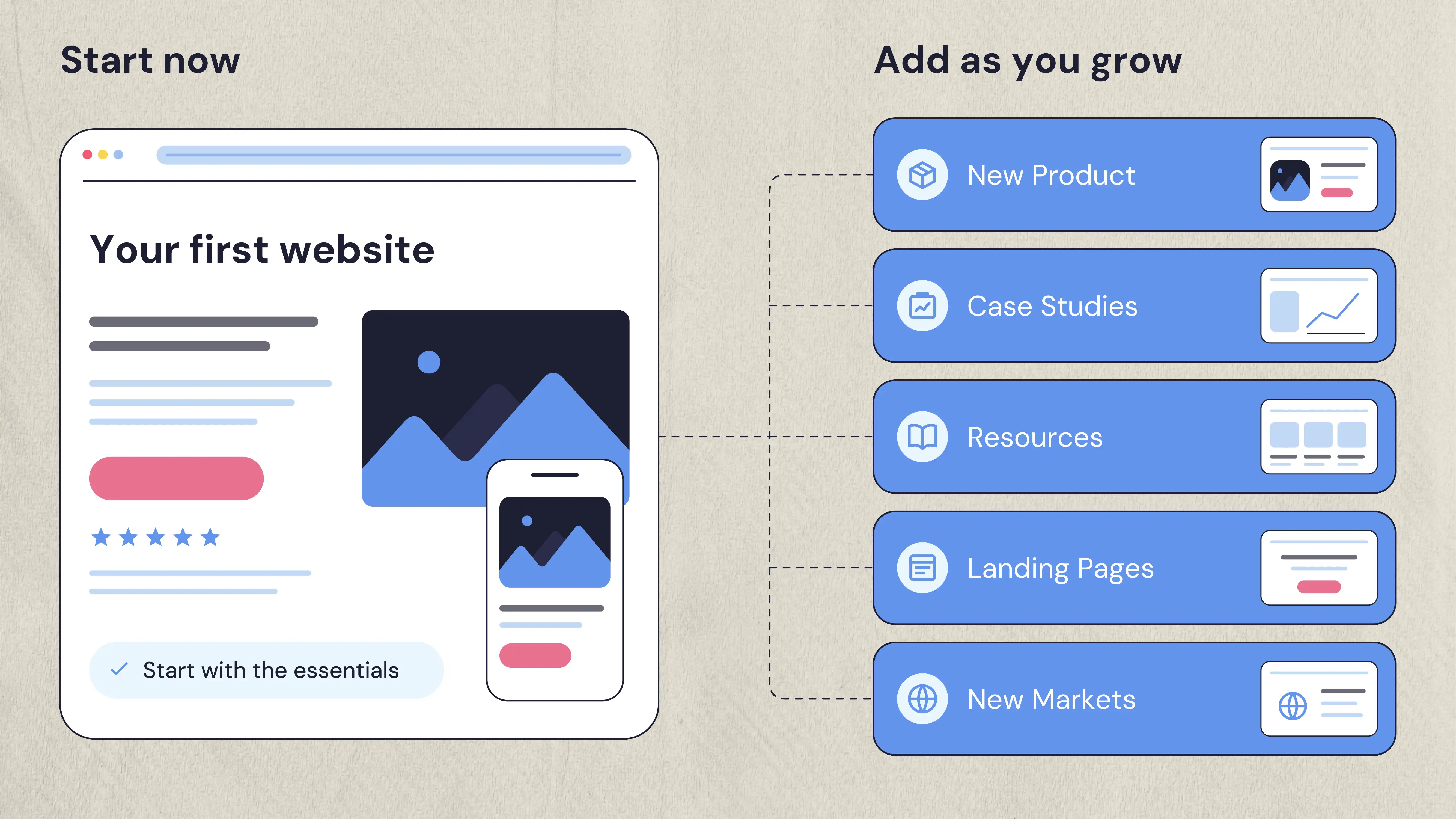
Your first website probably will not be your final website.
That is normal.
As the company develops, you may eventually need:
- New products
- New services
- Case studies
- Blog content
- Landing pages
- New integrations
- Additional markets
The important thing is to create a foundation that can accommodate those additions without requiring the entire website to be rebuilt.
Choose a Manageable CMS
Your team should be able to make reasonable content updates without needing a developer for every small change.
This becomes particularly important once the startup begins publishing resources, launching campaigns, adding case studies, or creating new landing pages.
Avoid Overbuilding the First Version
You do not need to build every feature you might need two years from now.
Build what supports the business now.
If a feature is not connected to a real customer need, business objective, or current workflow, it may belong on the future roadmap rather than the first launch.
A scalable website is not one that contains everything. It is one that gives you room to add what you actually need later.
What Do Startups Often Get Wrong With Their First Website?
The biggest mistakes are rarely technical.
They usually come from prioritizing the wrong things.
Trying to Look Bigger Than You Are
A polished website is valuable. Pretending to have customers, scale, or capabilities you do not have is not.
Use real proof wherever possible.
Making the Website About the Company Instead of the Customer
If every section starts with "we," visitors may struggle to see where they fit.
Talk about the customer problem, the outcome, and the reason your product exists.
Adding Too Many Features
More functionality does not automatically produce a better website.
Every additional interaction creates something else to design, test, maintain, and eventually update.
Prioritizing Aesthetics Over UX
A beautiful interface still fails if visitors cannot figure out what the business does or what to do next.
Design should support the experience rather than compete with it.
Building Everything at Once
Start with what the business actually needs.
You can add pages, content, functionality, and integrations as you learn more about your customers.
Forgetting About What Happens After Launch
Launch day is not the end of the website's job.
Someone needs to own content updates, performance checks, analytics, SEO improvements, and ongoing changes.
A website becomes more useful when the team treats it as something that can be improved rather than a finished asset that sits untouched.
How Much Should a Startup Spend on Its First Website?
There is no useful universal price for a startup website.
The cost depends on what you are actually building.
Factors can include:
- Number of pages
- UX research
- Custom design
- Development
- CMS
- Copywriting
- Integrations
- Animation
- SEO
- Photography or illustration
- Ongoing support
A five-page marketing site and a 30-page SaaS website with custom interactions, integrations, and a CMS are not the same project.
The better question is not whether another startup spent $5,000, $15,000, or $50,000.
It is what your project actually requires to do its job properly.
Spend More Where It Affects the Business
For most startups, higher-value investment tends to be around:
- Positioning and messaging
- UX
- Conversion paths
- Quality design
- Development
- Performance
- SEO foundations
Be more cautious about spending heavily on features that look impressive but have no clear connection to the website's goals.
What Should You Build First When You Have a Limited Budget?
You do not need to fund the entire vision of your startup website on day one.
If the budget is limited, prioritize the parts that directly affect whether someone understands the business and takes the next step.
Start with your positioning and messaging. Visitors need to understand what you offer, who it is for, and why they should care.
Then focus on the core user experience. Important information should be easy to find, and the main journey should be easy to follow.
Next, establish the conversion path. Whether the goal is booking a demo, requesting a quote, starting a trial, or making a purchase, visitors should know what to do next.
Your responsive design and performance also deserve attention from the beginning. A website that works well only on a desktop or takes too long to load is not doing its job.
Then build the SEO foundation. Set up the page structure, headings, URLs, metadata, and internal links properly rather than trying to retrofit them later.
Finally, build the pages your customers actually need. That could mean a product page, service pages, pricing, case studies, resources, or something else entirely.
You can add more sophisticated animations, additional landing pages, advanced functionality, and other extras once there is a reason to build them.
The question is not “What can we afford to put on the website?”
It is “What will make this website more useful to the business right now?”
What Should Your First Website Prove?
A startup website has a job beyond looking professional. It needs to give a new visitor enough information to decide whether your company is worth their time.
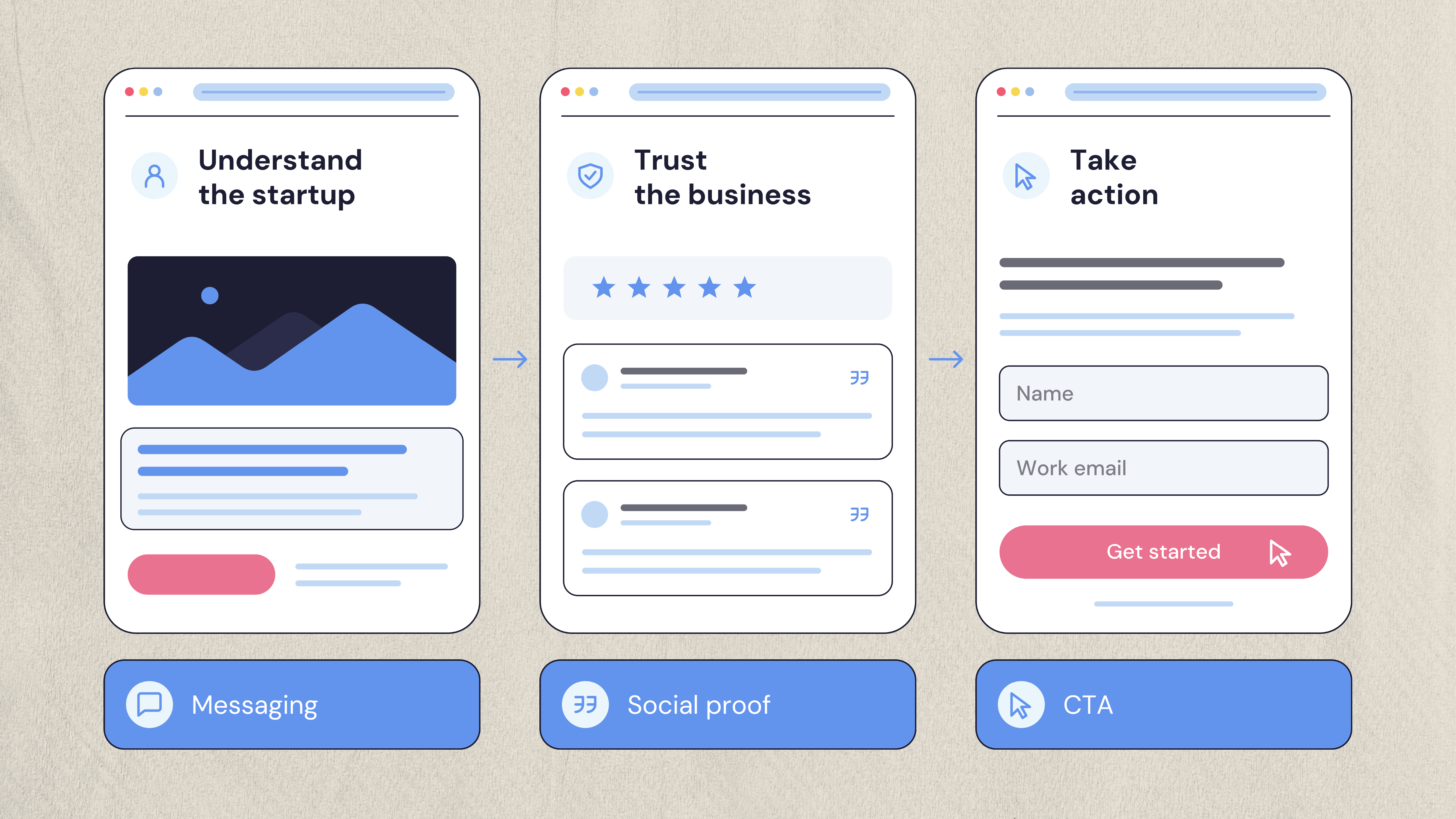
By the time someone moves from your homepage toward your CTA, they should be able to answer a few basic questions.
Do you understand what I need?
Your messaging should connect with the problem or goal that brought them to the site.
Can I understand what you're offering?
The product or service should be explained without requiring industry knowledge or a sales call.
Can I trust you?
Customer evidence, useful information, transparent details, and professional execution all contribute to credibility.
What should I do next?
The next step should be easy to identify and easy to complete.
If the website can do those things, it has already accomplished more than a visually impressive site with ten extra features.
Building Your Startup's First Website?
NUUX combines UX strategy, website design, and development to help startups create websites around their users and business goals.
Want results like this
Your website should make money, not excuses. Let us find the revenue hiding in your current experience.
FAQs
Quick answers to the questions we hear most about website conversion and UX design.
At minimum, it should explain what the startup does, who it serves, why it matters, and what visitors should do next. The exact pages depend on the business.
Good startup website design combines clear messaging, strong UX, useful content, trust signals, mobile responsiveness, performance, and a focused conversion path.
It depends on the site's scope, including the number of pages, custom design, development, CMS, copywriting, integrations, SEO, and ongoing support.
There is no fixed number. Start with the pages needed to explain the business, answer important questions, build trust, and support the main conversion goal.
DIY can work for a simple launch site with a limited budget. An agency becomes more useful when the website is important to growth and requires strategy, custom UX, design, development, SEO, or integrations
Related articles
More field notes on conversion, UX, and building websites that sell.